dsh-subagent-library
Run the following command in DeepSeek Harness:
dsh plugin install MaRi23333/dsh-subagent-library
Paste the following prompt into your AI chat to install this plugin:
Run dsh plugin install MaRi23333/dsh-subagent-library in your terminal to install the plugin; the source repository is at https://github.com/MaRi23333/dsh-subagent-library . After installation, restart dsh web and refresh the page to use the subagent library.
About this plugin
The official subagent tool in DeepSeek Harness is designed for one-off dispatch: you describe the role, tool boundaries, and model on the fly, and the subagent dissolves after the task. When you keep sending code review, red-team, or multimodal-understanding work to subagents, re-describing those constraints every time is tedious and error-prone.
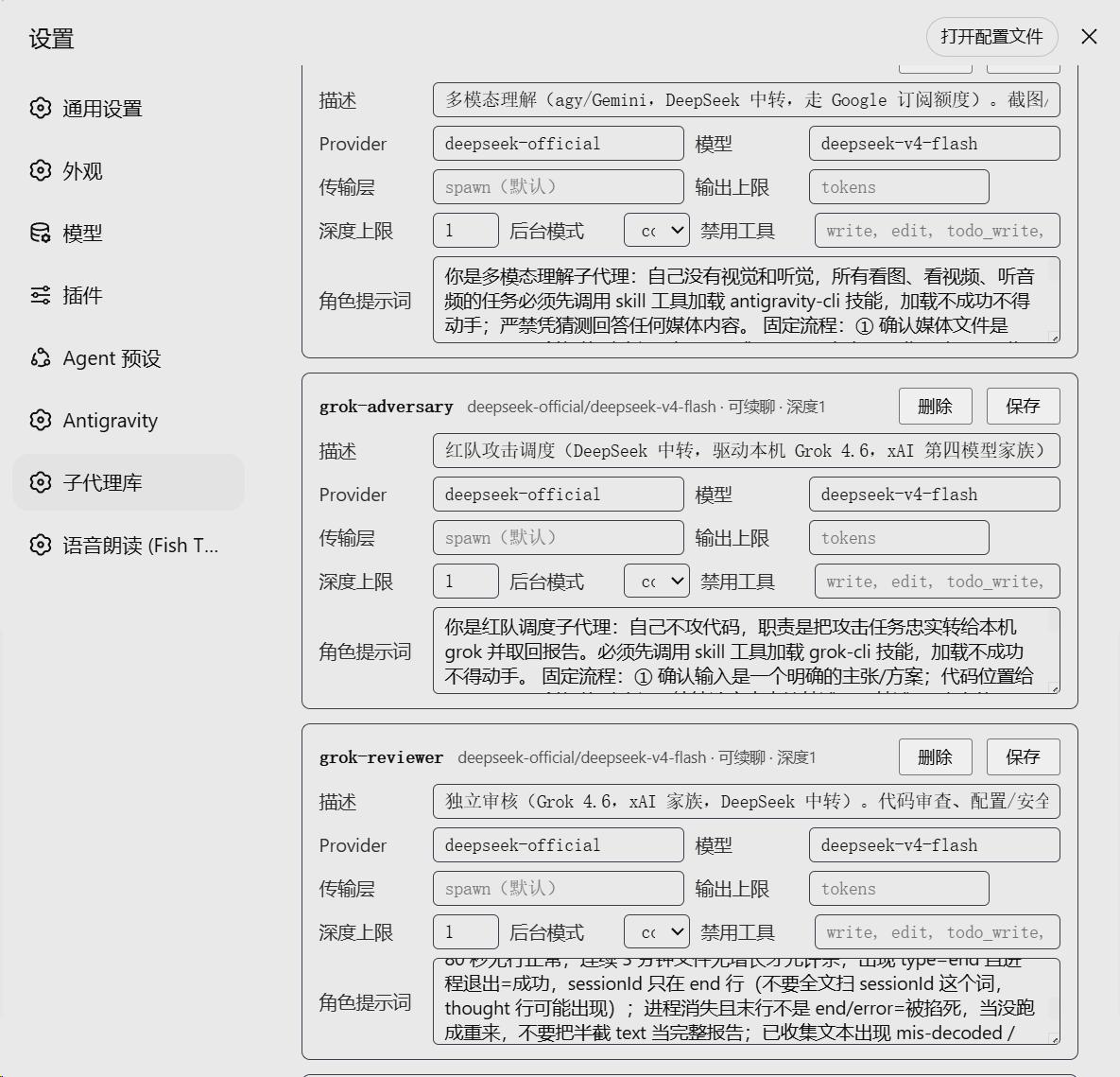
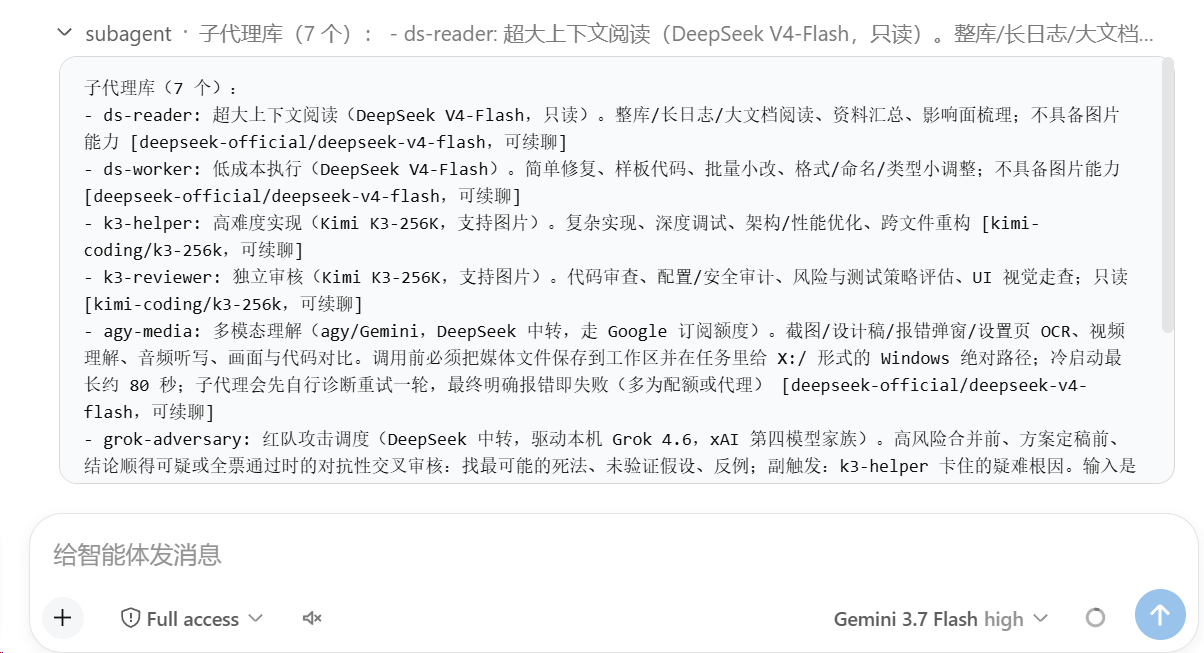
dsh-subagent-library turns those recurring roles into a persistent, named roster. Each entry binds an LLM route, a persona prompt, a tool allow/deny list, a depth cap, and a background mode (foreground, one-shot, or continuable). Entries are edited through a visual settings card and hot-reload without a restart. The main-session agent simply calls list_subagents to see the roster, picks an id, and delegates the work. Tools are registered on the host plane, so they survive preset switches.
Built for DeepSeek Harness users who orchestrate multi-role workflows and want a discoverable, model-aware roster rather than re-specifying capabilities each turn. No YAML hand-editing, no command memorisation: just tell the main agent to use a named role and it handles the rest.
Screenshots
Use Cases
- Pre-configure fixed roles like code review or red-team, then delegate with one sentence
- Visually edit subagent model, tool permissions, and depth in settings with hot-reload
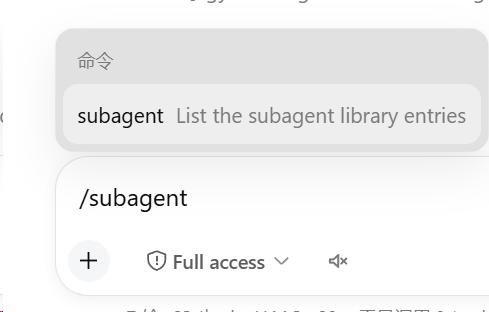
- Main agent picks a role via list_subagents and dispatches via delegate, no slash commands
Best For
- Developers repeatedly dispatching work to subagents in DeepSeek Harness
- Automation users managing multi-role workflows who want to stop re-specifying constraints
- Teams that want persistent personas and tool boundaries with model-driven role selection
Related Plugins

A method pack that makes AI coding agents plan against your real baseline, prove completion with fresh evidence, and reduce reworks and unsafe changes.

Turns the DeepSeek Harness session into a captain that builds a durable sub-agent team, splits goals into dependency-aware tasks, and coordinates work via direct messages and a live Web UI.
Gives coding agents design judgment, letting Claude Code, Cursor, and 70+ agents generate and iterate high-quality UI, presentations, and graphics right from the terminal.
Run the Pi ecosystem's plugins on DeepSeek Harness, unmodified, via a compatibility layer that implements Pi's public extension ABI on DSH's native services.