dsh-project-workbench
Run the following command in DeepSeek Harness:
dsh plugin install 937862061/dsh-project-workbench
Paste the following prompt into your AI chat to install this plugin:
Run dsh plugin install 937862061/dsh-project-workbench in the DeepSeek Harness terminal to install; source at https://github.com/937862061/dsh-project-workbench.
About this plugin
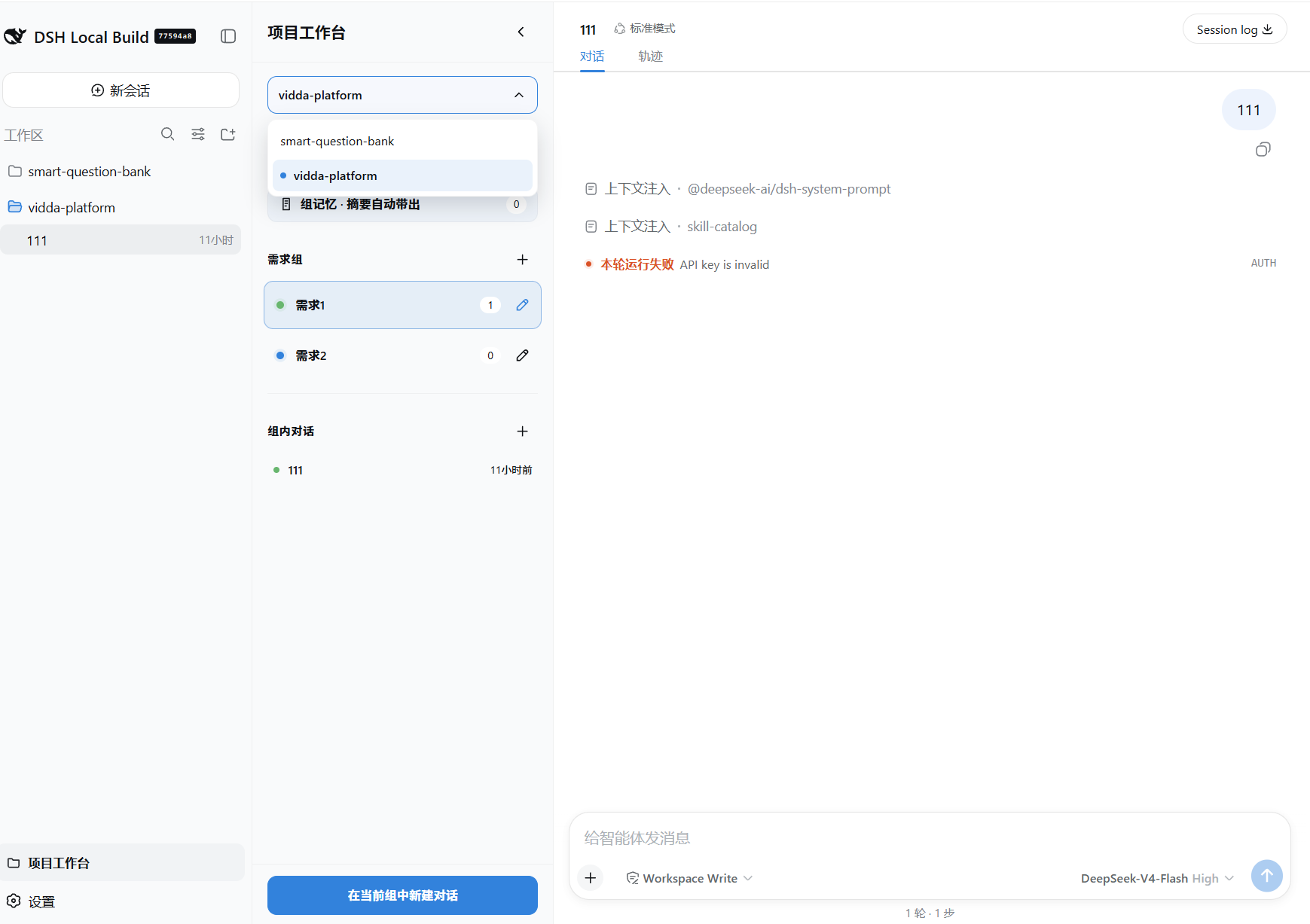
When you are developing a feature, it often takes several separate chats—one for analysis, one for implementation, one for verification—and every time you switch, you have to re-explain the context. The native sidebar lists sessions by time, making it hard to tell which chats belong to the same requirement and how far along you are. dsh-project-workbench is a DSH sidebar plugin designed to solve exactly this: it lets you group all chats related to one requirement into a single project group and manage them in one place.
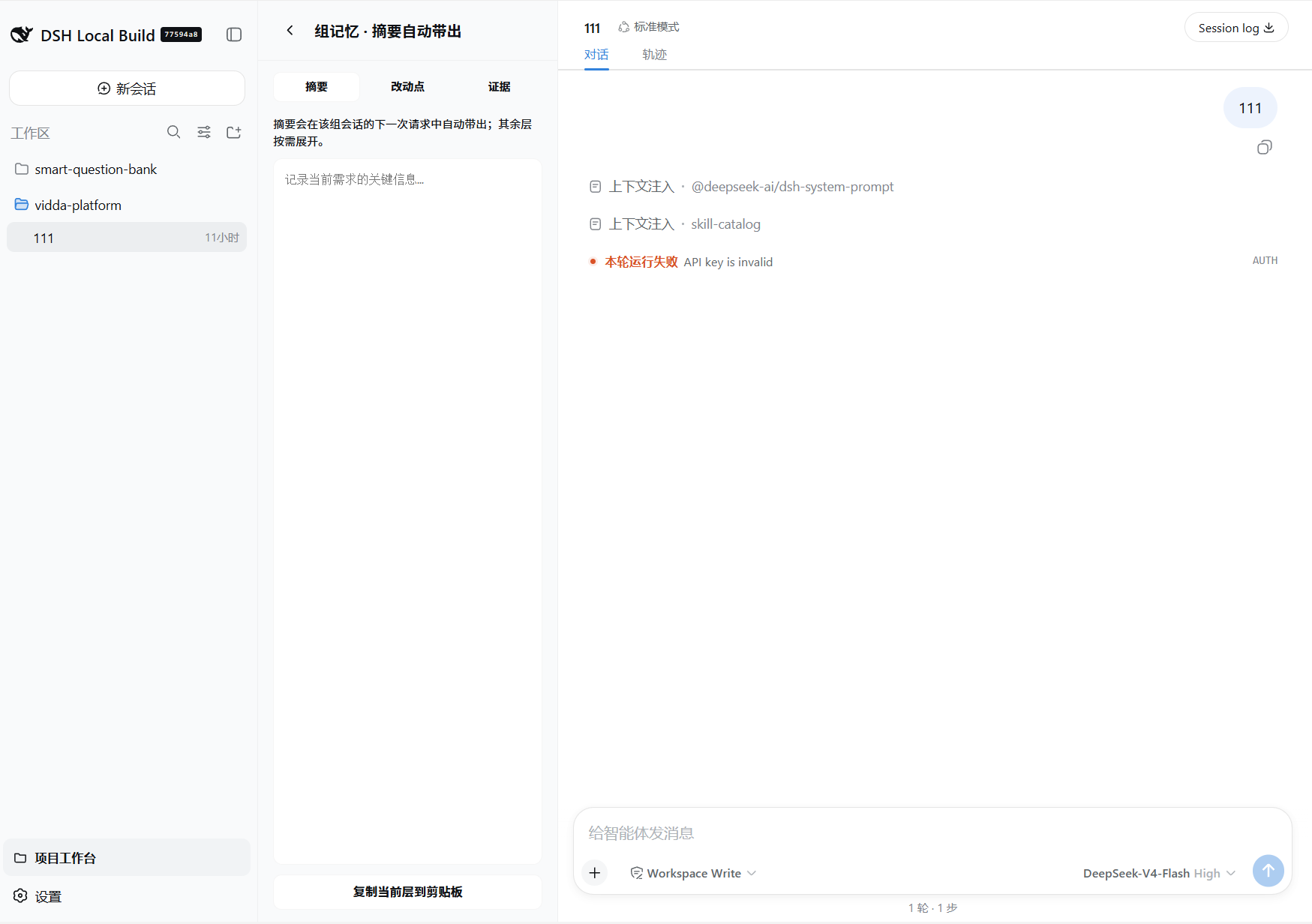
Everything revolves around the group. You can create a group, pull in existing sessions, start a new chat inside it, and rename, fork, archive, or move individual sessions with a few clicks. The memory system is the real differentiator: whenever a turn genuinely advances the requirement (tool calls executed or substantive output produced), the plugin automatically refreshes the group summary on top of the existing one, keeping it in a compact Requirement / Progress format. At the first turn of every session in the group, that summary is injected as background context into the model request—never repeated afterward. Small talk, status queries, and unrelated conversations never touch the summary, and your manual notes are kept local and never sent to the model. An auto-update versus manual-maintain toggle and a reserved LLM summary mode give you control as the system evolves.
If you work in DSH with multi-turn conversations to drive development forward and want a clear view of the status and context of every requirement, this plugin saves you the repetitive background re-explanation and turns the sidebar from a time-stamped list into a lightweight project board. All data stays in your local DSH data directory—nothing is uploaded or synced across devices.
Screenshots
Use Cases
- Manage multiple chats of the same requirement in one group for unified progress tracking
- Skip repeated context re-explanation—summaries auto-inject at the first turn
- Archive an entire requirement group and all its sessions in one click
Best For
- Engineers driving development with multi-turn DSH chats and tracking multiple requirements
- Developers managing many sidebar sessions who prefer requirement-based organization
- Collaborators who need shared project context across chats without manual copy-paste
Related Plugins

A method pack that makes AI coding agents plan against your real baseline, prove completion with fresh evidence, and reduce reworks and unsafe changes.

Turns the DeepSeek Harness session into a captain that builds a durable sub-agent team, splits goals into dependency-aware tasks, and coordinates work via direct messages and a live Web UI.
Gives coding agents design judgment, letting Claude Code, Cursor, and 70+ agents generate and iterate high-quality UI, presentations, and graphics right from the terminal.
Run the Pi ecosystem's plugins on DeepSeek Harness, unmodified, via a compatibility layer that implements Pi's public extension ABI on DSH's native services.