DeepSeek-Harness-chat-billing
Run the following command in DeepSeek Harness:
dsh plugin install rayadesune/DeepSeek-Harness-chat-billing
Paste the following prompt into your AI chat to install this plugin:
Run dsh plugin install rayadesune/DeepSeek-Harness-chat-billing inside your DeepSeek Harness profile to install this plugin; full source is available at https://github.com/rayadesune/DeepSeek-Harness-chat-billing .
About this plugin
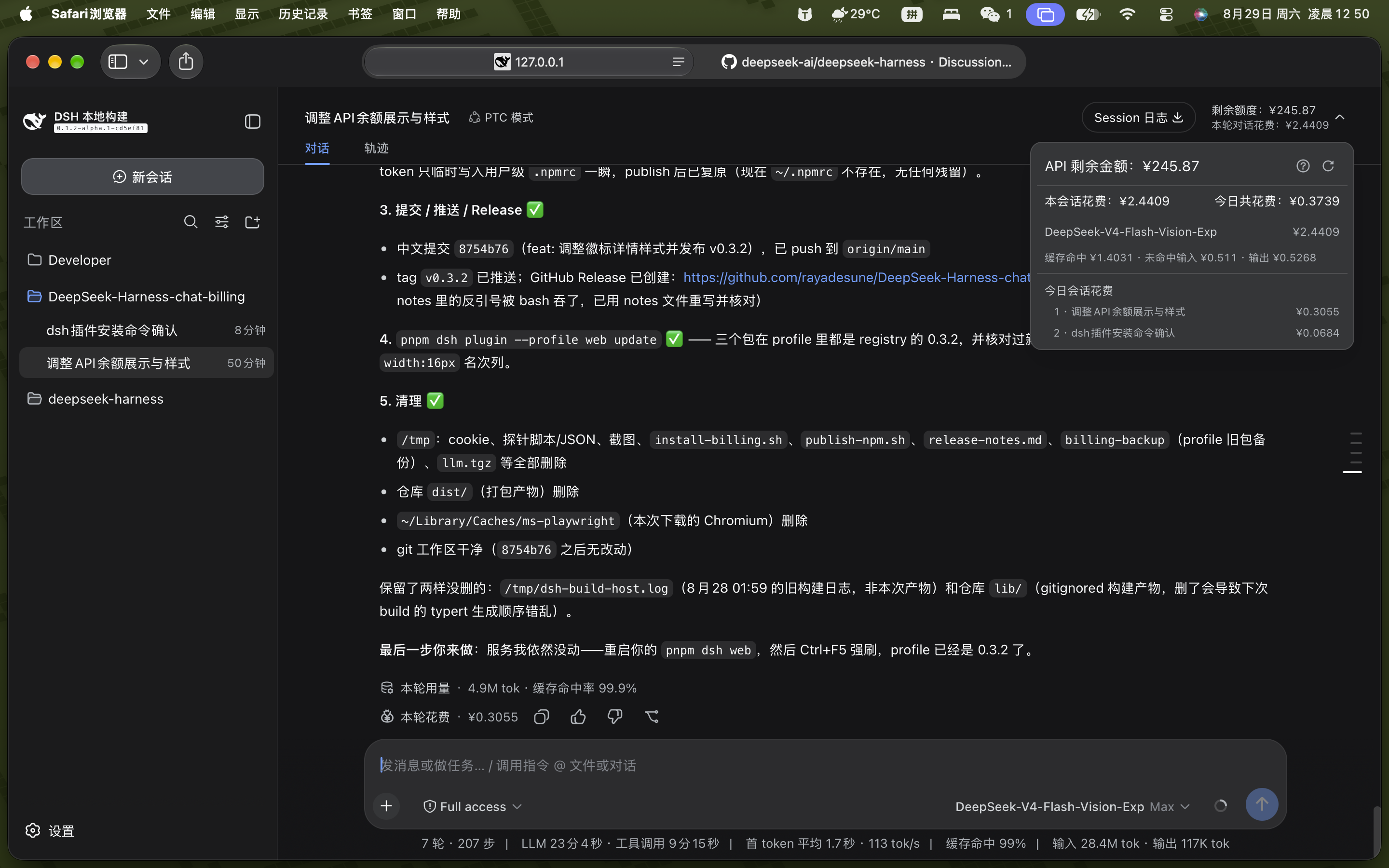
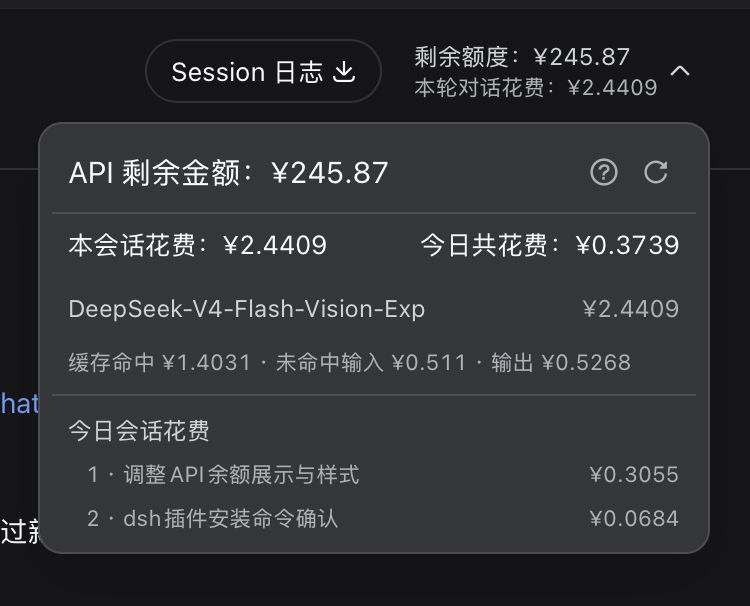
Running DeepSeek models at scale inside DeepSeek Harness turns cost into a black box: your balance lives in an API doc, per-turn spend requires mental math, and a single day across many sessions is impossible to eyeball. DeepSeek-Harness-chat-billing brings that visibility straight into the web session header. A two-line badge shows your real remaining balance and this conversation's cumulative spend, while the detail panel breaks expenses down by model into cache-hit input, cache-mash input, and output tokens, capped by a today session-spend ranking so you can see at a glance which conversations consumed the most.
Pricing is not a rough guess. Every message is priced against DeepSeek's official peak and off-peak rate card (weekdays 09:00-12:00 and 14:00-18:00 Beijing time are peak; weekends are always off-peak), across the three billed token buckets. Session spend increments locally with each new reply and needs no extra network call; the balance is fetched only on mount, session switch, manual refresh, or page reload, so there is no background polling. Each completed turn also stamps a static cost amount at the end of the actions row, and turns with zero DeepSeek usage or failed loads simply stay hidden rather than fabricating a zero.
Built for developers who run multiple DeepSeek V4 sessions in parallel and want live, per-model cost transparency without leaving the chat. Configure a DeepSeek API key, install inside any dsh profile, and the billing overlay is ready with no additional runtime dependencies.
Screenshots

Use Cases
- Compare per-session spend across parallel DeepSeek conversations via the today ranking
- Check per-turn cost and session cumulative spend live without leaving the chat
- Break down each model's cache-hit, cache-miss input, and output token costs under peak and off-peak rates
Best For
- Developers making high-frequency DeepSeek V4 calls who need granular cost control
- Workflow users juggling multiple long-running sessions inside DeepSeek Harness
- LLM application teams that want real-time spend visibility and cross-session cost comparison without leaving the chat
Related Plugins

Adds an Auto approval mode on the official workspace-write sandbox, classifying semantic risks, asking when ambiguous, and denying destructive operations.

Undo/rollback system for DSH: config & plugin snapshots, one-click undo/redo/restore, message-level revert, secret masking, safe mode, and offline WebUI/GUI/CLI rescue tools for when DSH won't start.
Packages all 87 SKILL.md files from upstream reverse-skill as a DeepSeek Harness plugin that auto-registers them for authorized reverse engineering, penetration testing, and security research.
Dockyard DSH is a native DeepSeek Harness plugin that unifies official OAuth/client sessions for Codex, Antigravity, Grok, Claude, and Cursor, providing account pool, model catalog, and quota status.