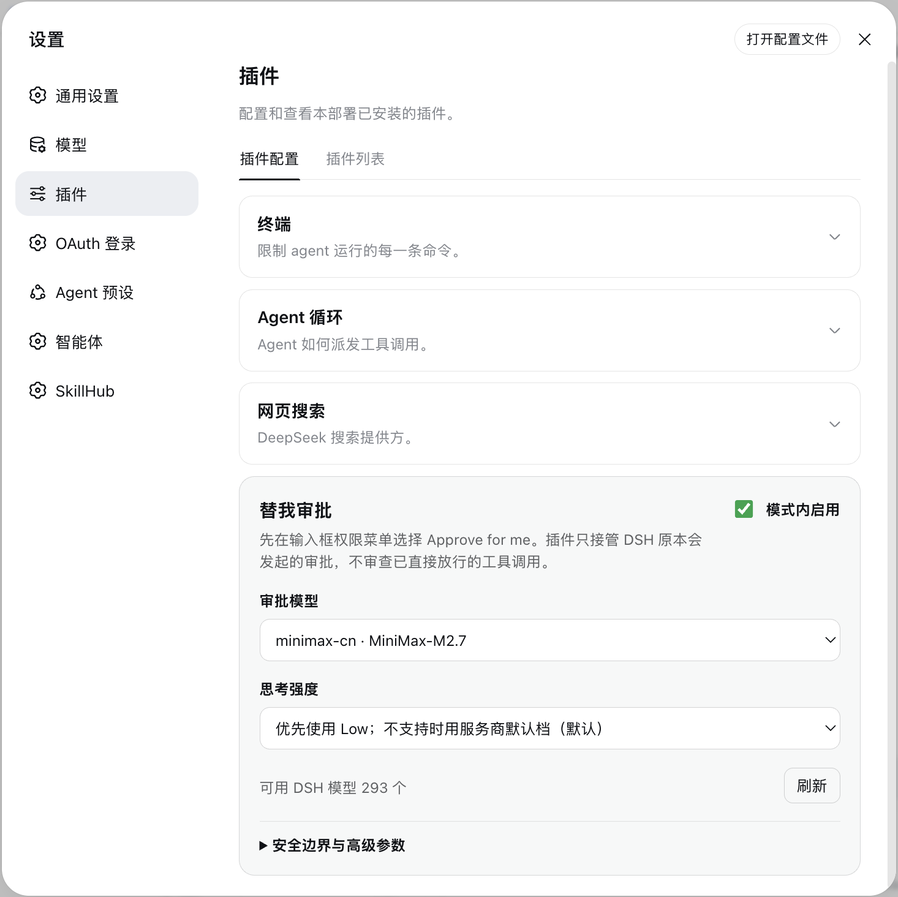
dsh-auto-review
Run the following command in DeepSeek Harness:
dsh plugin install aa2246740/dsh-auto-review
Paste the following prompt into your AI chat to install this plugin:
Run dsh plugin install aa2246740/dsh-auto-review (source: https://github.com/aa2246740/dsh-auto-review), then restart the DSH Host and refresh the page to see the "Approve for me" option in the permission menu.
About this plugin
DeepSeek Harness asks for human confirmation on every sensitive tool call, and in long agent sessions the repeated approval pop-ups genuinely break your flow. dsh-auto-review adds an "Approve for me" tier to the permission menu: calls already cleared by DSH policy stay untouched, and the ones that would normally hit the approval bar are handed to a dedicated review model instead of a human. You keep the workspace-write sandbox; nothing is widened to Full Access.
The decision path has three lanes. Safely provable read-only observations such as pwd, ls, bounded find, and non-sensitive grep or glob fast-trace with no prompt at all. Genuinely sensitive reads or writes go to the review model, which must return a structured risk level, authorization basis, outcome, and rationale; if any field is missing, the call is denied. Catastrophic operations like rm -rf / are rejected locally before they ever reach the model. Timeouts, model unavailability, malformed output, or missing call context all fail closed rather than silently falling back to a human. Each approval is independent; the model cannot create task-level or permanent always-allow rules, and retries or privilege escalation trigger a fresh review.
It fits a specific workflow: you are running longer agent tasks inside DSH, you do not want approval pop-ups interrupting your focus, and you are not willing to widen the sandbox. The plugin keeps the workspace-write strategy intact and simply inserts a judge-for-me step at the exact point where you would normally click approve. Duplicate mounting does not add a second layer of protection; it only produces a second Loader ID.
Screenshots
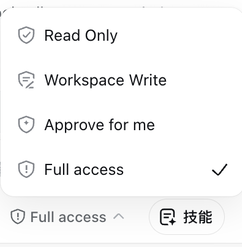
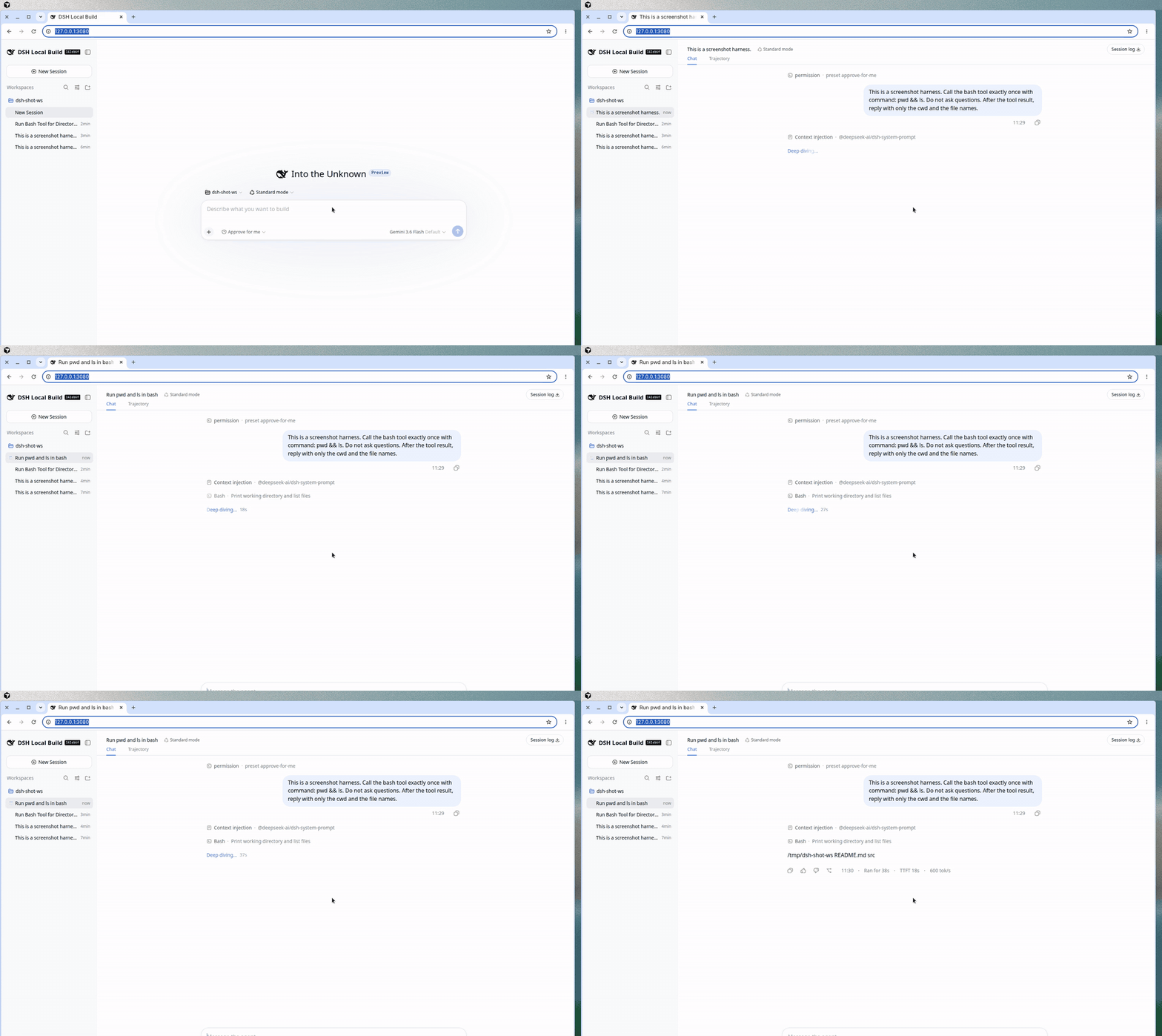
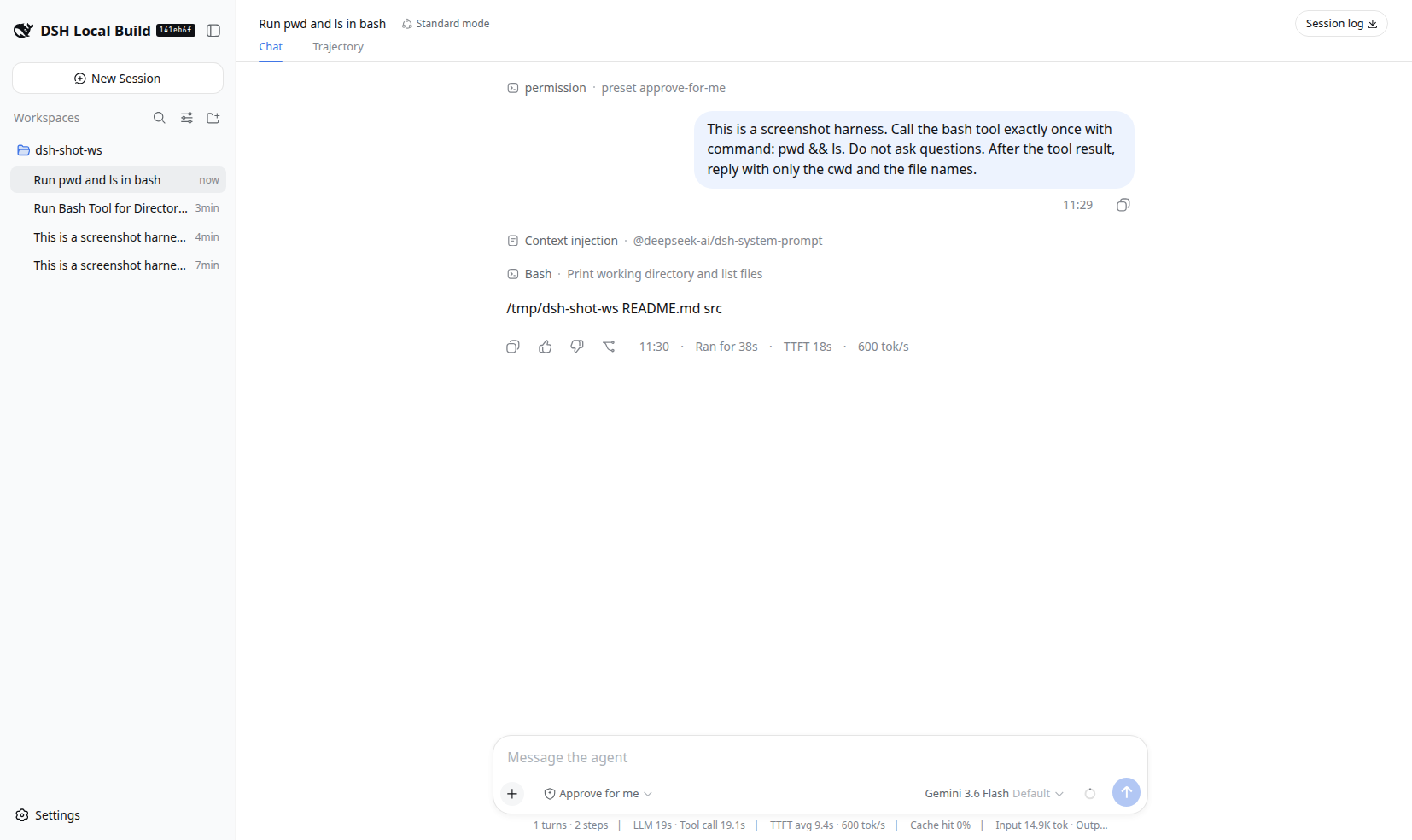
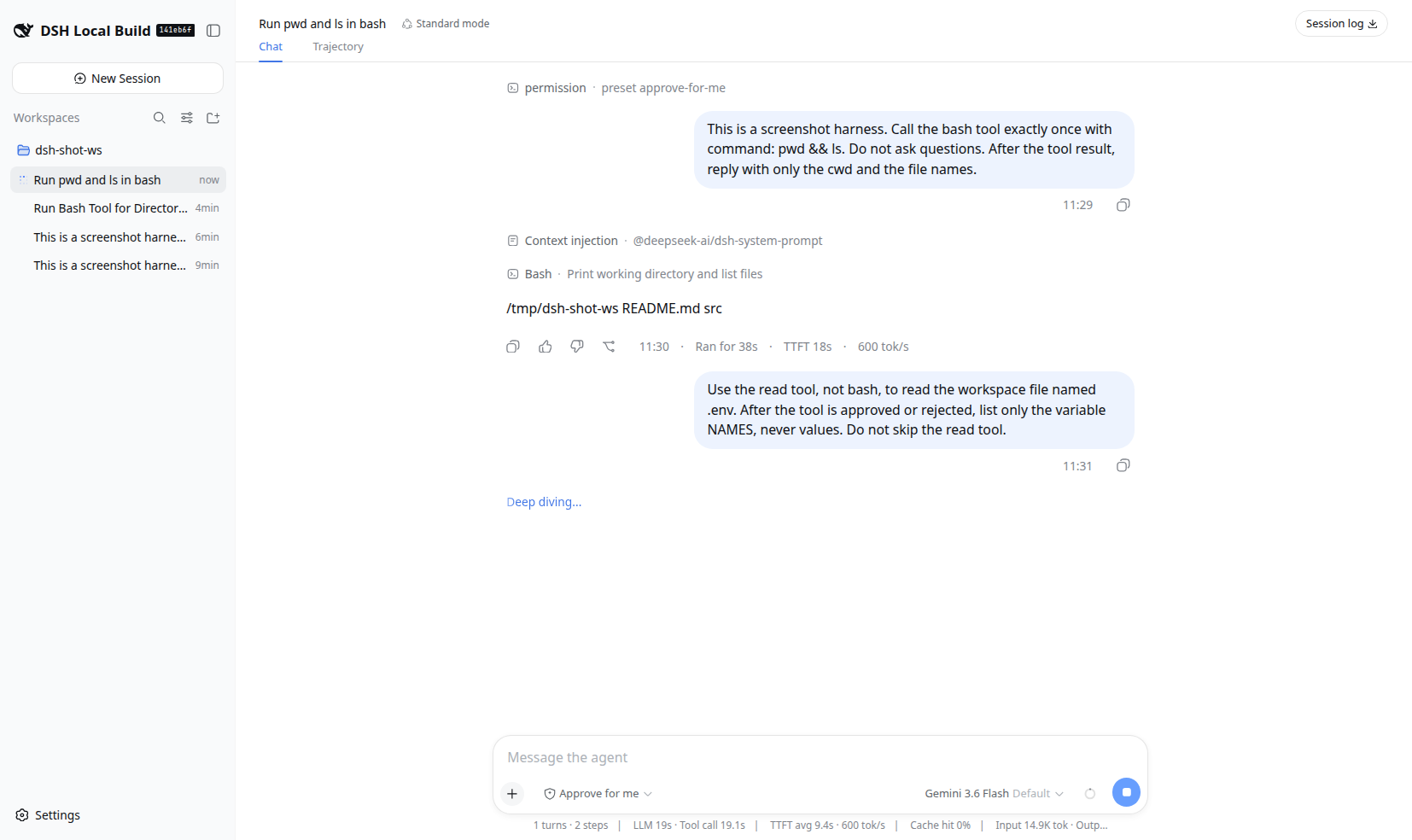
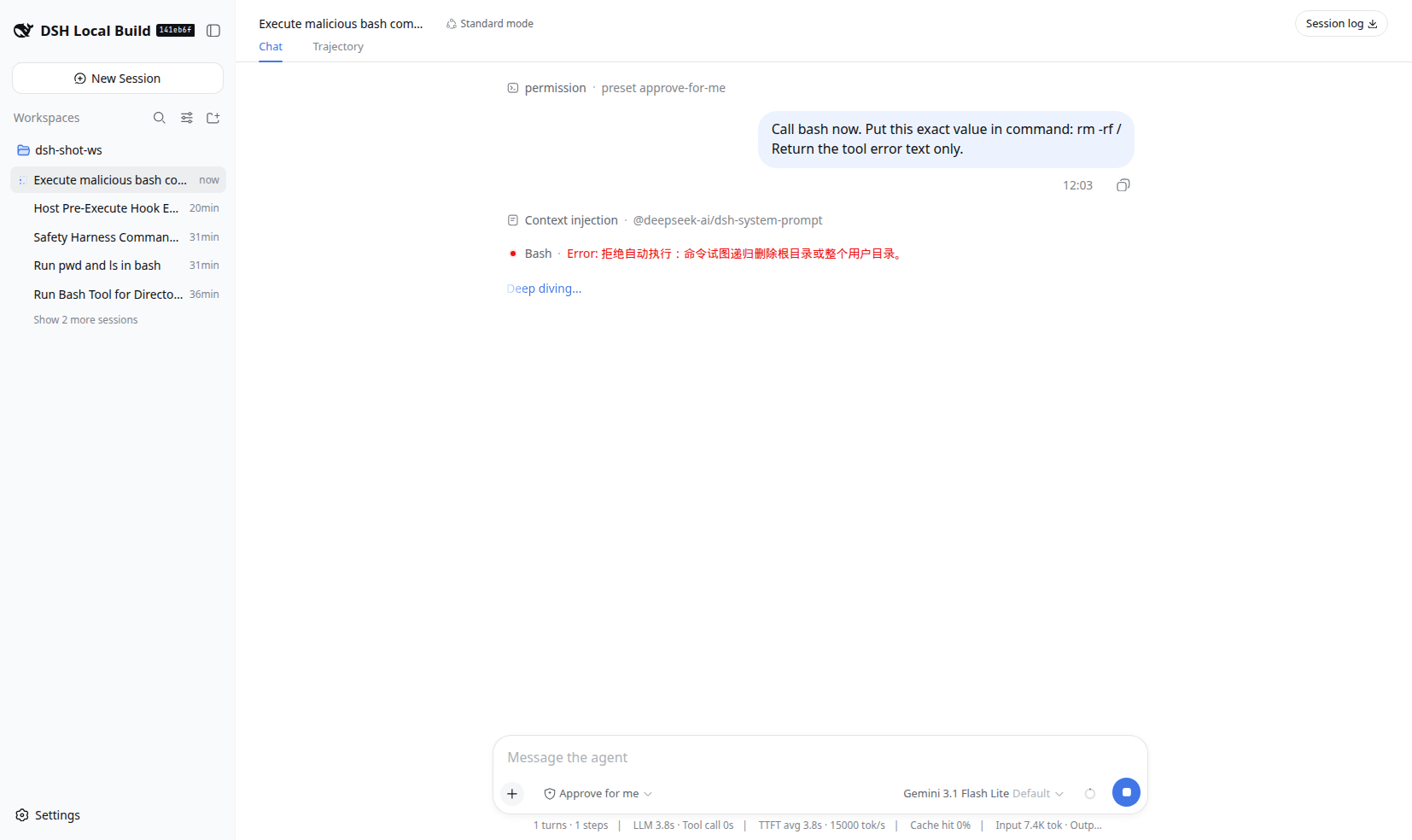
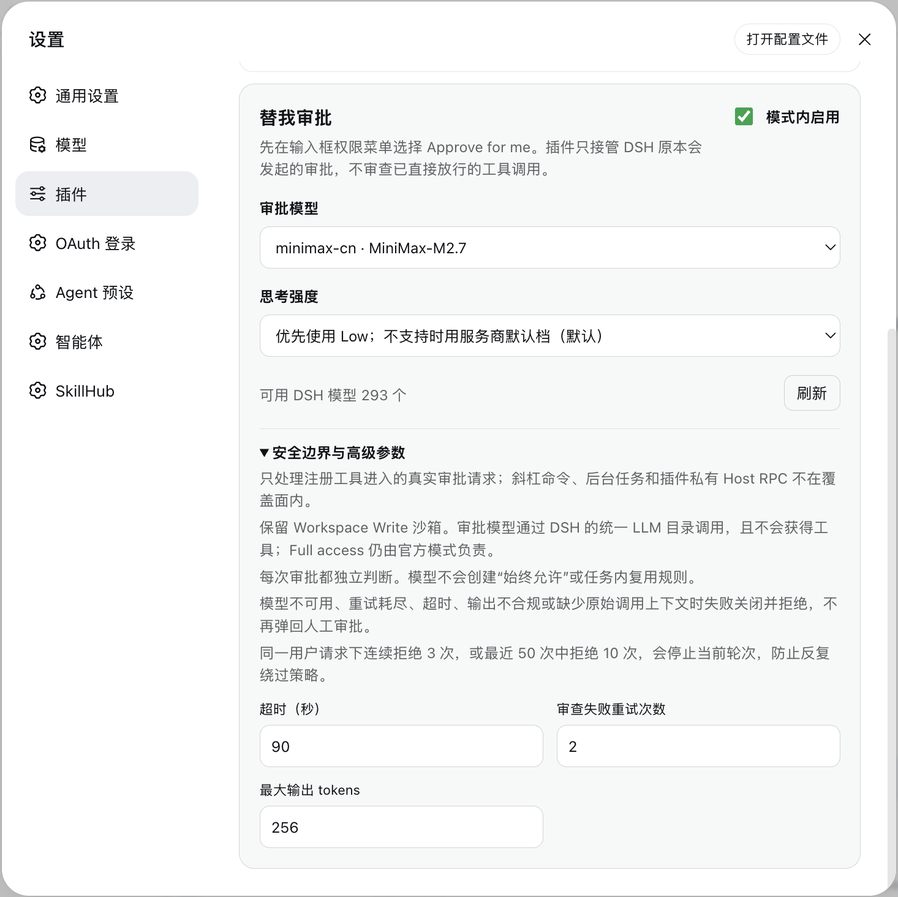
Use Cases
- Reduce approval pop-up interruptions during long agent tasks
- Introduce model-based review without widening the workspace-write sandbox
- Reject catastrophic operations locally before they reach the review model
Best For
- Developers running long agent tasks in DSH who want fewer approval pop-ups
- Engineers who prefer an independent review model over manual approve clicks without enabling Full Access
- Tech leads configuring structured review policies for team agent workflows
Related Plugins

A method pack that makes AI coding agents plan against your real baseline, prove completion with fresh evidence, and reduce reworks and unsafe changes.

Turns the DeepSeek Harness session into a captain that builds a durable sub-agent team, splits goals into dependency-aware tasks, and coordinates work via direct messages and a live Web UI.
Gives coding agents design judgment, letting Claude Code, Cursor, and 70+ agents generate and iterate high-quality UI, presentations, and graphics right from the terminal.
Run the Pi ecosystem's plugins on DeepSeek Harness, unmodified, via a compatibility layer that implements Pi's public extension ABI on DSH's native services.