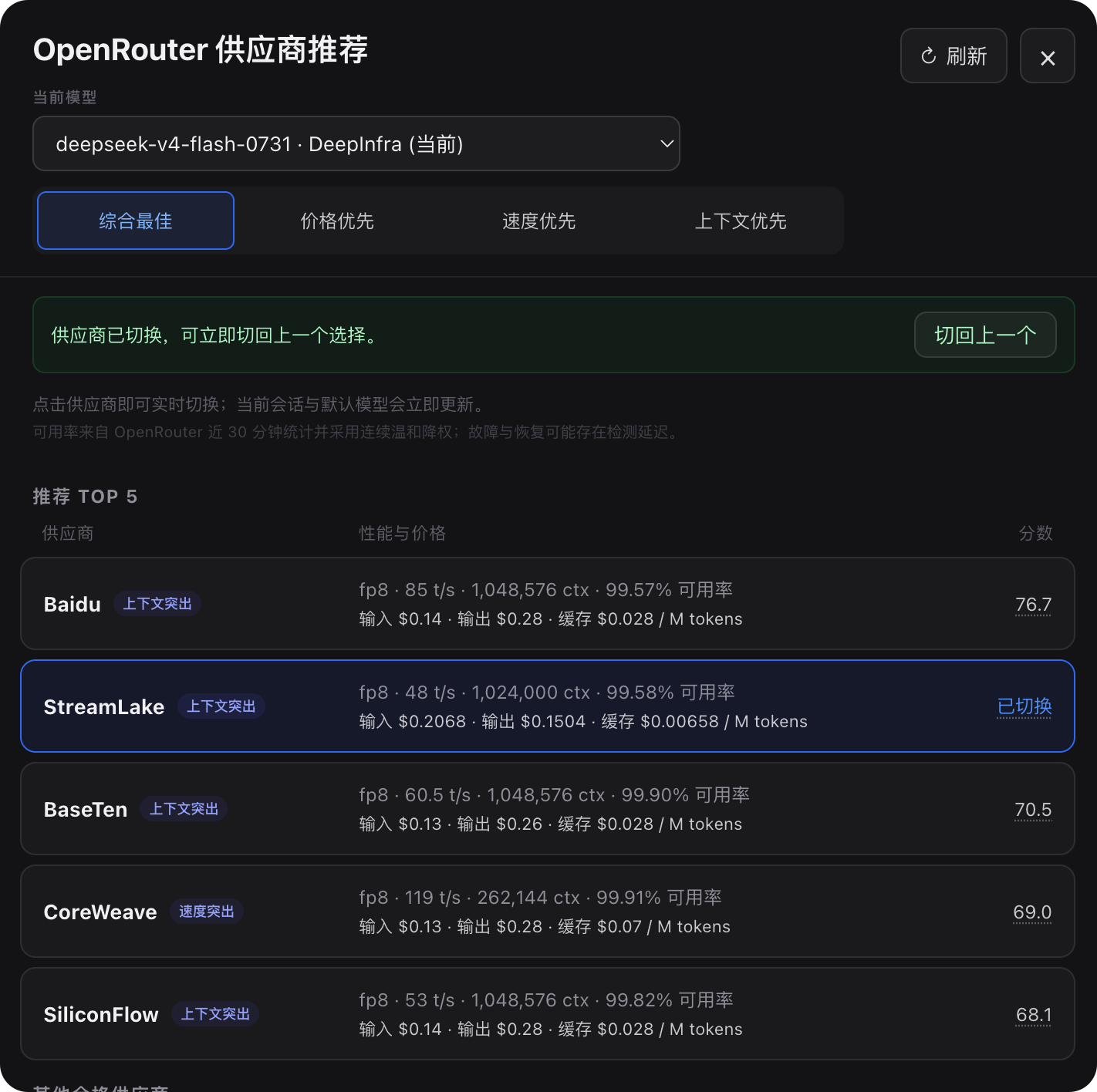
dsh-openrouter-provider-advisor
Run the following command in DeepSeek Harness:
dsh plugin install xuan666-lab/dsh-openrouter-provider-advisor
Paste the following prompt into your AI chat to install this plugin:
Run dsh plugin install xuan666-lab/dsh-openrouter-provider-advisor in your terminal to install the plugin; the source repository is https://github.com/xuan666-lab/dsh-openrouter-provider-advisor .
About this plugin
The same model can look very different across OpenRouter providers in price, cache-read cost, latency, and uptime. Manually browsing each provider, noting presets, and swapping sessions is slow and easy to get wrong. dsh-openrouter-provider-advisor turns that into a single click: it scores the top 5 providers for your current model using quantization, speed, cache-heavy pricing, context length, and 30-minute uptime, then lets you switch with one row tap so the very next request uses the new route.
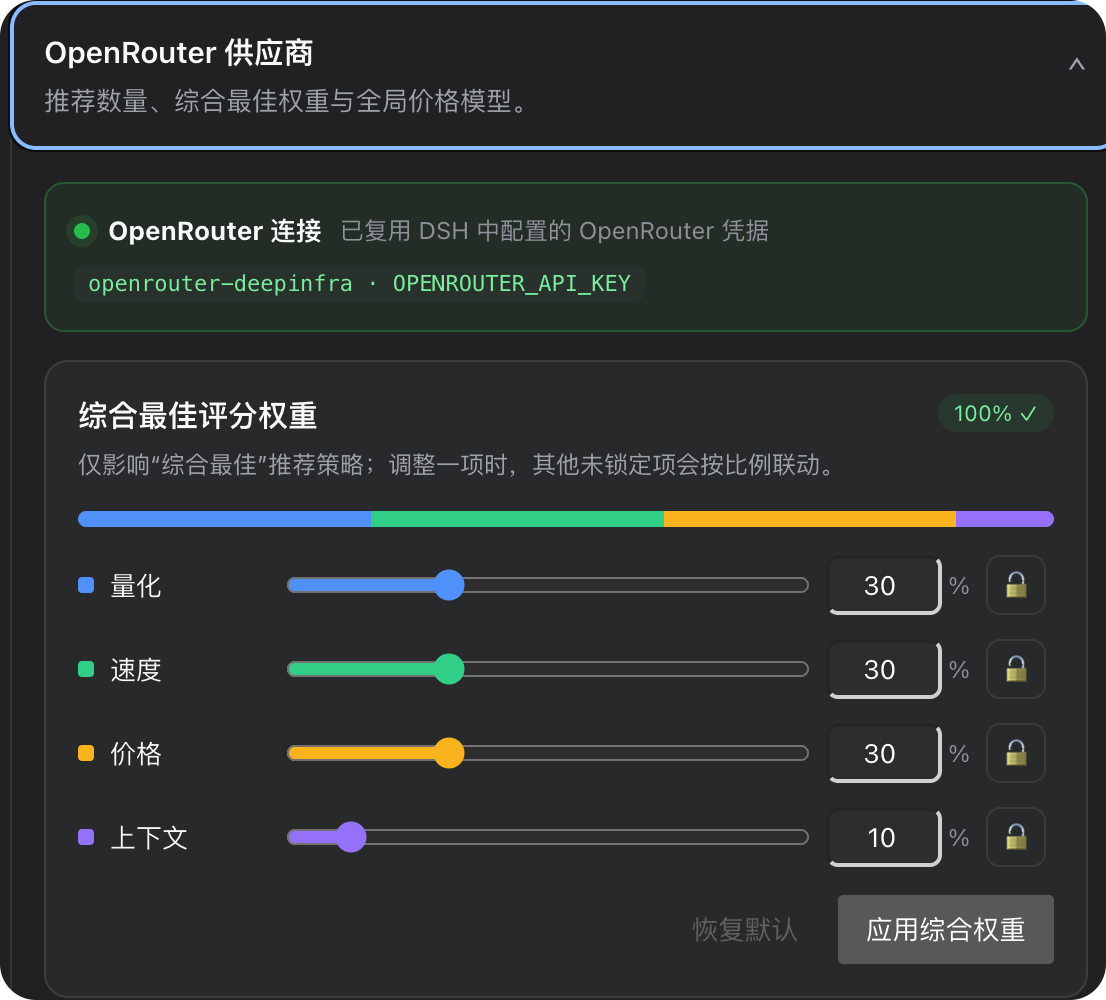
Four strategies are available (balanced, price-first, speed-first, context-first) with linked sliders that always sum to 100%. The default price model weights a typical Code Agent mix (2% input, 8% output, 90% cache-read) so scores reflect real bills. Unavailable endpoints are excluded and temporary dips receive a smooth, interpolated penalty rather than a cliff-edge re-rank.
Best for DSH users who route through OpenRouter day-to-day and want to cut cost without changing models, especially heavy Code Agent workloads. No preset bookkeeping, no manual provider-page checks-open the panel, review scores, click to switch.
Screenshots
Use Cases
- Finding cheaper cache-heavy routes for intensive Code Agent runs
- Switching providers mid-session to dodge latency or instability
- Comparing input, output, and cache prices across providers for one model
Best For
- Developers routing through OpenRouter in DSH daily
- Heavy Code Agent callers
- Teams cutting API spend without changing models
Related Plugins

A method pack that makes AI coding agents plan against your real baseline, prove completion with fresh evidence, and reduce reworks and unsafe changes.

Turns the DeepSeek Harness session into a captain that builds a durable sub-agent team, splits goals into dependency-aware tasks, and coordinates work via direct messages and a live Web UI.
Gives coding agents design judgment, letting Claude Code, Cursor, and 70+ agents generate and iterate high-quality UI, presentations, and graphics right from the terminal.
Run the Pi ecosystem's plugins on DeepSeek Harness, unmodified, via a compatibility layer that implements Pi's public extension ABI on DSH's native services.