dsh-chatgpt-bridge
Run the following command in DeepSeek Harness:
dsh plugin install jiezeng2004-design/dsh-chatgpt-bridge
Paste the following prompt into your AI chat to install this plugin:
Install dsh-chatgpt-bridge in DeepSeek Harness by adding its source URL https://github.com/jiezeng2004-design/dsh-chatgpt-bridge as a DSH plugin, and ensure DSH Web and the bridge run in the same profile/runtime.
About this plugin
For people who already run DeepSeek Harness (DSH) locally, dsh-chatgpt-bridge solves a specific connection problem: how to make ChatGPT Web a remote command and observation surface for DSH sessions without changing DSH core or its security model. It links ChatGPT Web, the bridge, and local DSH through the Model Context Protocol, with control flowing from ChatGPT Web toward DSH; it does not make DSH call ChatGPT, nor does it route DSH model requests through ChatGPT.
The plugin focuses on session supervision rather than simple chat forwarding. It can create, view, continue, and supervise DSH agent sessions, and manage goal-oriented work through the Goal Control Plane, while DSH still keeps its own session log, agent loop, tools, skills, subagents, workflows, approvals, sandbox, and workspace security model. For tasks that actually need to do something, the bridge also exposes write-capable and action-capable MCP tools, making it useful as a friendlier remote console for ChatGPT Web instead of a read-only status viewer.
It is best suited to advanced users who already run a local or self-hosted DSH, are comfortable with DSH workflows, and take MCP security boundaries seriously. Because the bridge is local-first and requires ChatGPT Web to connect through an OpenAI-supported secure MCP tunnel, token handling, workspace registration, approval policy, and runtime lifecycle all matter; it is strongest for personal setups, debugging, and supervised automation where DSH remains the execution and security center.
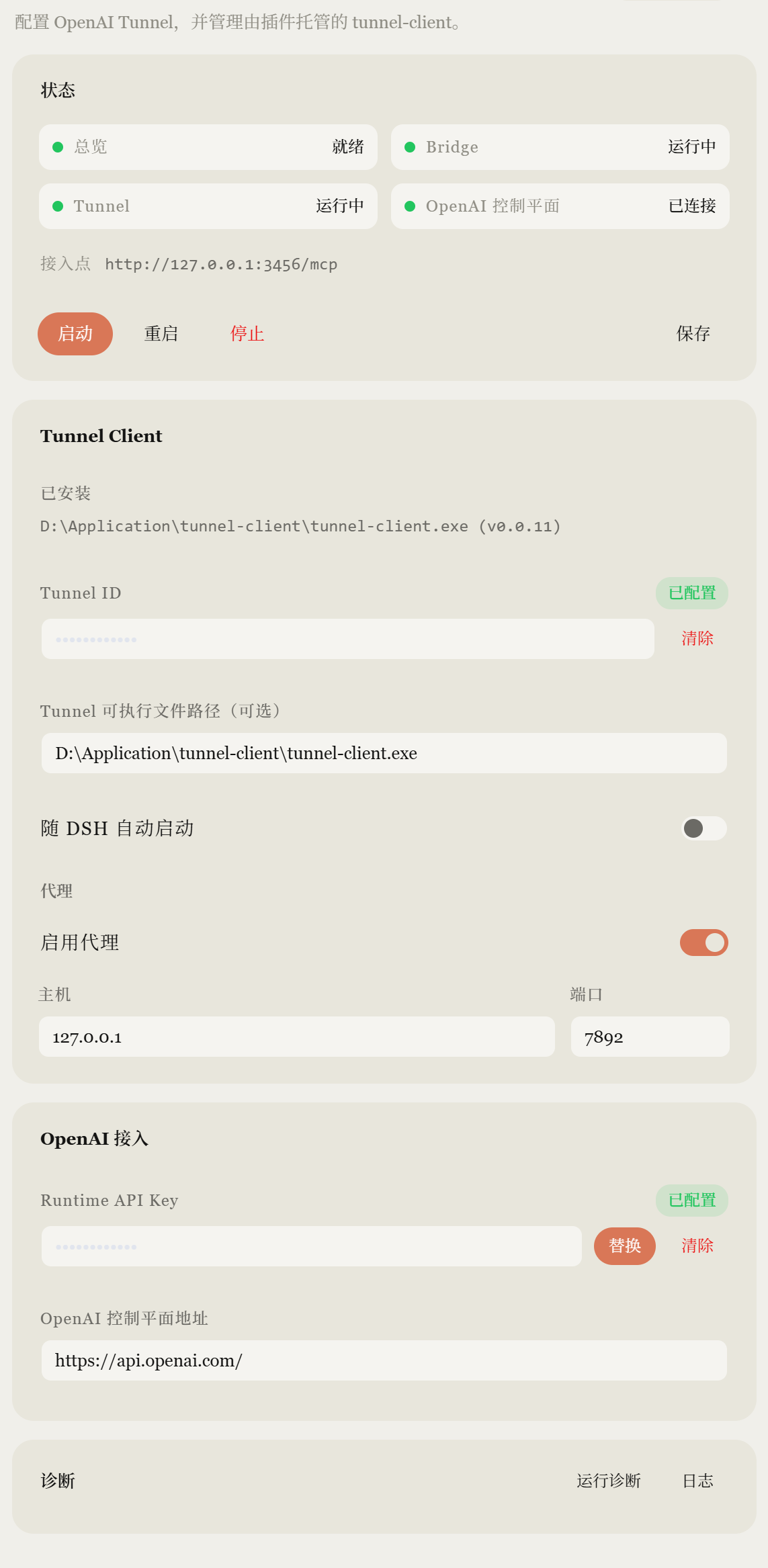
Screenshots
Use Cases
- Use ChatGPT Web to start and supervise local DSH sessions.
- Continue agent tasks under DSH approvals and sandbox policy.
- Manage ChatGPT bridge tunnel status from native settings.
Best For
- Developers running local or self-hosted DSH.
- Users who need remote visibility and control over agent workflows.
- Users who care about DSH permission boundaries and runtime safety.
Related Plugins

A method pack that makes AI coding agents plan against your real baseline, prove completion with fresh evidence, and reduce reworks and unsafe changes.

Turns the DeepSeek Harness session into a captain that builds a durable sub-agent team, splits goals into dependency-aware tasks, and coordinates work via direct messages and a live Web UI.
Gives coding agents design judgment, letting Claude Code, Cursor, and 70+ agents generate and iterate high-quality UI, presentations, and graphics right from the terminal.
Run the Pi ecosystem's plugins on DeepSeek Harness, unmodified, via a compatibility layer that implements Pi's public extension ABI on DSH's native services.