dsh-plugin-teamflow
Run the following command in DeepSeek Harness:
dsh plugin install MichaelShii/dsh-plugin-teamflow
Paste the following prompt into your AI chat to install this plugin:
Run dsh plugin install MichaelShii/dsh-plugin-teamflow (source at https://github.com/MichaelShii/dsh-plugin-teamflow), then restart dsh --profile web to activate the plugin on both the agent side and the browser workspace.
About this plugin
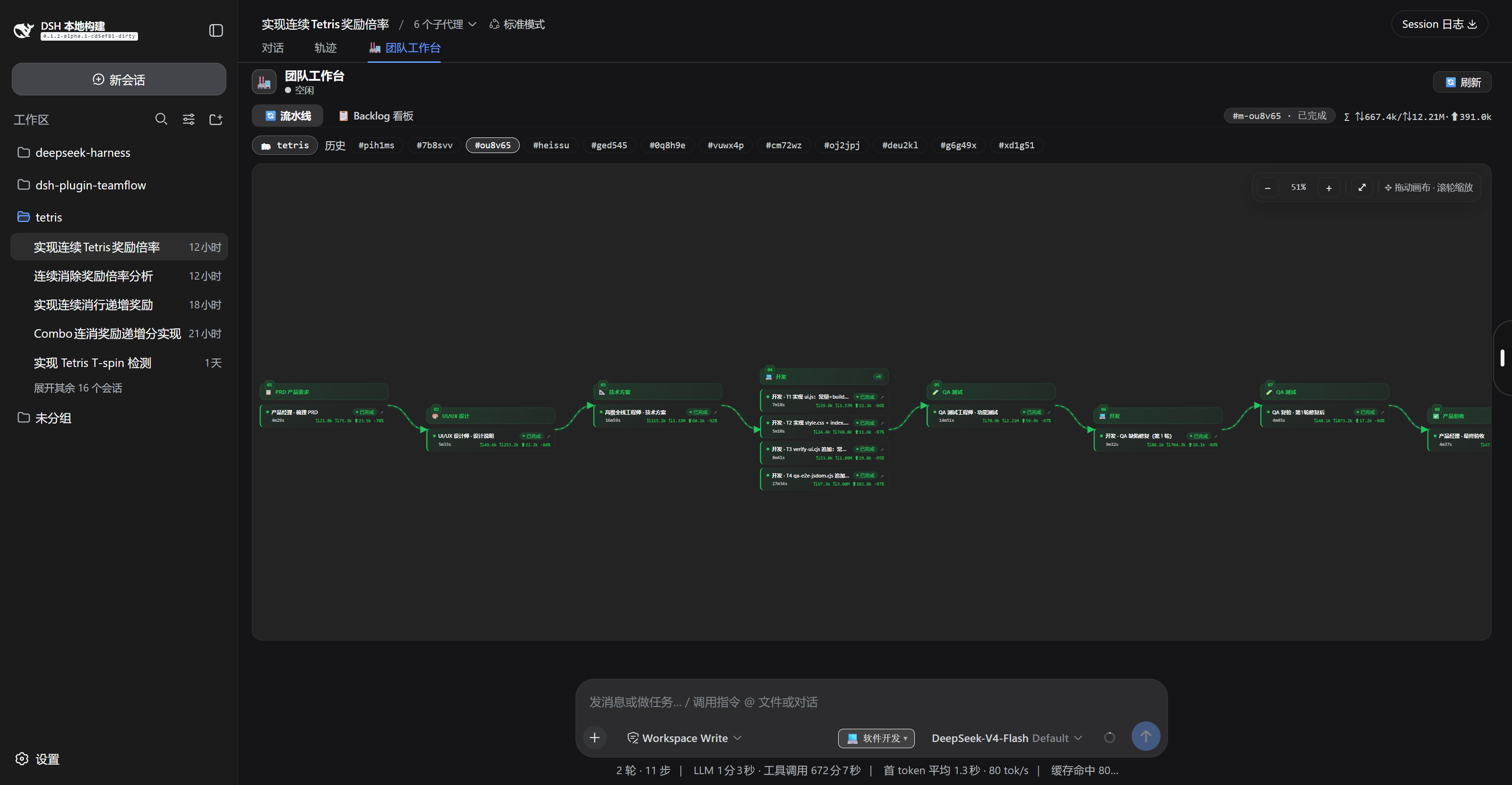
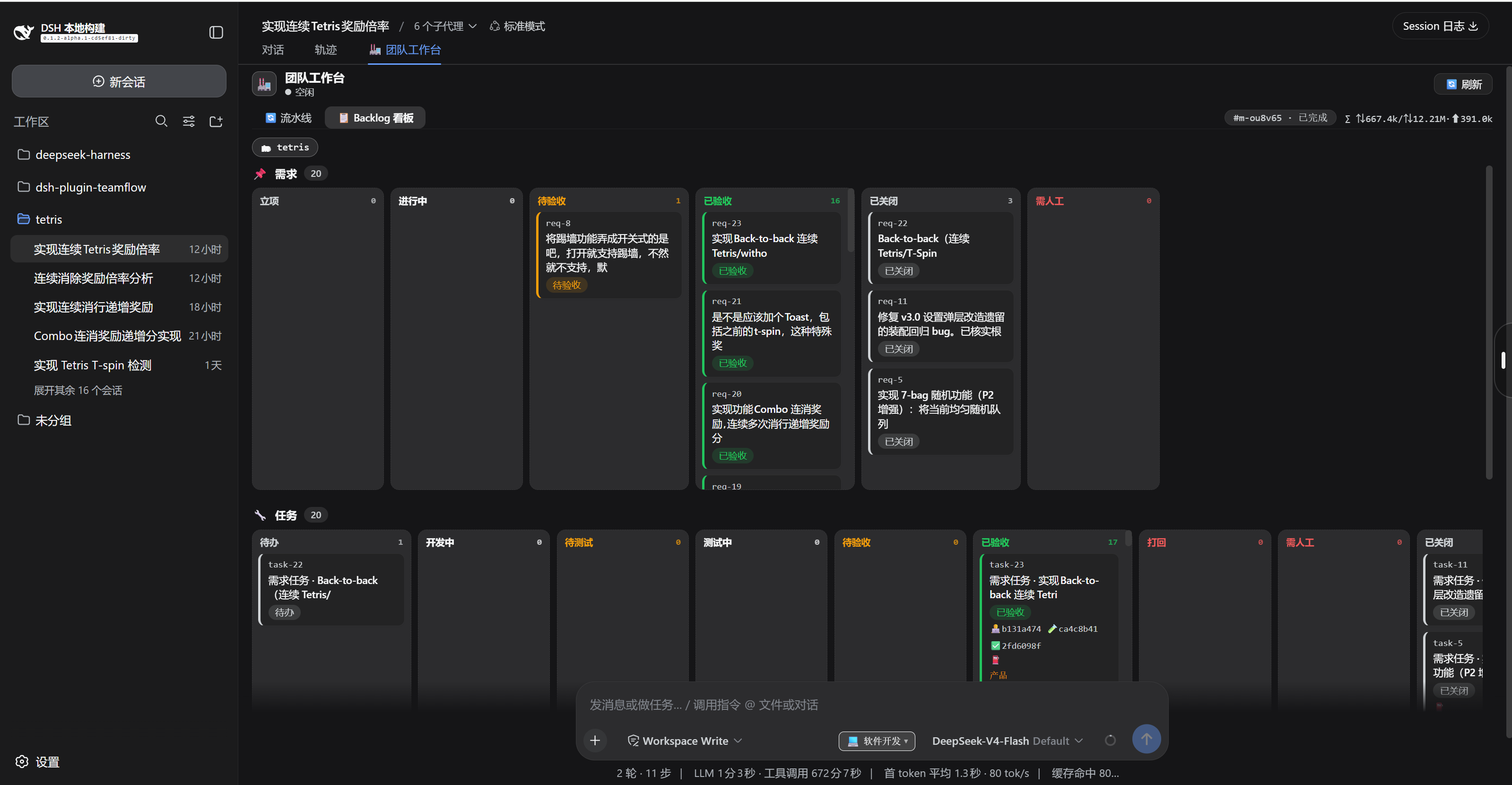
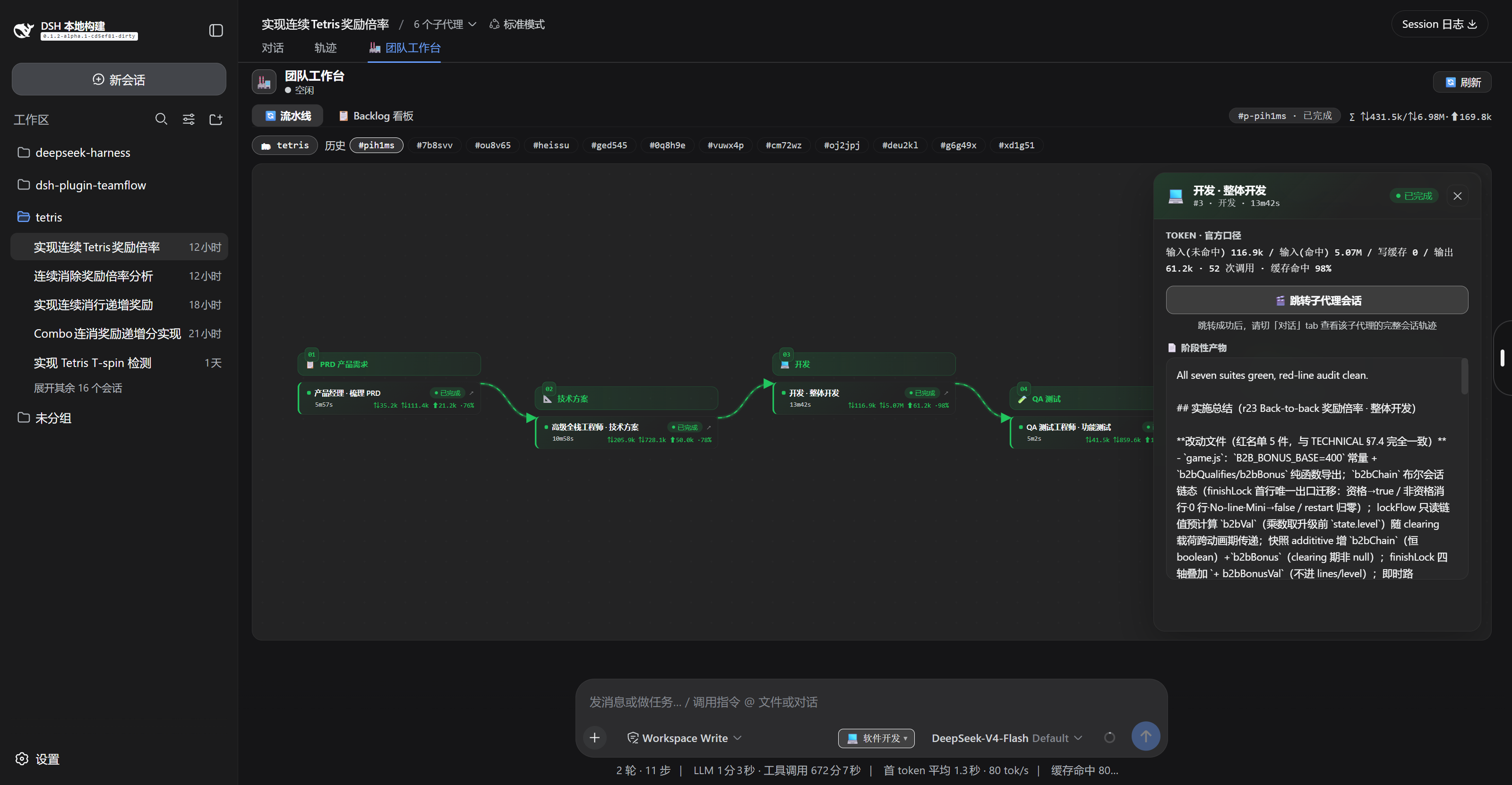
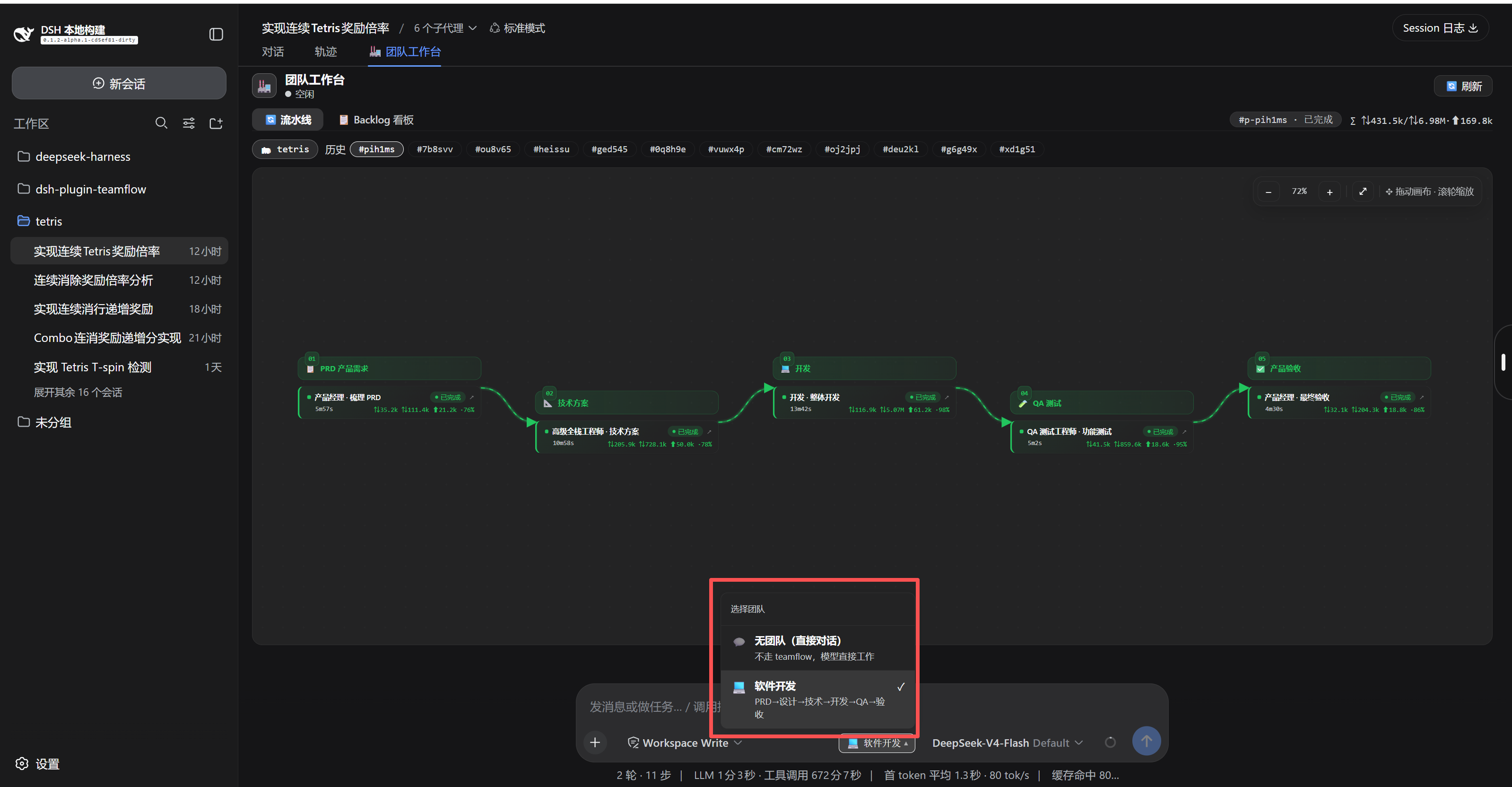
You type a single sentence like 'build a user login page' and you want the engine underneath to behave like a real product team: writing a PRD, sketching design, laying out architecture, coding, running QA, and handing off for acceptance. TeamFlow turns DeepSeek Harness into that orchestration layer. You drop the requirement, a chain of specialized agents picks it up stage by stage, and you watch progress on a visual swim-lane diagram and a drag-and-drop backlog board instead of scrolling through raw logs.
Under the hood, TeamFlow is obsessed with preventing fake delivery. Every stage has a token circuit breaker (60k budget by default); outputs that are merely polite refusals or fall below a length floor are rejected and retried; context-exhaustion failures are flagged for human review rather than blindly replayed; two consecutive agent failures in the same stage route the work to a needs-human queue. Checkpoints are written to disk after each stage, so a crash or restart simply resumes from the first incomplete stage while reusing deliverables already produced. Backlog items--requirements, tasks, bugs--are persisted per workspace and survive restarts. A lite mode skips the standalone technical-design stage for small features, saving roughly 64% of wall-clock time and 88% of tokens in real runs.
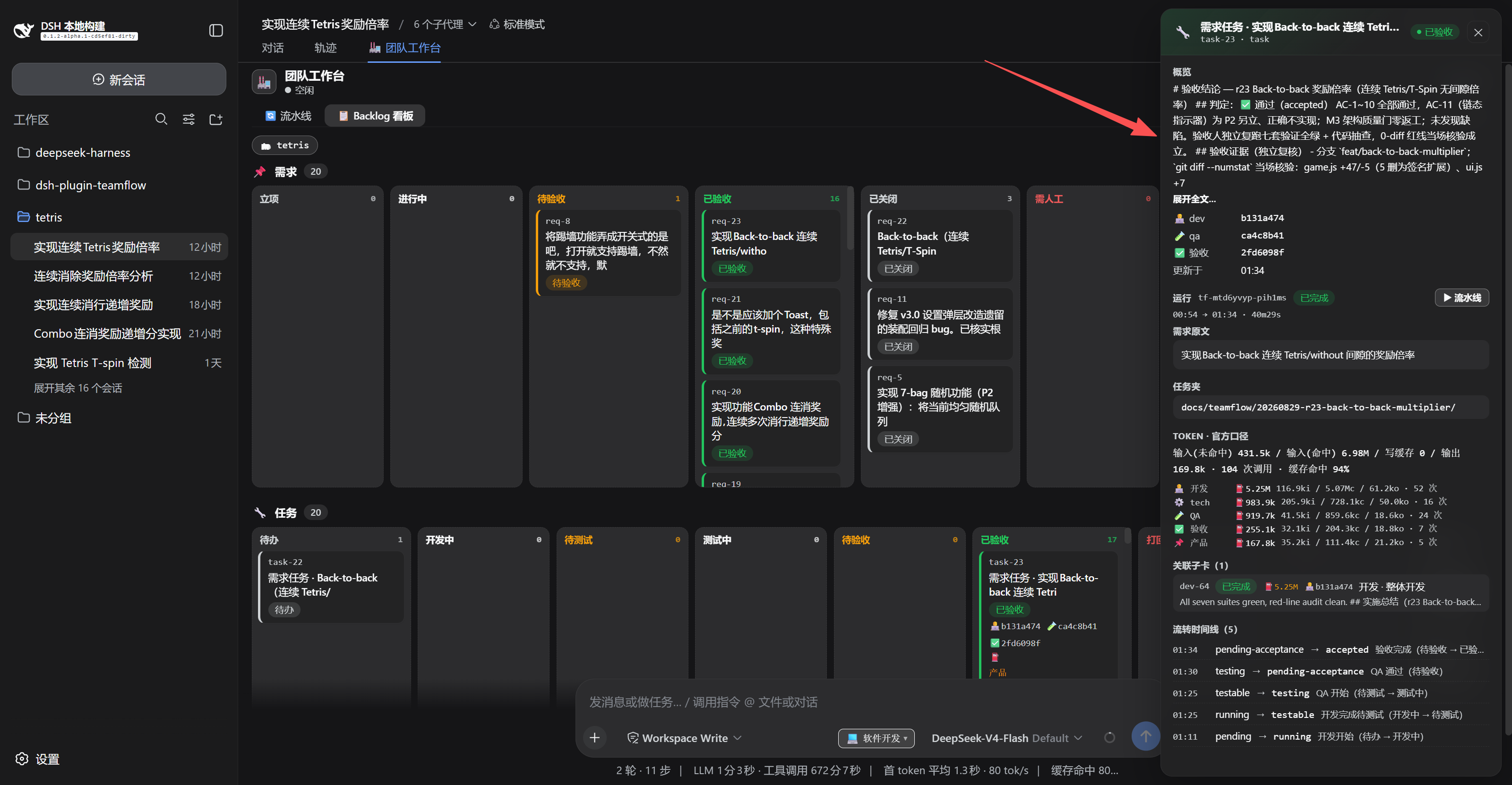
A dedicated Team Workspace tab in the browser lets every stakeholder watch stage progress in real time, drag cards across the kanban to triage defects, and inspect per-stage token usage without reading code. The completed run automatically reports back into the main chat, summarizing status, stage statistics, cumulative token spend, and suggested next actions so the model can take over from there.
It is built for small-to-medium teams already running DeepSeek Harness in the web profile who want a single sentence to become a trackable, resumable, auditable set of engineering artifacts without juggling a pile of ad-hoc prompts. Developers get real token accounting per stage, parallel task execution with configurable concurrency, and clean exit semantics that leave no residue in AGENTS.md; product managers and QA engineers get a visual board they can actually navigate.
Screenshots
Use Cases
- A one-line requirement is automatically broken into a multi-stage PRD-develop-QA-acceptance pipeline
- Resume from checkpoint after a crash without re-running completed stages
- Non-developers triage requirements, tasks, and bugs via a drag-and-drop web kanban
Best For
- Small-to-medium teams already running DeepSeek Harness web profile
- Developers who want natural-language requirements turned into trackable engineering artifacts
- Non-technical stakeholders who need visible progress and token cost tracking
Related Plugins

A method pack that makes AI coding agents plan against your real baseline, prove completion with fresh evidence, and reduce reworks and unsafe changes.

Turns the DeepSeek Harness session into a captain that builds a durable sub-agent team, splits goals into dependency-aware tasks, and coordinates work via direct messages and a live Web UI.
Gives coding agents design judgment, letting Claude Code, Cursor, and 70+ agents generate and iterate high-quality UI, presentations, and graphics right from the terminal.
Run the Pi ecosystem's plugins on DeepSeek Harness, unmodified, via a compatibility layer that implements Pi's public extension ABI on DSH's native services.