dsh-movein
Run the following command in DeepSeek Harness:
dsh plugin install sjh9714/dsh-movein
Paste the following prompt into your AI chat to install this plugin:
Run dsh plugin install sjh9714/dsh-movein in DeepSeek Harness to add this plugin; the full source URL is https://github.com/sjh9714/dsh-movein.
About this plugin
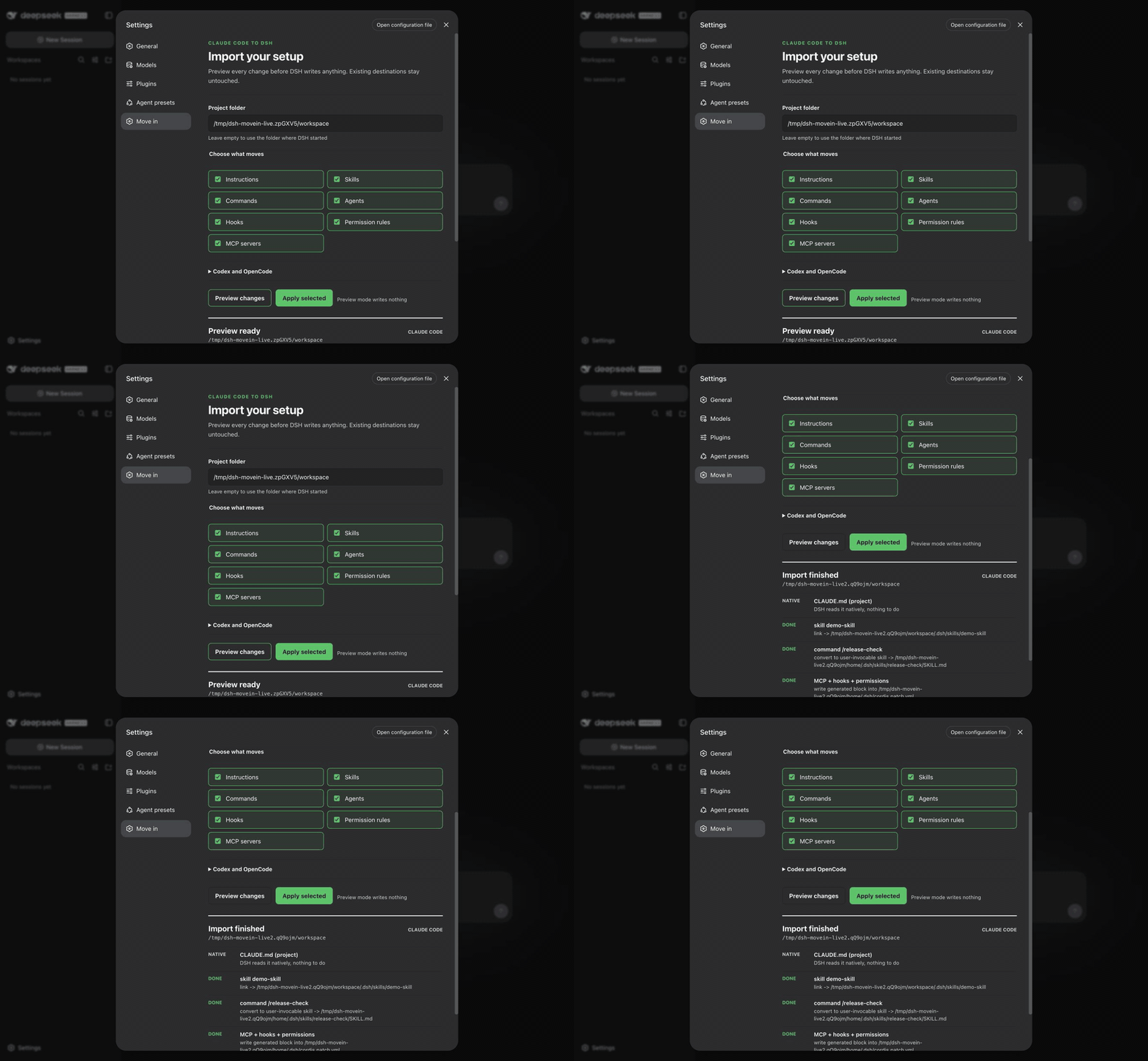
dsh-movein solves the repetitive setup work involved in moving from Claude Code, Codex, or OpenCode into DeepSeek Harness. Users who already maintain instructions, skills, slash commands, agents, hooks, permission rules, and MCP servers can avoid rebuilding all of that by hand and risking missing details.
Before DSH writes anything, the plugin previews what can be migrated, what conflicts with existing destinations, and what is unsupported. Dry run is the default, existing destinations stay untouched, and users can include or exclude categories. The CLI and DSH settings flow both support this, while OpenCode configuration precedence, JSON and JSONC parsing, local or remote MCP servers, and skill conversion are handled carefully.
It is best suited for people who already have a mature workflow in Claude Code or a similar agent tool and want to bring that context into DSH. It also fits users who value safe preview, selective import, and post-migration checks, with a clear reminder that hook enforcement after migration should still be verified before being treated as a policy boundary.
Screenshots
Use Cases
- Migrate Claude Code instructions, skills, and MCP servers into DSH.
- Preview migration items and conflicts before applying changes.
- Import existing workflow configuration from Codex or OpenCode.
Best For
- Developers who heavily use Claude Code.
- Users who need a safe DSH configuration migration flow.
- People maintaining multiple instructions, skills, and hooks.
Related Plugins

A method pack that makes AI coding agents plan against your real baseline, prove completion with fresh evidence, and reduce reworks and unsafe changes.

Turns the DeepSeek Harness session into a captain that builds a durable sub-agent team, splits goals into dependency-aware tasks, and coordinates work via direct messages and a live Web UI.
Gives coding agents design judgment, letting Claude Code, Cursor, and 70+ agents generate and iterate high-quality UI, presentations, and graphics right from the terminal.
Run the Pi ecosystem's plugins on DeepSeek Harness, unmodified, via a compatibility layer that implements Pi's public extension ABI on DSH's native services.