dsh-flowglass
Run the following command in DeepSeek Harness:
dsh plugin install Iwctwbh/dsh-flowglass
Paste the following prompt into your AI chat to install this plugin:
Install dsh-flowglass in DeepSeek Harness with dsh plugin install Iwctwbh/dsh-flowglass; the full source is https://github.com/Iwctwbh/dsh-flowglass, and you should restart DSH after installing or upgrading.
About this plugin
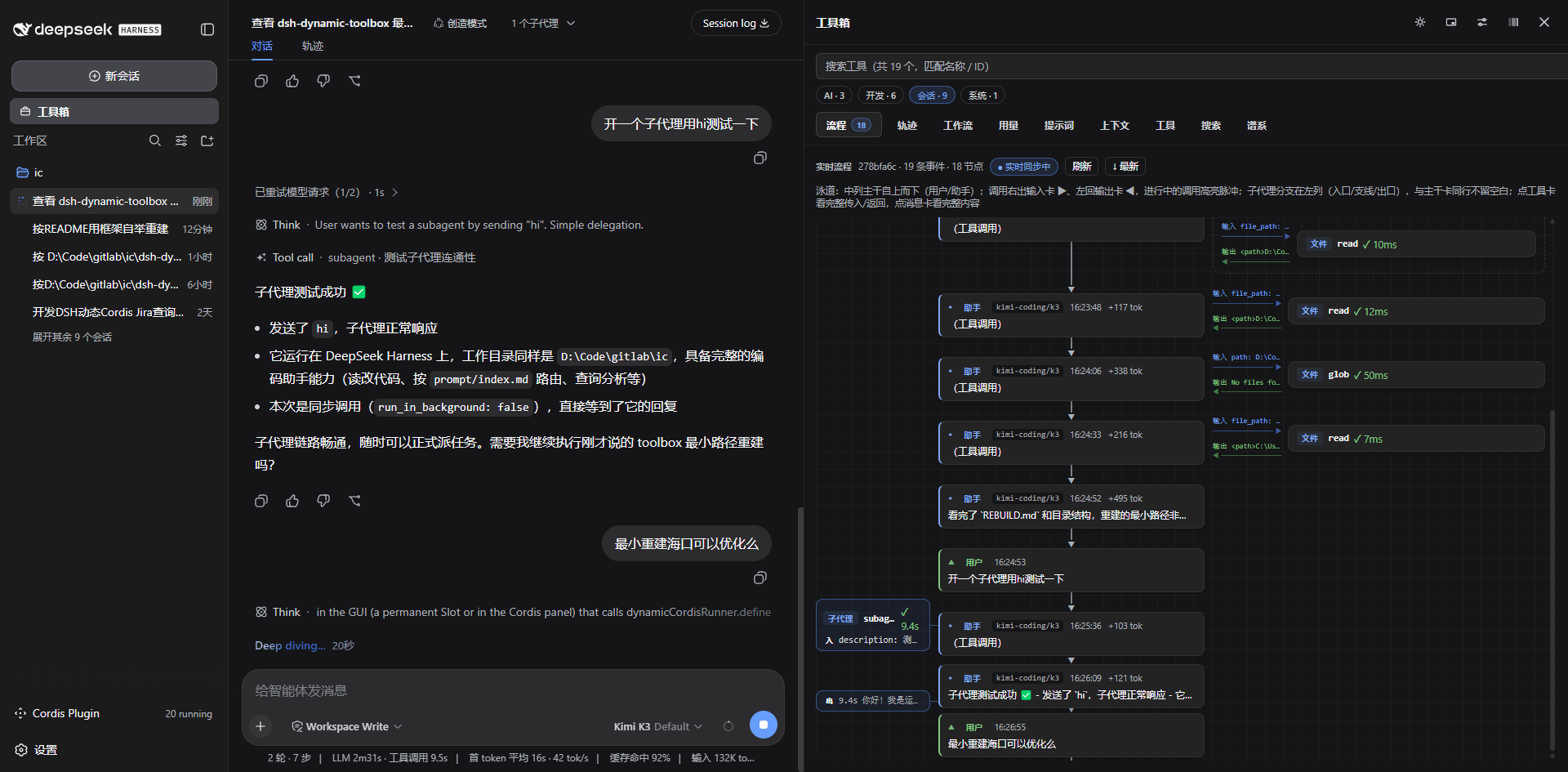
When using DeepSeek Harness for complex conversations or agent workflows, tool calls, parallel tasks, and subagent execution are often scattered across the message stream. It can be hard to understand what is running now, where a call came from, or how branches relate to the main conversation. Flowglass turns that live session into a visual flowgraph, making the chat history feel more like a transparent workboard.
Its core structure is a three-column swimlane layout: the center shows the user and assistant backbone, tool calls depart from the right and return on the left, parallel calls are grouped together, and subagent sessions branch out beside the step that triggered them. You can drill into any subagent and return with breadcrumbs, or inspect full message and tool details such as content, parameters, results, models, and token information. Assistant details use Markdown rendering by default for tables, code blocks, lists, and math, while still preserving raw Markdown for copying.
Flowglass is best for users who need to observe multi-step sessions, tool chains, parallel execution, or subagent branches in DeepSeek Harness. If you only care about the final answer, you may not need it. But if you want to understand what the model actually did, which calls are still running, and how each branch fits into the whole session, it makes debugging and review much easier.
Screenshots
Use Cases
- Trace multi-step tool call chains
- Monitor parallel tasks and subagent branches
- Review and debug DeepSeek Harness sessions
Best For
- DeepSeek Harness power users
- Agent-workflow plugin developers
- People who need visibility into complex sessions
Related Plugins

A method pack that makes AI coding agents plan against your real baseline, prove completion with fresh evidence, and reduce reworks and unsafe changes.

Turns the DeepSeek Harness session into a captain that builds a durable sub-agent team, splits goals into dependency-aware tasks, and coordinates work via direct messages and a live Web UI.
Gives coding agents design judgment, letting Claude Code, Cursor, and 70+ agents generate and iterate high-quality UI, presentations, and graphics right from the terminal.
Run the Pi ecosystem's plugins on DeepSeek Harness, unmodified, via a compatibility layer that implements Pi's public extension ABI on DSH's native services.