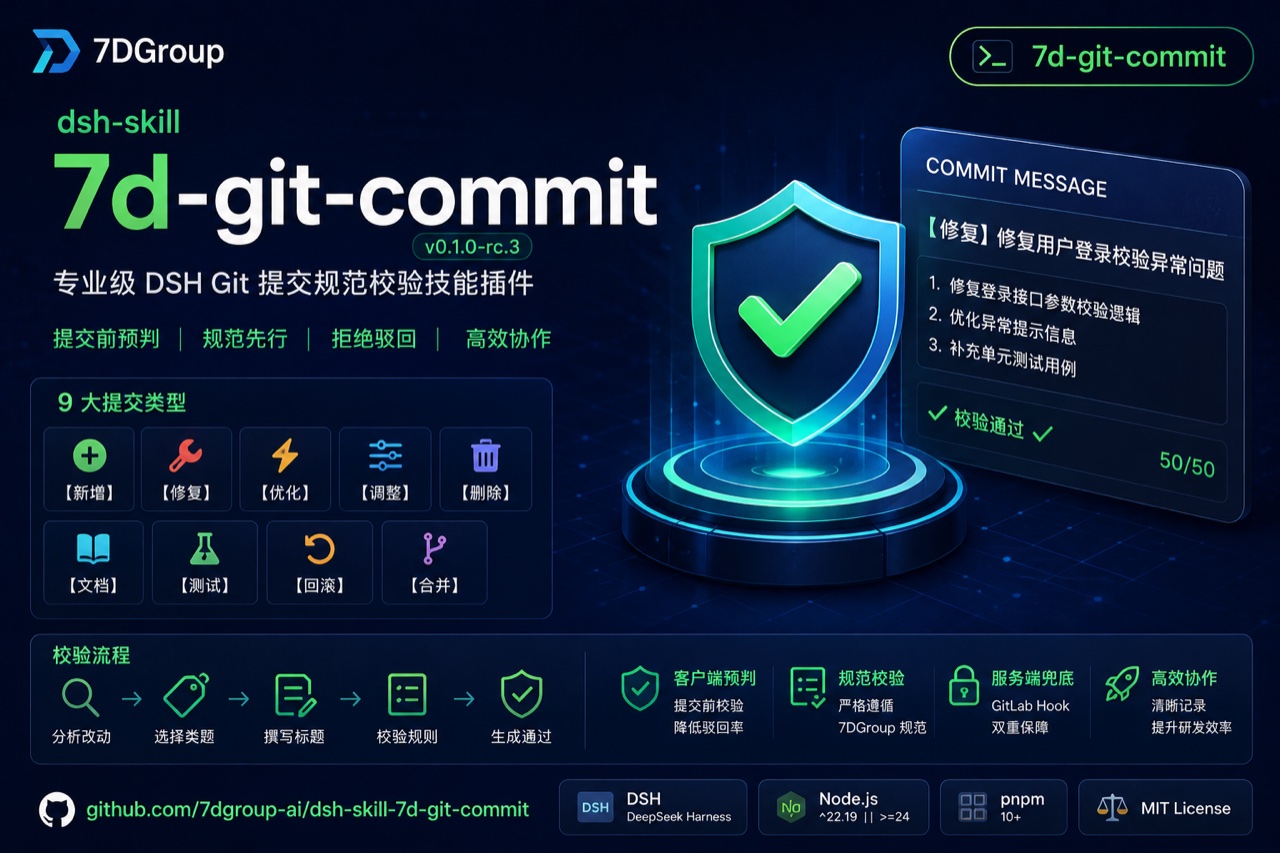
dsh-skill-7d-git-commit
Run the following command in DeepSeek Harness:
dsh plugin install 7dgroup-ai/dsh-skill-7d-git-commit
Paste the following prompt into your AI chat to install this plugin:
Type "Install the plugin github:7dgroup-ai/dsh-skill-7d-git-commit" in a DeepSeek Harness session, or run dsh plugin install 7dgroup-ai/dsh-skill-7d-git-commit; the source repository is https://github.com/7dgroup-ai/dsh-skill-7d-git-commit
About this plugin
The first thing you do with any new codebase is read the git log. When every entry is a bare fix bug, a stray TODO, or a vague temporary change, code review, version management, and release-note generation all become slow and painful. 7d-git-commit embeds the 7DGroup commit convention directly into your AI-assisted workflow so that every message is validated before it ever reaches the repository.
It works on two layers. On the client side it registers as a DSH skill in your active profile: when you ask the agent to draft or amend a commit message, it analyses the diff, selects the best-fitting tag from nine fixed Chinese categories, composes a subject line in the bracket-type plus action-plus-object format within 50 characters and no trailing punctuation, generates a numbered body for complex changes at 70 characters per line, and screens for forbidden characters and banned phrases, fixing violations on the spot. On the server side it ships a pre-receive hook tuned for GitLab CE 19.2.0 with warn and reject modes, externalised rule files, audit logging, and notification hooks, giving you a client-side pre-check backed by a server-side safety net. The entire bundle is a zero-core-change composition plugin: install it into a DSH profile and the skill is live; remove it and everything cleans up.
It suits engineering teams working inside DSH, organisations that want to standardise commit messages across a large codebase, and developers already running GitLab pre-receive hooks who would benefit from version-controlled, auditable rule management.
Screenshots
Use Cases
- Auto-generate convention-compliant commit messages during AI-assisted development
- Quickly verify that commit logs are readable and uniformly formatted before code review
- Block non-conforming commits at the GitLab server via pre-receive hooks
Best For
- Frontend or backend engineers working daily in a DSH environment
- Tech leads who want to standardise commit messages across their team
- Platform or DevOps teams running GitLab and seeking stronger commit-quality enforcement
Related Plugins

A method pack that makes AI coding agents plan against your real baseline, prove completion with fresh evidence, and reduce reworks and unsafe changes.

Turns the DeepSeek Harness session into a captain that builds a durable sub-agent team, splits goals into dependency-aware tasks, and coordinates work via direct messages and a live Web UI.
Gives coding agents design judgment, letting Claude Code, Cursor, and 70+ agents generate and iterate high-quality UI, presentations, and graphics right from the terminal.
Run the Pi ecosystem's plugins on DeepSeek Harness, unmodified, via a compatibility layer that implements Pi's public extension ABI on DSH's native services.