dsh_omnivision
Run the following command in DeepSeek Harness:
dsh plugin install xiaozhengdeng/dsh_omnivision
Paste the following prompt into your AI chat to install this plugin:
Run dsh plugin install xiaozhengdeng/dsh_omnivision in the DeepSeek Harness terminal (source repo: https://github.com/xiaozhengdeng/dsh_omnivision), then restart the web process to activate the plugin.
About this plugin
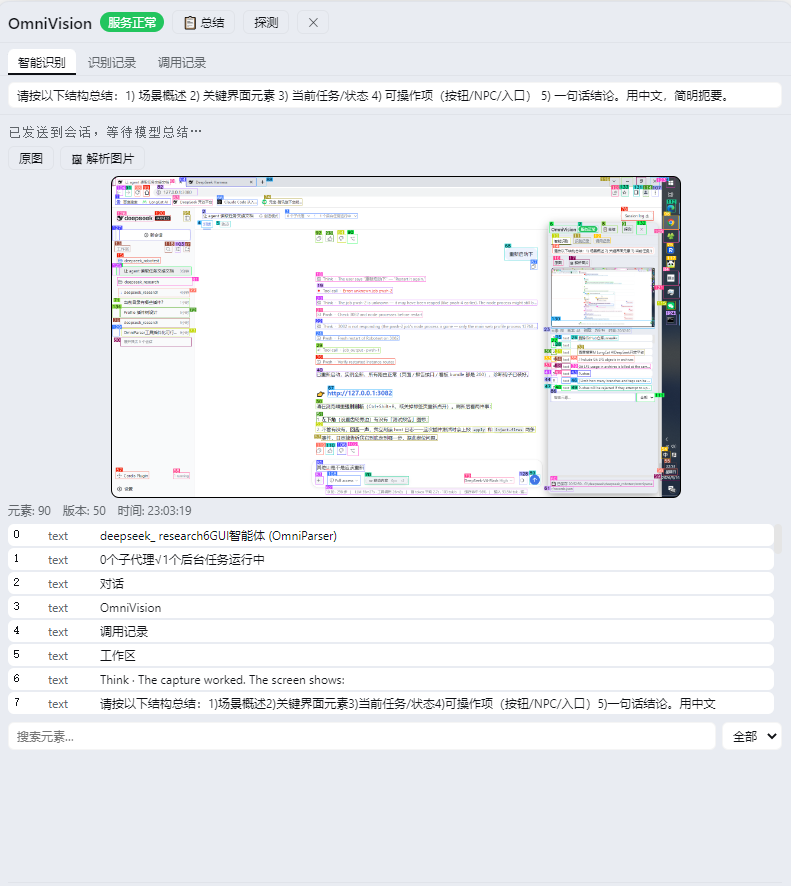
Driving a real desktop GUI from a language model has always hit a wall: you either need an expensive multimodal vision model, or the model simply cannot see the screen. OmniVision sidesteps that with OmniParser, which converts a screenshot or any image into structured elements — text, icons, and interactive controls — each tagged with pixel coordinates. The result is a plain-text representation of the screen that any DeepSeek Harness conversation model can reason over, no extra visual capability required.
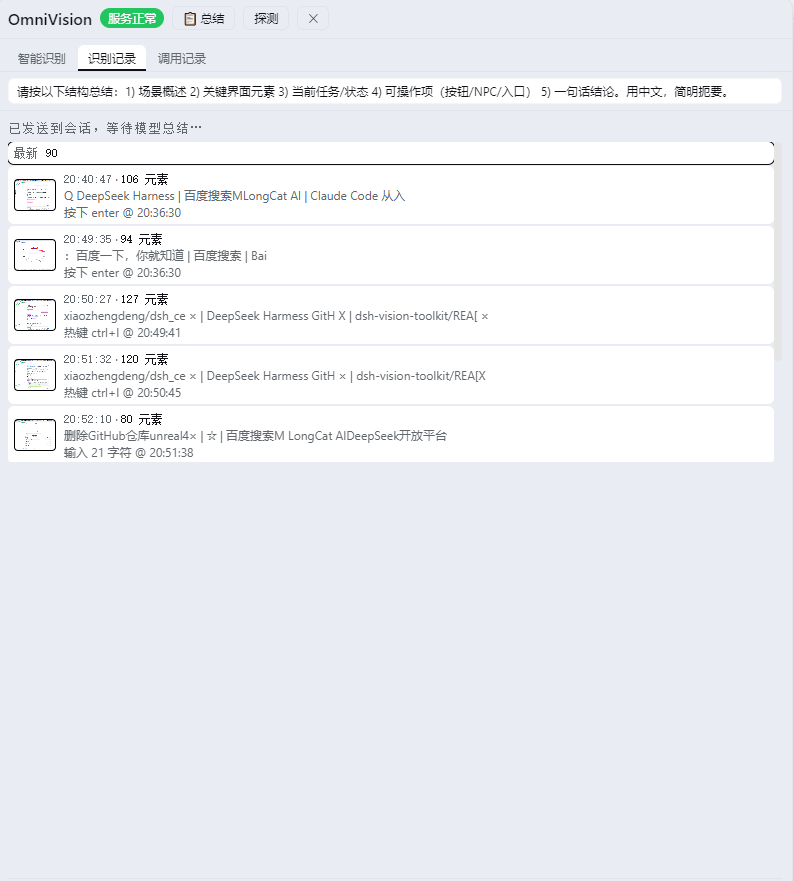
On top of that, the plugin registers a full set of gui_* tools: gui_capture takes a screenshot and parses it, gui_act performs real mouse and keyboard actions (click, drag, type, hotkey, scroll) by element ID or raw coordinates, gui_find searches the last capture, gui_verify re-captures until a target text appears or disappears, and gui_task chains multi-step UI plans with re-parsing between steps. The browser-side OmniVision dock gives you a live SOM-annotated view with hover highlight and click-to-zoom, a recognition history with added/removed/moved diffs, a one-click summary, and local image parsing — so you can always see what the model perceived and what it did, without digging through logs.
It is built for developers and power users who want to orchestrate desktop automation through conversational AI in DeepSeek Harness, especially those who want to keep inference costs and latency down by avoiding dedicated multimodal endpoints.
Screenshots
Use Cases
- Letting a chat model read and operate Windows desktop apps
- Running multi-step UI automation without a dedicated vision model
- Parsing local screenshots into structured elements for model reasoning
- Replaying recognition history and call logs to debug GUI failures
Best For
- Developers building desktop automation workflows in DeepSeek Harness
- Teams that want to avoid extra multimodal inference costs
- QA and ops staff who need programmatic GUI control
Related Plugins

A method pack that makes AI coding agents plan against your real baseline, prove completion with fresh evidence, and reduce reworks and unsafe changes.

Turns the DeepSeek Harness session into a captain that builds a durable sub-agent team, splits goals into dependency-aware tasks, and coordinates work via direct messages and a live Web UI.
Gives coding agents design judgment, letting Claude Code, Cursor, and 70+ agents generate and iterate high-quality UI, presentations, and graphics right from the terminal.
Run the Pi ecosystem's plugins on DeepSeek Harness, unmodified, via a compatibility layer that implements Pi's public extension ABI on DSH's native services.