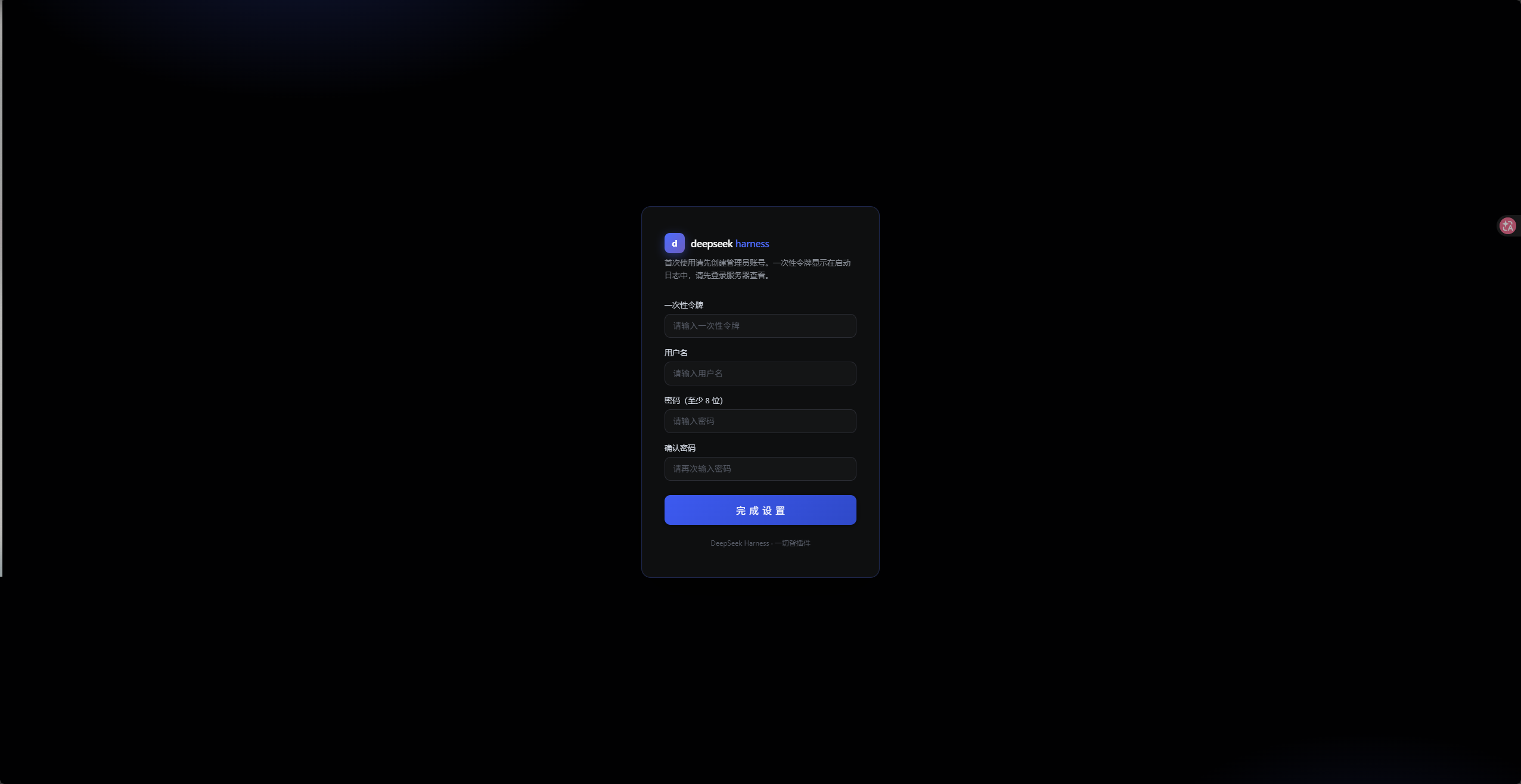
dsh-login-gateway
Run the following command in DeepSeek Harness:
dsh plugin install runfali/dsh-login-gateway
Paste the following prompt into your AI chat to install this plugin:
Run dsh plugin install runfali/dsh-login-gateway in your terminal to install; the source code is available at https://github.com/runfali/dsh-login-gateway . Restart dsh after installation to activate the gateway.
About this plugin
The dsh Web UI listens on 127.0.0.1:3080 by default, which correctly blocks external access but makes remote use a headache. Rethinking dsh to bind 0.0.0.0 would expose the entire console to the open internet. dsh-login-gateway takes a minimal approach: it opens a separate login gateway on its own port, authenticates visitors with username and password, then reverse-proxies every request—HTTP and WebSocket alike—straight to dsh's loopback address with zero feature loss. The plugin has zero runtime dependencies, uses only Node.js built-in modules, installs into the profile in one command, and leaves dsh untouched whether you keep it or remove it.
Security coverage is thorough: dual-dimension rate limiting (per-IP and per-username lockout), global authentication throttling to protect CPU, scrypt with constant-time comparison to prevent timing oracles, session binding to User-Agent so a sniffed cookie is useless on a different client, and full audit logging. For plain-HTTP setups you can generate a self-signed cert in one line to put the gateway behind its own TLS, eliminating plaintext sniffing. It also transparently adapts to dsh 0.1.2's host browser-authentication scheme—the one-time token never leaves the gateway→dsh hop, the browser never sees it, and expired cookies are auto-healed without user intervention.
The ideal use case: you run dsh on a VPS, home server, or office workstation and want to reach its admin panel from a laptop, phone, or another machine—securely, with no third-party proxy in between. Lightweight, zero-dependency, and ready the moment you restart dsh, it is the most natural remote-access layer for the platform.
Screenshots

Use Cases
- Access the dsh Web UI remotely from a VPS or home NAS with built-in auth
- Share a single dsh instance across multiple devices on a LAN without rebinding its listener
- Expose the dsh admin panel to the internet behind self-signed TLS to prevent plaintext sniffing
Best For
- Individuals and small teams running dsh on a VPS, NAS, or office workstation
- Developers and operators who need multi-device access to a single dsh instance
- Users who prefer lightweight, zero-dependency tools with clean install and uninstall
Related Plugins

Adds an Auto approval mode on the official workspace-write sandbox, classifying semantic risks, asking when ambiguous, and denying destructive operations.

Undo/rollback system for DSH: config & plugin snapshots, one-click undo/redo/restore, message-level revert, secret masking, safe mode, and offline WebUI/GUI/CLI rescue tools for when DSH won't start.
Packages all 87 SKILL.md files from upstream reverse-skill as a DeepSeek Harness plugin that auto-registers them for authorized reverse engineering, penetration testing, and security research.
Dockyard DSH is a native DeepSeek Harness plugin that unifies official OAuth/client sessions for Codex, Antigravity, Grok, Claude, and Cursor, providing account pool, model catalog, and quota status.