dsh-live-loop
Run the following command in DeepSeek Harness:
dsh plugin install POWERRRRRRRR/dsh-live-loop
Paste the following prompt into your AI chat to install this plugin:
Run dsh plugin install POWERRRRRRRR/dsh-live-loop to install the plugin from https://github.com/POWERRRRRRRR/dsh-live-loop, then restart your DeepSeek Harness web profile for the change to take effect.
About this plugin
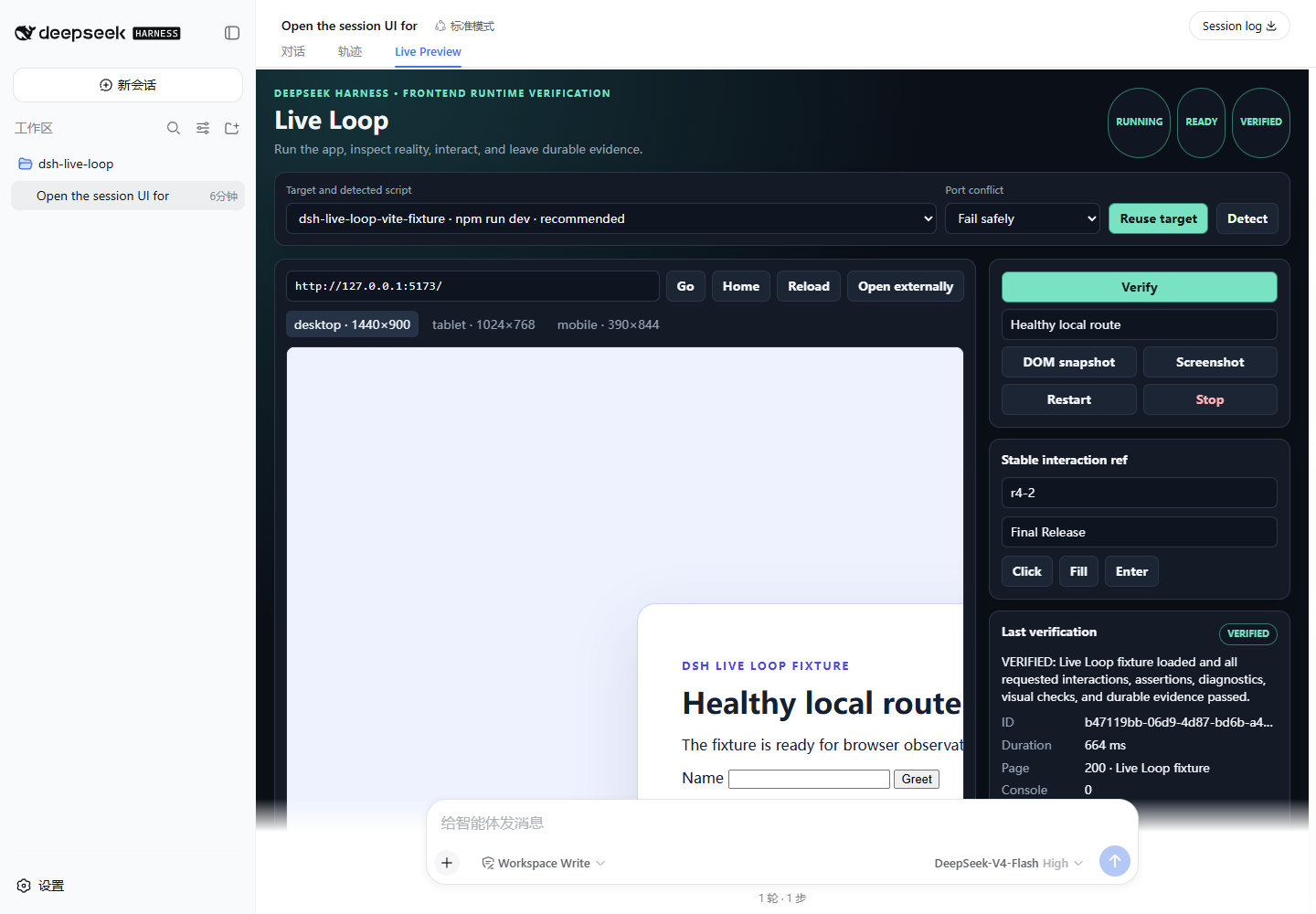
A successful build does not prove the page actually works. dsh-live-loop closes that gap for DeepSeek Harness agents: it owns the local dev-server lifecycle, loads the page in an isolated browser context, runs interactions, collects Console and Network diagnostics, and returns a strict four-state verdict (VERIFIED, VERIFIED_WITH_WARNINGS, FAILED, or UNVERIFIED) backed by persisted screenshot evidence. Observation windows are bounded and tolerate HMR, WebSocket, SSE, and polling; on failure the agent receives concrete diagnostics telling it exactly what to fix before re-verifying.
The plugin never edits application source code. It sits alongside DSH normal coding tools and takes responsibility only for proving the result. Structured target detection covers Vite, React, Vue, Next.js, and generic script targets. A native DSH Web Live Preview panel, stable-ref interactions (click, fill, press, scroll, history), assertions, and optional visual-diff comparison round out the loop. Every browser context is isolated per session; logs, DOM snapshots, screenshots, and reports are size- and retention-bounded; page-derived content is always flagged as untrusted evidence.
Built for developers using DeepSeek Harness on front-end tasks who want their agent to deliver a verifiable report (page 200, zero Console errors, critical interaction assertions passing, screenshot attached) rather than merely a green build. The current release locks DSH to exactly 0.1.0-rc.7, requires Node.js 22.19+ or 24+, and expects a locally installed Chrome, Edge, or Chromium.
Screenshots
Use Cases
- After the agent edits front-end code, spin up the local dev server and verify page load, interaction assertions, and zero Console errors in an isolated browser
- Run bounded observation windows over HMR, WebSocket, or SSE apps to execute fill, click, and scroll actions while collecting structured diagnostics
- On a failed verdict, receive concrete fix guidance, patch the code, and re-trigger verification to close the fail-fix-re-verify loop
Best For
- Individual engineers or small teams building front-end features inside DeepSeek Harness
- Team leads who want the agent to deliver page-200 + assertion-pass + screenshot evidence instead of a mere green build
- Developers on Vite, React, Vue, or Next.js stacks who need an auditable runtime verification loop in their workflow
Related Plugins

A method pack that makes AI coding agents plan against your real baseline, prove completion with fresh evidence, and reduce reworks and unsafe changes.

Turns the DeepSeek Harness session into a captain that builds a durable sub-agent team, splits goals into dependency-aware tasks, and coordinates work via direct messages and a live Web UI.
Gives coding agents design judgment, letting Claude Code, Cursor, and 70+ agents generate and iterate high-quality UI, presentations, and graphics right from the terminal.
Run the Pi ecosystem's plugins on DeepSeek Harness, unmodified, via a compatibility layer that implements Pi's public extension ABI on DSH's native services.