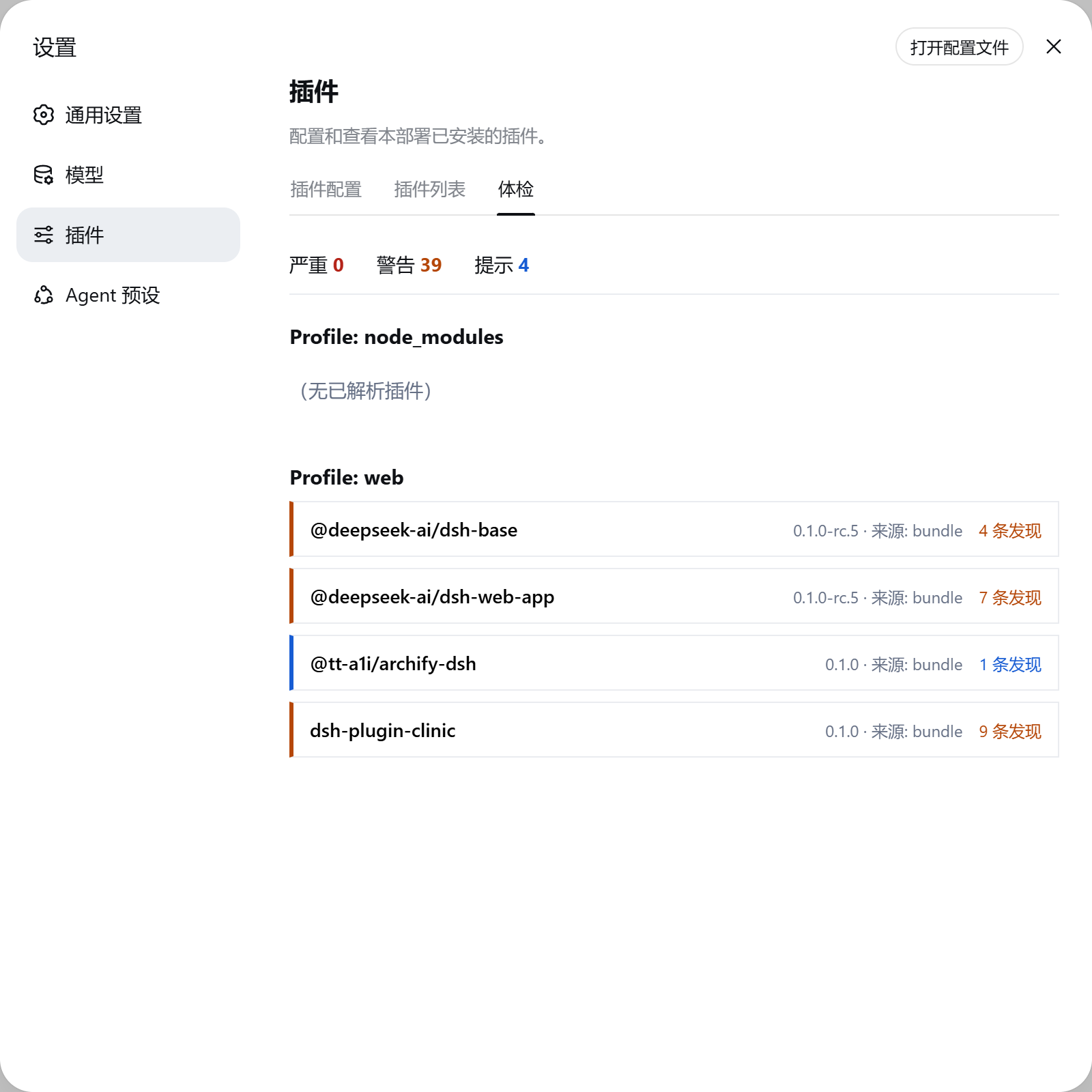
dsh-plugin-clinic
Run the following command in DeepSeek Harness:
dsh plugin install ayahunter/dsh-plugin-clinic
Paste the following prompt into your AI chat to install this plugin:
Install this plugin in DeepSeek Harness by running `dsh plugin install ayahunter/dsh-plugin-clinic`. Source: https://github.com/ayahunter/dsh-plugin-clinic
About this plugin
DeepSeek Harness's "everything is a plugin" philosophy offers high flexibility but also distributes stability risks across the configuration layer. When plugin sets become misconfigured or corrupted, issues often go unnoticed. Plugin Clinic was created to address this by providing a comprehensive read-only health check mechanism for installed plugin sets.
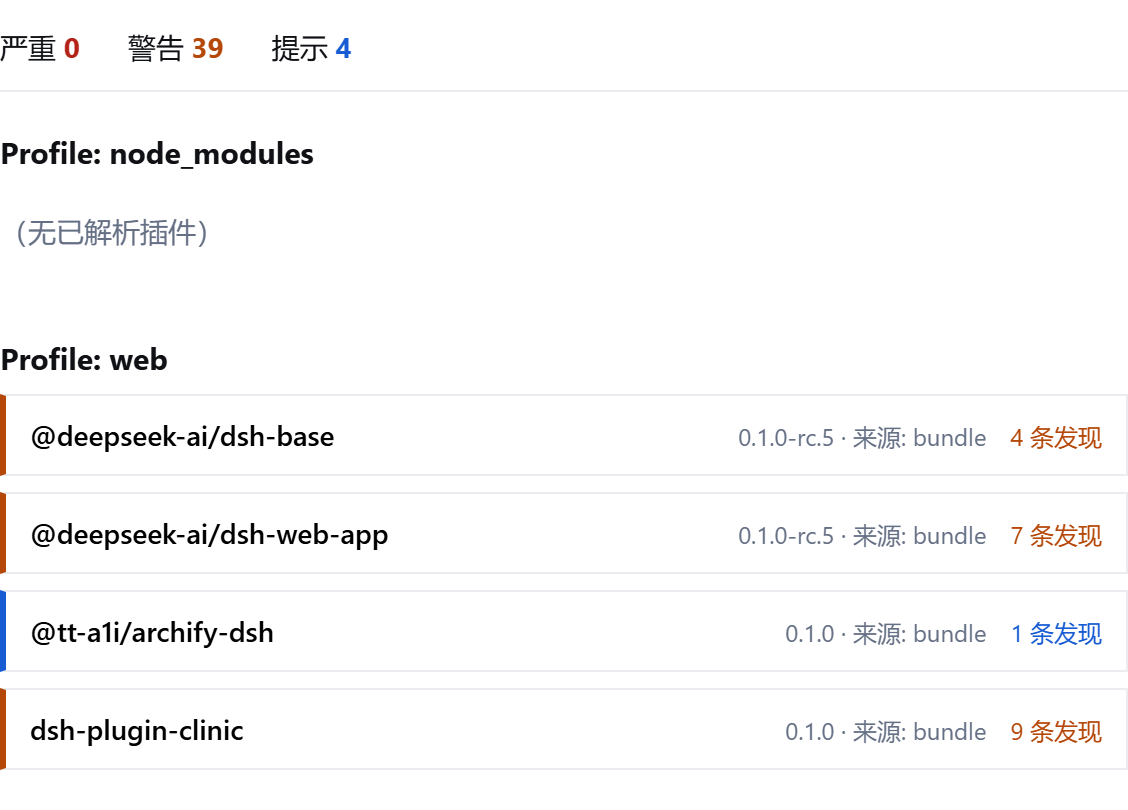
As a diagnostic tool, it features an Agent tool that runs directly within sessions and a visual Web dashboard. It delves into load status, dependency integrity, version compatibility, and install-script risks for each profile, helping administrators identify potential issues before deployment.
This tool is ideal for DeepSeek Harness operators and developers. Whether you prefer a quick CLI self-check or a visual overview in the Web interface, Plugin Clinic delivers clear diagnostic reports to ensure your plugin configurations are secure and reliable, thereby significantly boosting overall system stability.
Screenshots
Use Cases
- Check compatibility and dependency integrity before installing new plugins.
- Monitor the health status of installed plugin sets in real-time via a visual dashboard.
- Quickly diagnose and locate configuration issues in sessions using the Agent tool.
Best For
- DevOps engineers responsible for DeepSeek Harness deployment and maintenance.
- DeepSeek Agent users who need to ensure configuration layer stability.
- System administrators managing plugin ecosystems and security policies.
Related Plugins

Adds an Auto approval mode on the official workspace-write sandbox, classifying semantic risks, asking when ambiguous, and denying destructive operations.

Undo/rollback system for DSH: config & plugin snapshots, one-click undo/redo/restore, message-level revert, secret masking, safe mode, and offline WebUI/GUI/CLI rescue tools for when DSH won't start.
Packages all 87 SKILL.md files from upstream reverse-skill as a DeepSeek Harness plugin that auto-registers them for authorized reverse engineering, penetration testing, and security research.
Dockyard DSH is a native DeepSeek Harness plugin that unifies official OAuth/client sessions for Codex, Antigravity, Grok, Claude, and Cursor, providing account pool, model catalog, and quota status.