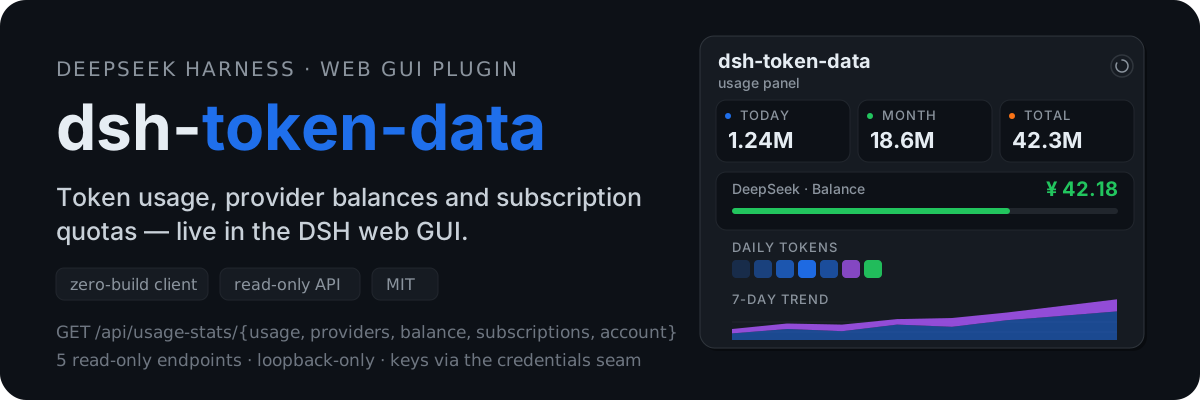
dsh-token-data
Run the following command in DeepSeek Harness:
dsh plugin install dawsondx/dsh-token-data
Paste the following prompt into your AI chat to install this plugin:
Run `dsh plugin install dawsondx/dsh-token-data` in DeepSeek Harness to install the plugin from https://github.com/dawsondx/dsh-token-data.
About this plugin
Managing expenses and quotas across multiple AI providers can be tedious, requiring constant switching between different backends. dsh-token-data solves this by integrating a real-time dashboard directly into the DeepSeek Harness Web interface. It offers a visual overview of daily token consumption, provider balances, and subscription quotas. Supporting providers like DeepSeek, OpenRouter, and Kimi, it features a zero-build architecture with incremental aggregation and fault tolerance, allowing secure data display in the browser without manual bookkeeping. It is ideal for DSH users who want to monitor all API usage and budgets from a single pane of glass.
Screenshots
Use Cases
- Real-time view of monthly token consumption.
- Check provider balances at a glance.
- Monitor remaining subscription quotas.
Best For
- Heavy users of DeepSeek Harness.
- Administrators managing costs across multiple AI providers.
- Developers requiring fine-grained cost monitoring.
Related Plugins

Adds an Auto approval mode on the official workspace-write sandbox, classifying semantic risks, asking when ambiguous, and denying destructive operations.

Undo/rollback system for DSH: config & plugin snapshots, one-click undo/redo/restore, message-level revert, secret masking, safe mode, and offline WebUI/GUI/CLI rescue tools for when DSH won't start.
Packages all 87 SKILL.md files from upstream reverse-skill as a DeepSeek Harness plugin that auto-registers them for authorized reverse engineering, penetration testing, and security research.
Dockyard DSH is a native DeepSeek Harness plugin that unifies official OAuth/client sessions for Codex, Antigravity, Grok, Claude, and Cursor, providing account pool, model catalog, and quota status.