dsh-remote-server
Run the following command in DeepSeek Harness:
dsh plugin install MRZHUH/dsh-remote-server
Paste the following prompt into your AI chat to install this plugin:
To install this plugin in DeepSeek Harness, run the command dsh plugin install MRZHUH/dsh-remote-server and visit https://github.com/MRZHUH/dsh-remote-server for the source code.
About this plugin
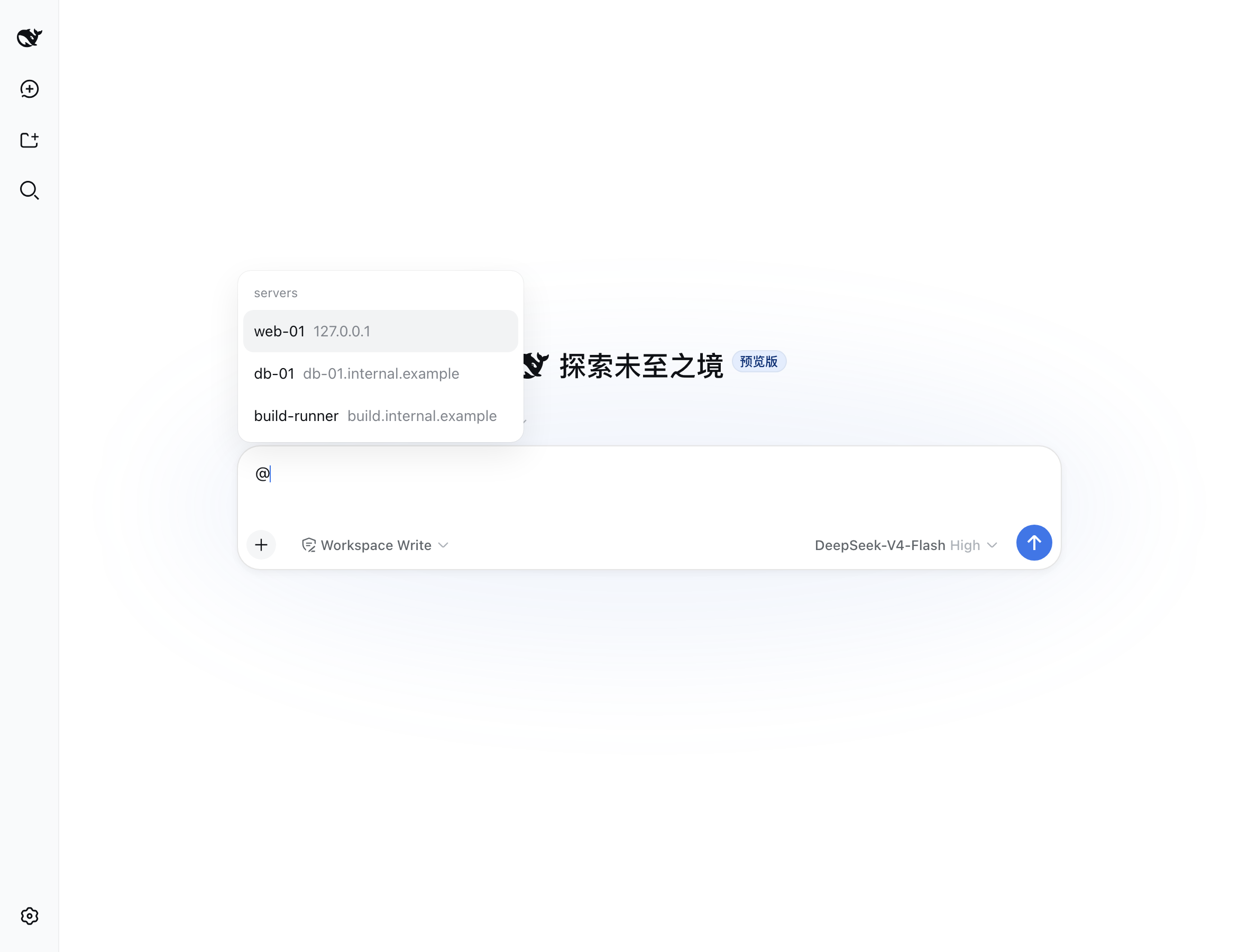
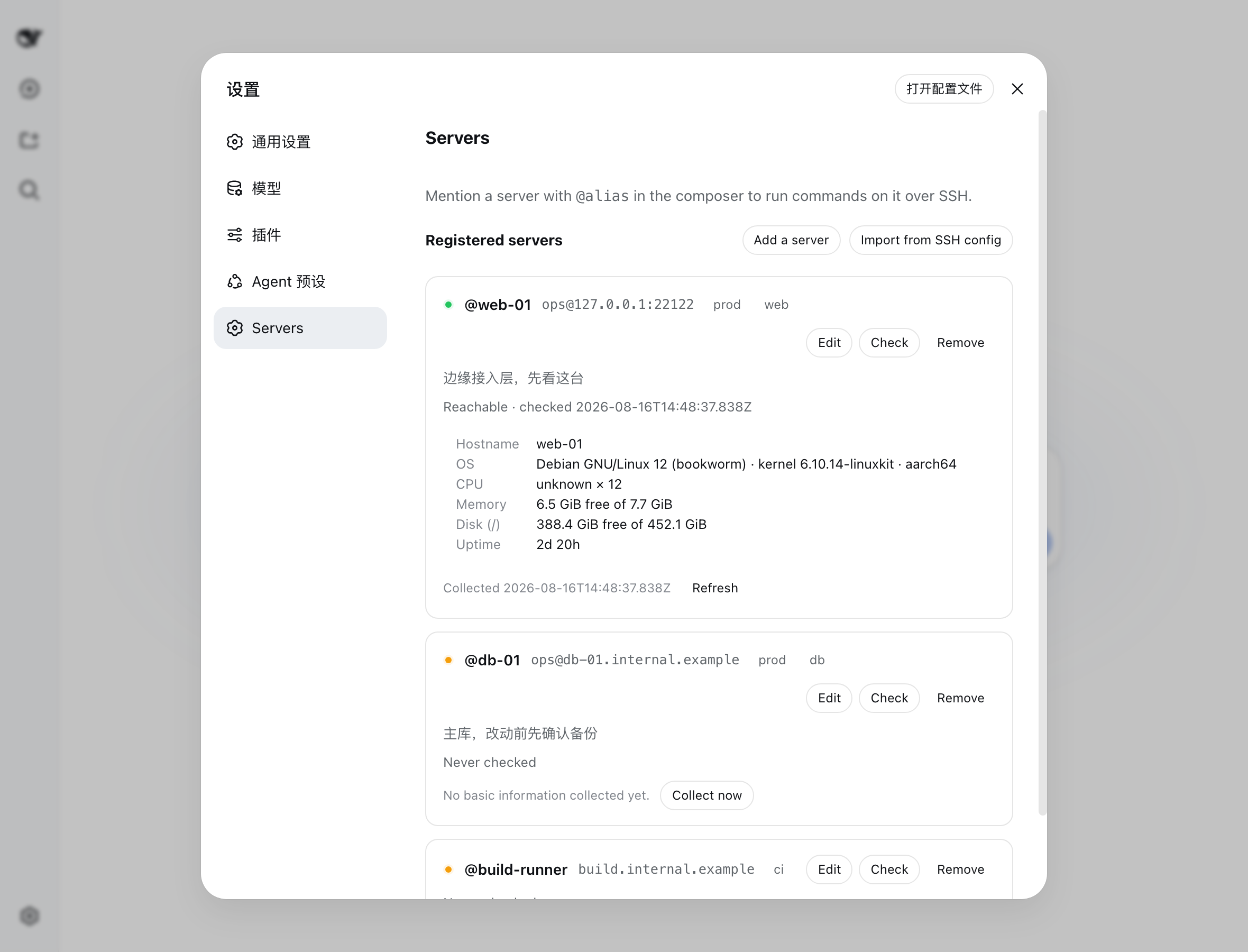
Imagine managing servers directly within a chat interface, just like commanding a personal assistant. The dsh-remote-server plugin enables DeepSeek Harness to seamlessly connect to your remote servers without installing any agents or daemons on them. You simply mention the server name in your conversation (e.g., @my-server) and request to execute commands or fetch information using natural language.
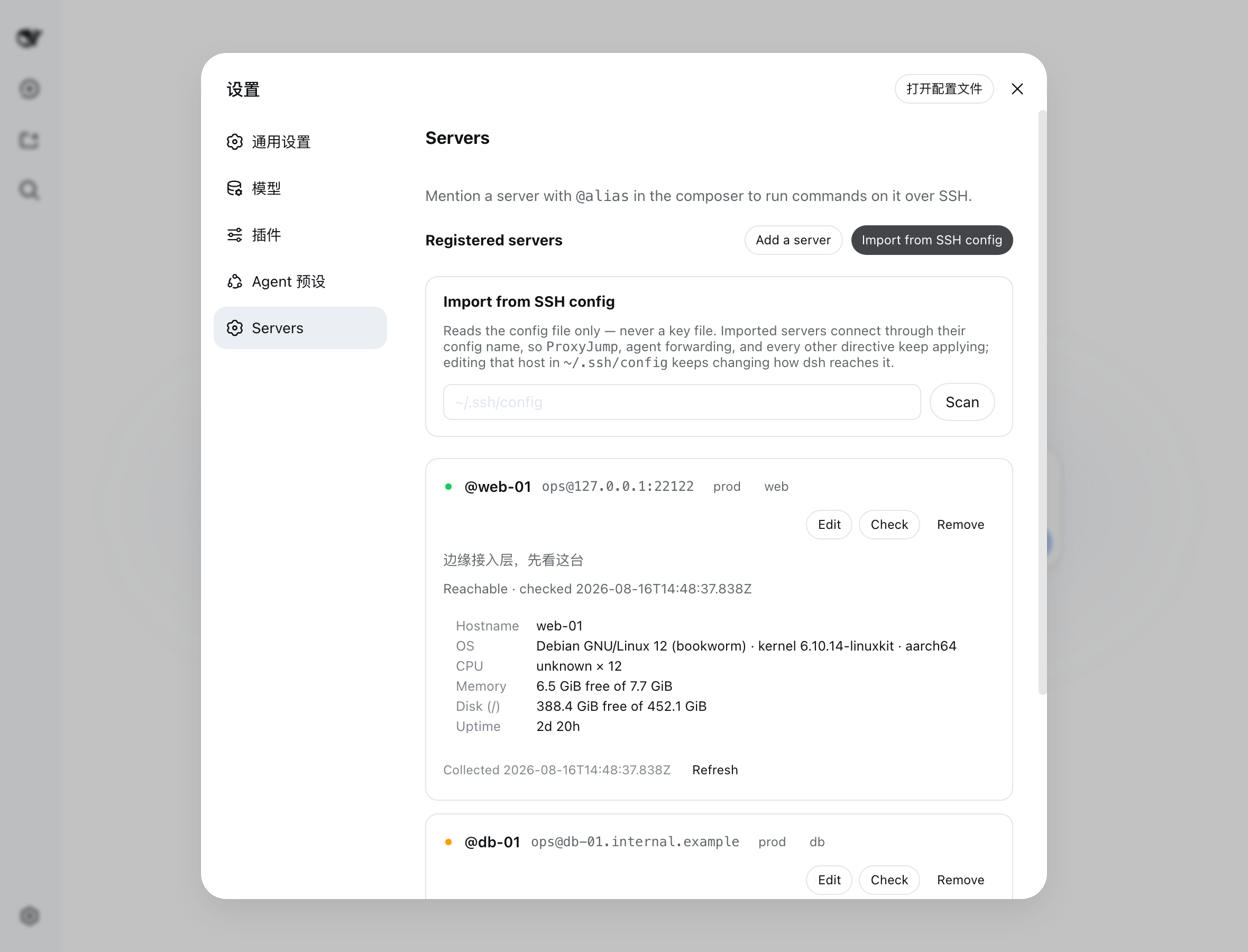
The core of this plugin lies in leveraging your existing SSH configuration, including jump hosts and agent forwarding, which greatly simplifies operations in complex network environments. It features an intelligent safety approval workflow: read-only commands run immediately, while high-risk operations involving modifications or deletions stop for your confirmation. Additionally, it offers robust auditability by logging every execution and refusal, ensuring your remote management process remains transparent and controllable.
It is ideal for DevOps engineers, system administrators, and developers who want to safely execute remote tasks within a conversational flow. By combining a model classifier with human approval, you can enjoy the benefits of automation while minimizing the risk of accidental damage. Register your servers once to start efficiently and securely managing your infrastructure.
Screenshots
Use Cases
- Quickly check server resource usage
- Batch execute maintenance commands across multiple servers
- Query logs and troubleshoot remote service issues
Best For
- DevOps engineers needing efficient infrastructure management
- System admins wanting to simplify daily management via conversational flows
- Developers using DeepSeek Harness for intelligent operations
Related Plugins

Adds an Auto approval mode on the official workspace-write sandbox, classifying semantic risks, asking when ambiguous, and denying destructive operations.

Undo/rollback system for DSH: config & plugin snapshots, one-click undo/redo/restore, message-level revert, secret masking, safe mode, and offline WebUI/GUI/CLI rescue tools for when DSH won't start.
Packages all 87 SKILL.md files from upstream reverse-skill as a DeepSeek Harness plugin that auto-registers them for authorized reverse engineering, penetration testing, and security research.
Dockyard DSH is a native DeepSeek Harness plugin that unifies official OAuth/client sessions for Codex, Antigravity, Grok, Claude, and Cursor, providing account pool, model catalog, and quota status.