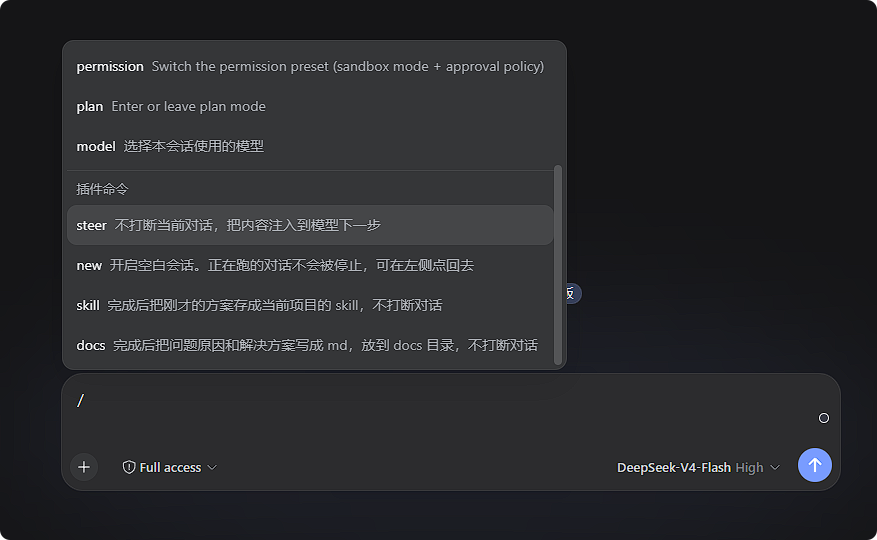
deepseeh-harness-ultra-slash
Run the following command in DeepSeek Harness:
dsh plugin install loadingvx/deepseeh-harness-ultra-slash
Paste the following prompt into your AI chat to install this plugin:
Run `dsh plugin install loadingvx/deepseeh-harness-ultra-slash` in DeepSeek Harness to install the plugin, with source code available at https://github.com/loadingvx/deepseeh-harness-ultra-slash.
About this plugin
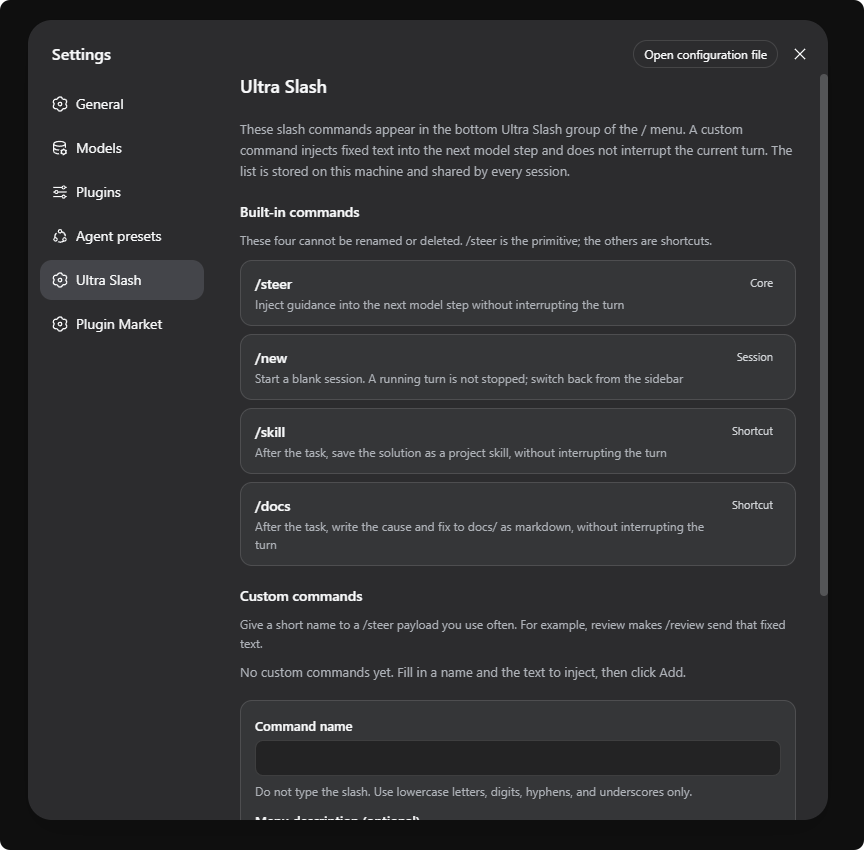
When building complex agent workflows, managing multiple commands can quickly become chaotic. DeepSeek Harness's Ultra Slash plugin offers a clean solution by separating plugin commands from native DSH commands. It creates a dedicated command group within the session menu, allowing easy access to tools for seamlessly steering the model and managing workflows. By combining steering with automatic saving, it streamlines the agent's operation process.
Screenshots
Use Cases
- Need to guide the model's next step without interrupting the current conversation.
- Want to automatically save AI-generated solutions as reusable Skills or documentation.
- Need to manage a large number of commands by separating plugin commands from system commands.
Best For
- Developers building complex Agent Workflows.
- Users who frequently use /steer to optimize conversation flows.
- DSH plugin users looking to clean up the command menu and improve efficiency.
Related Plugins

A method pack that makes AI coding agents plan against your real baseline, prove completion with fresh evidence, and reduce reworks and unsafe changes.

Turns the DeepSeek Harness session into a captain that builds a durable sub-agent team, splits goals into dependency-aware tasks, and coordinates work via direct messages and a live Web UI.
Gives coding agents design judgment, letting Claude Code, Cursor, and 70+ agents generate and iterate high-quality UI, presentations, and graphics right from the terminal.
Run the Pi ecosystem's plugins on DeepSeek Harness, unmodified, via a compatibility layer that implements Pi's public extension ABI on DSH's native services.