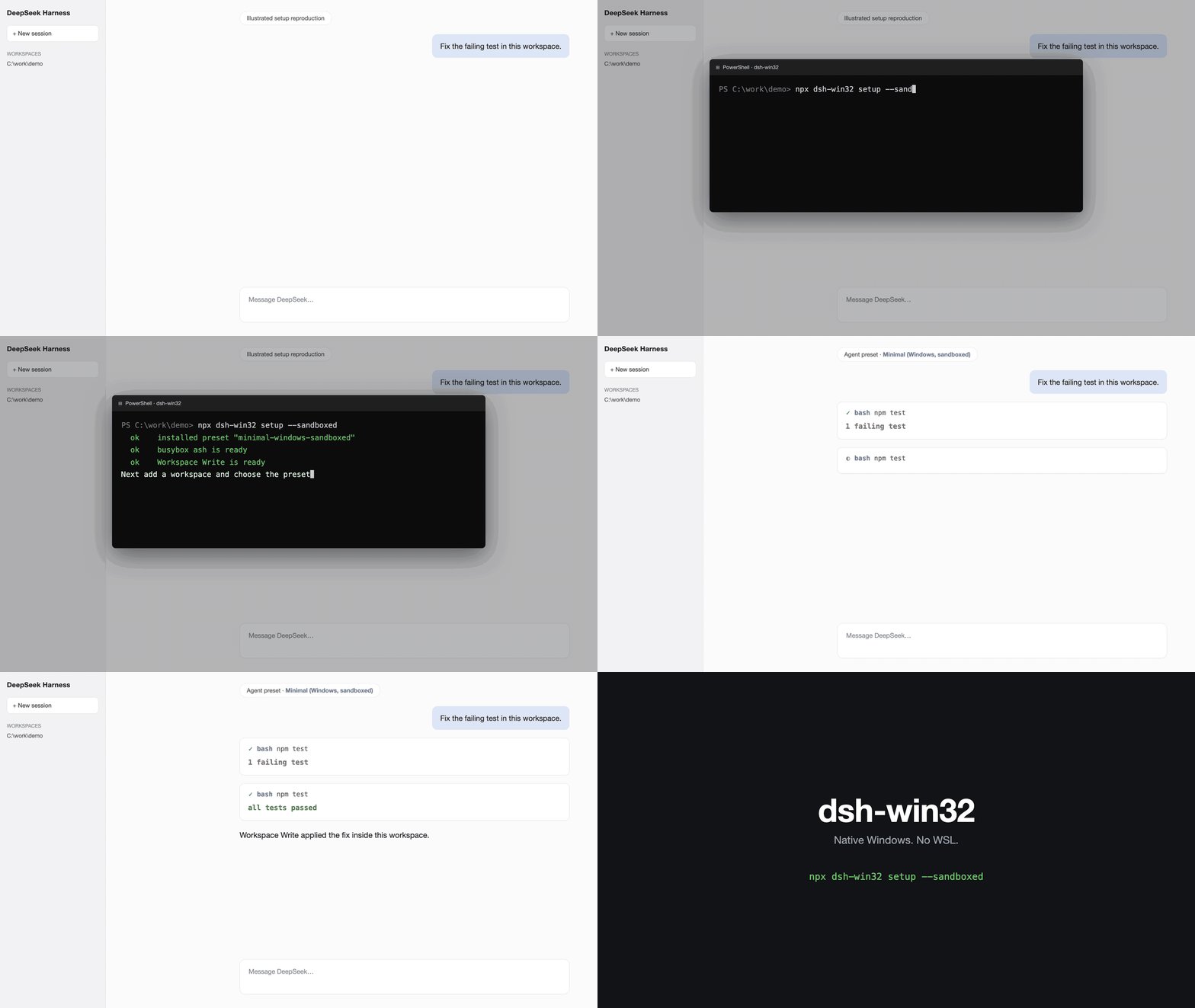
dsh-win32
Run the following command in DeepSeek Harness:
dsh plugin install sjh9714/dsh-win32
Paste the following prompt into your AI chat to install this plugin:
Install the dsh-win32 plugin in DeepSeek Harness from the source URL https://github.com/sjh9714/dsh-win32.
About this plugin
dsh-win32 is a plugin for repairing DeepSeek Harness on native Windows. Many failures are not caused by models or workflows themselves, but by subtle issues around persistent PowerShell sessions, runtime dependencies, workspace write permissions, and sandbox isolation. Instead of requiring WSL or installing Git, PowerShell, busybox, or another DSH bundle, it inspects the official components and applies repairs only where they can be shown to be safe.
Its core capability is checking the installed official persistent PowerShell and Workspace Write / Windows ACL sandbox chain, identifying known Windows failures, and fixing broken runtime loads within a safe boundary. It can also create a desktop shortcut for the Web profile, while verify provides a model- and API-key-free component acceptance run that validates persistent shell state, workspace write/read, sandbox denial, cancellation teardown, and cleanup.
This plugin is intended for developers, operators, and automation teams who want to run DeepSeek Harness reliably on Windows, especially when troubleshooting broken installations, sandbox behavior, or runtime loading problems. It is also useful for users who want to keep the stock Minimal preset and Workspace Write enabled while reducing environment uncertainty.
Screenshots
Use Cases
- Troubleshoot DeepSeek Harness startup or runtime issues on Windows.
- Verify installed DSH PowerShell, workspace write, and sandbox behavior.
- Repair known broken runtime loads while keeping official profiles unchanged.
Best For
- Developers using DeepSeek Harness on Windows.
- Operators and platform engineers diagnosing DSH environment failures.
- Teams that want native Windows support without relying on WSL.
Related Plugins

A method pack that makes AI coding agents plan against your real baseline, prove completion with fresh evidence, and reduce reworks and unsafe changes.

Turns the DeepSeek Harness session into a captain that builds a durable sub-agent team, splits goals into dependency-aware tasks, and coordinates work via direct messages and a live Web UI.
Gives coding agents design judgment, letting Claude Code, Cursor, and 70+ agents generate and iterate high-quality UI, presentations, and graphics right from the terminal.
Run the Pi ecosystem's plugins on DeepSeek Harness, unmodified, via a compatibility layer that implements Pi's public extension ABI on DSH's native services.