dsh-mysql
Run the following command in DeepSeek Harness:
dsh plugin install 1321928757/dsh-mysql
Paste the following prompt into your AI chat to install this plugin:
To install dsh-mysql in DeepSeek Harness, run `dsh plugin install 1321928757/dsh-mysql` or install from https://github.com/1321928757/dsh-mysql.
About this plugin
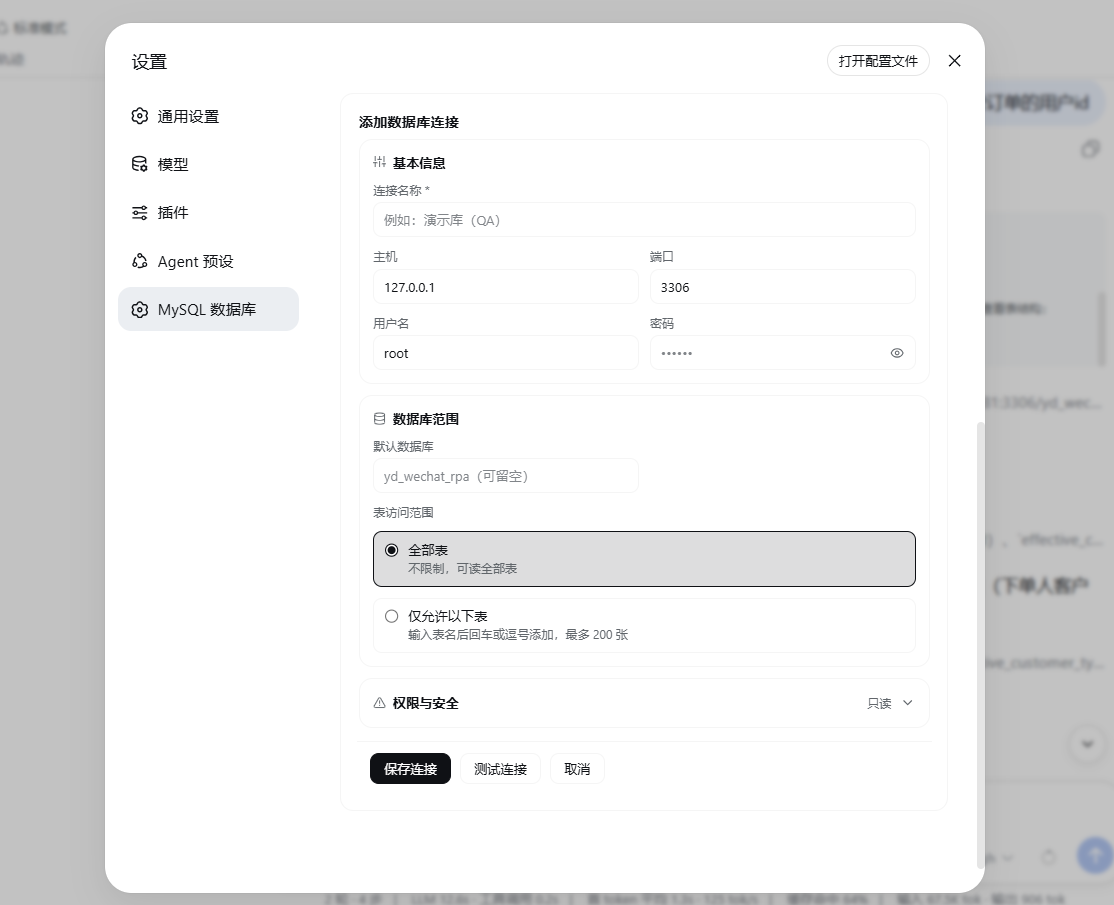
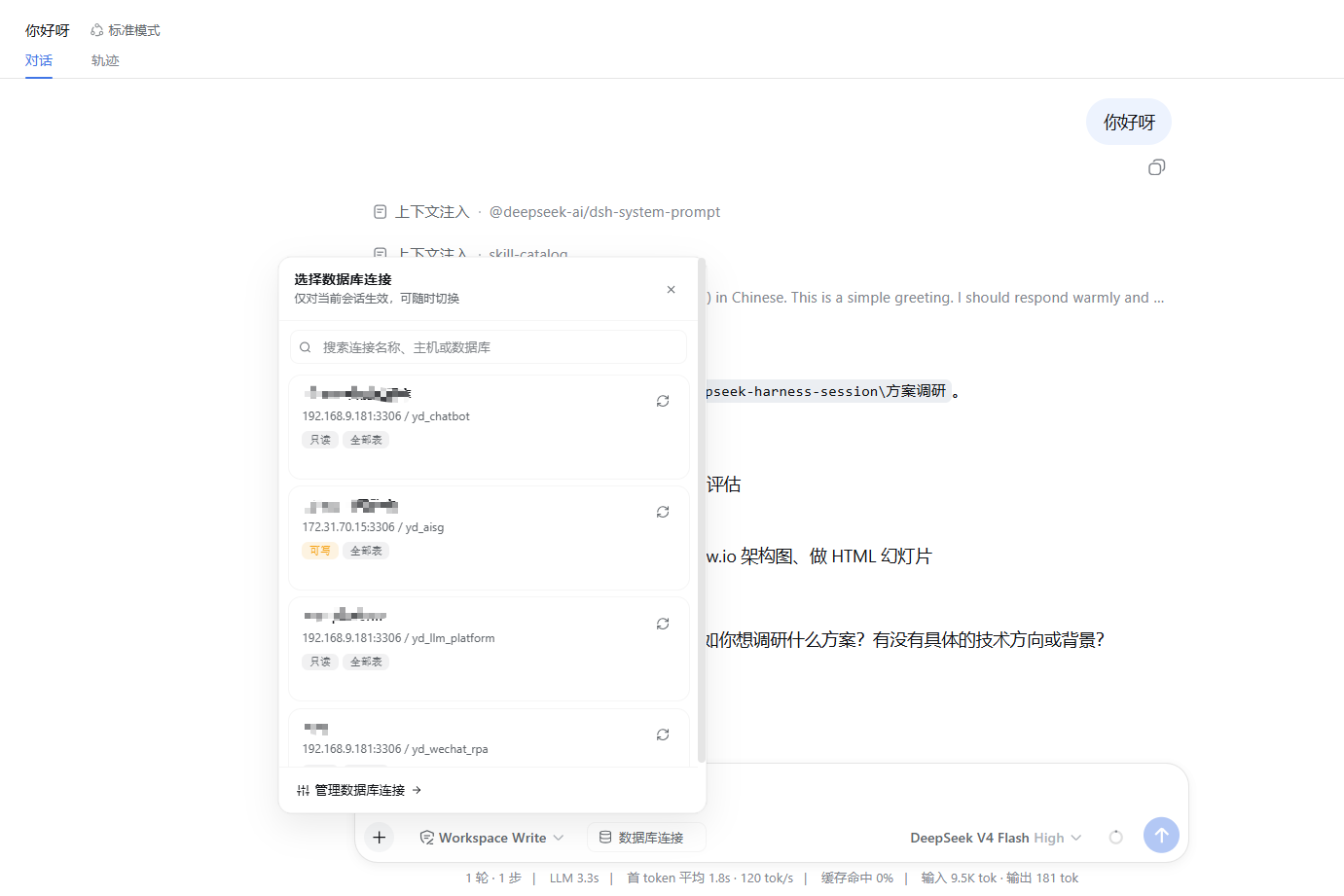
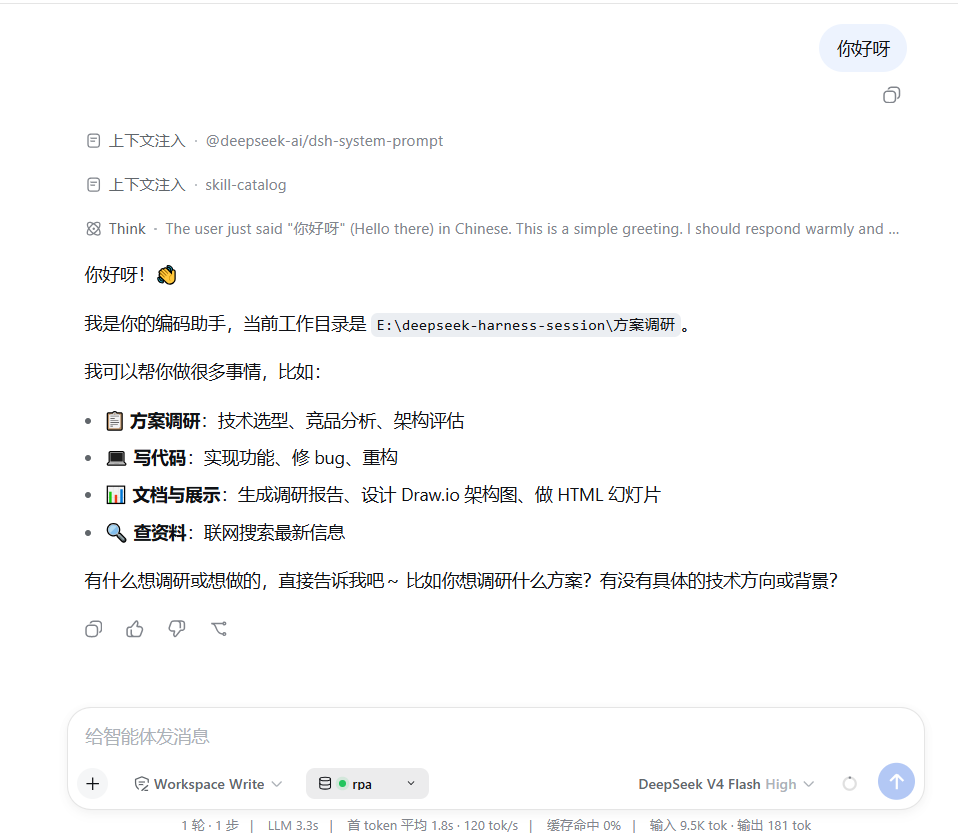
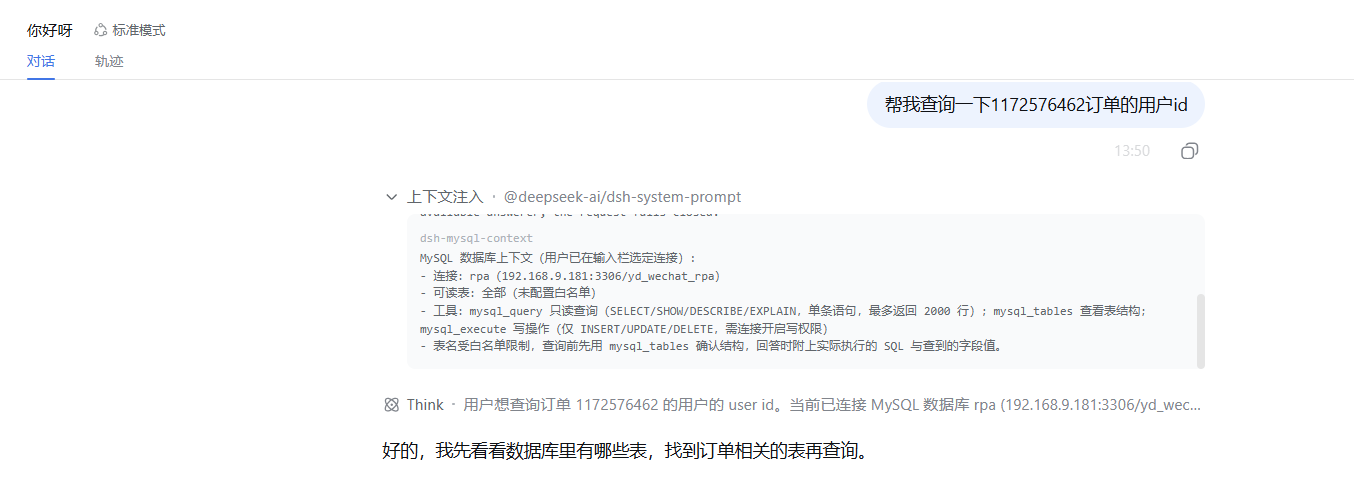
In building intelligent workflows, letting AI agents directly access databases significantly boosts efficiency, but managing multiple connection sets and credentials can be cumbersome. dsh-mysql is designed to solve this pain point by providing a centralized MySQL connection management solution for DeepSeek Harness. It allows you to effortlessly handle data sources for development, staging, or production without hardcoding configurations in every preset. The plugin not only offers an intuitive settings page for managing multiple connections but also introduces a session-level connection selector in the conversation sidebar. With three built-in guarded tools—mysql_tables, mysql_query, and mysql_execute—agents can inspect schemas on demand and perform safe read-only queries or restricted write operations. For data analysts and backend developers, dsh-mysql is an ideal choice for enhancing data interaction security and flexibility. It defaults to read-only mode and enforces strict SQL statement type checks and table allowlists to ensure only authorized operations are executed. Passwords are stored securely on the local machine, keeping your database interactions both efficient and safe.
Screenshots

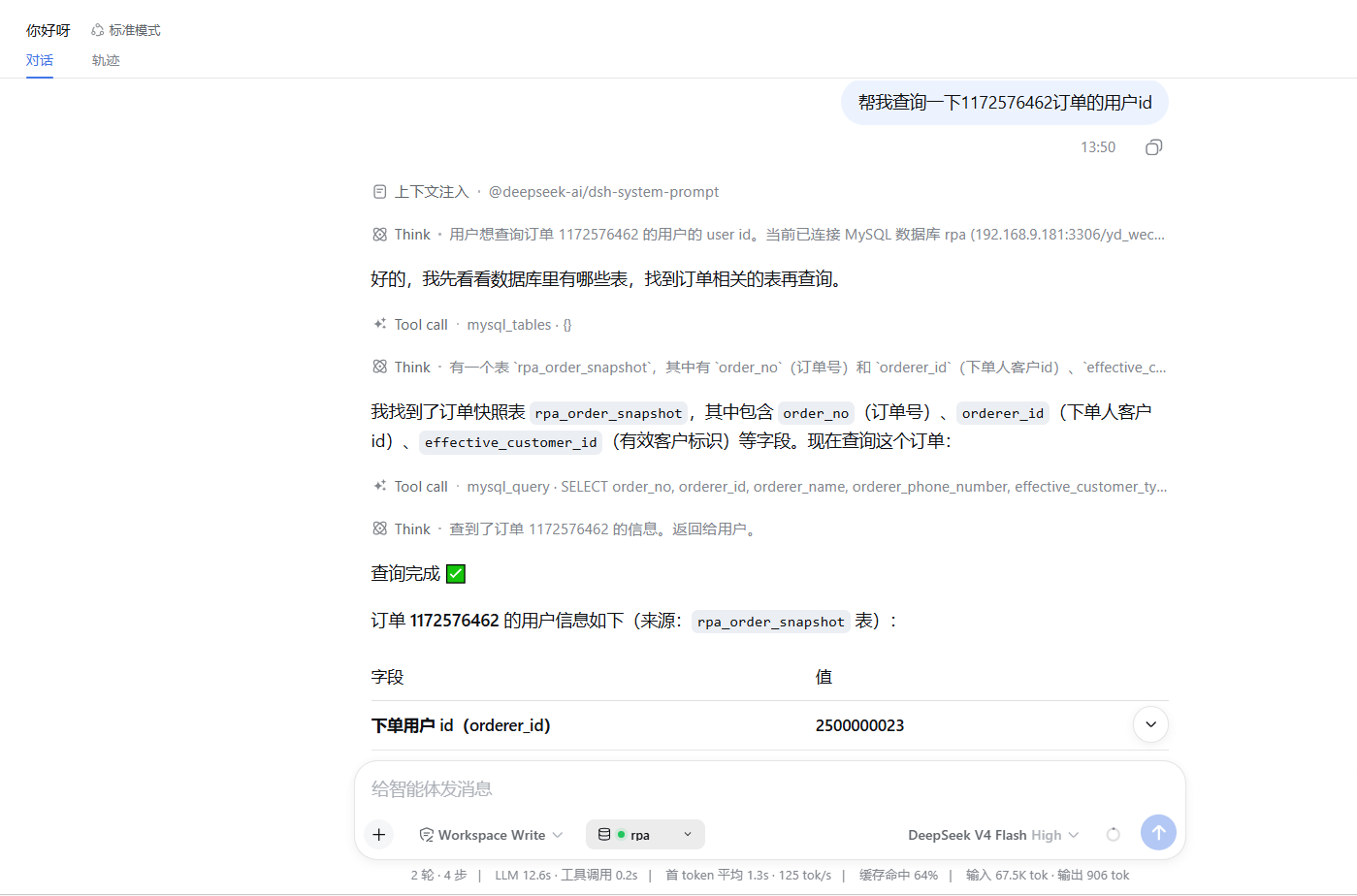
Use Cases
- Allow AI agents to query production databases directly
- Provide schema browsing tools for data analysts
- Manage multiple database connections for dev and test environments
Best For
- Data analysts and BI developers
- Backend developers building AI workflows with DeepSeek Harness
- AI application engineers requiring secure database access
Related Plugins

A method pack that makes AI coding agents plan against your real baseline, prove completion with fresh evidence, and reduce reworks and unsafe changes.

Turns the DeepSeek Harness session into a captain that builds a durable sub-agent team, splits goals into dependency-aware tasks, and coordinates work via direct messages and a live Web UI.
Gives coding agents design judgment, letting Claude Code, Cursor, and 70+ agents generate and iterate high-quality UI, presentations, and graphics right from the terminal.
Run the Pi ecosystem's plugins on DeepSeek Harness, unmodified, via a compatibility layer that implements Pi's public extension ABI on DSH's native services.