dsh-plugin-project-management
Run the following command in DeepSeek Harness:
dsh plugin install Luke-Yong/dsh-plugin-project-management
Paste the following prompt into your AI chat to install this plugin:
To install this plugin in DeepSeek Harness, please run the command: dsh plugin install Luke-Yong/dsh-plugin-project-management. Source: https://github.com/Luke-Yong/dsh-plugin-project-management
About this plugin
Creating a clear project timeline is often the most frustrating part of developing new software or planning large events. dsh-plugin-project-management aims to solve this pain point by turning an AI agent into your personal project planner. Through a natural conversational flow, the plugin asks for key project details, such as feature priorities, deadlines, and team budget, transforming vague ideas into a structured project definition.
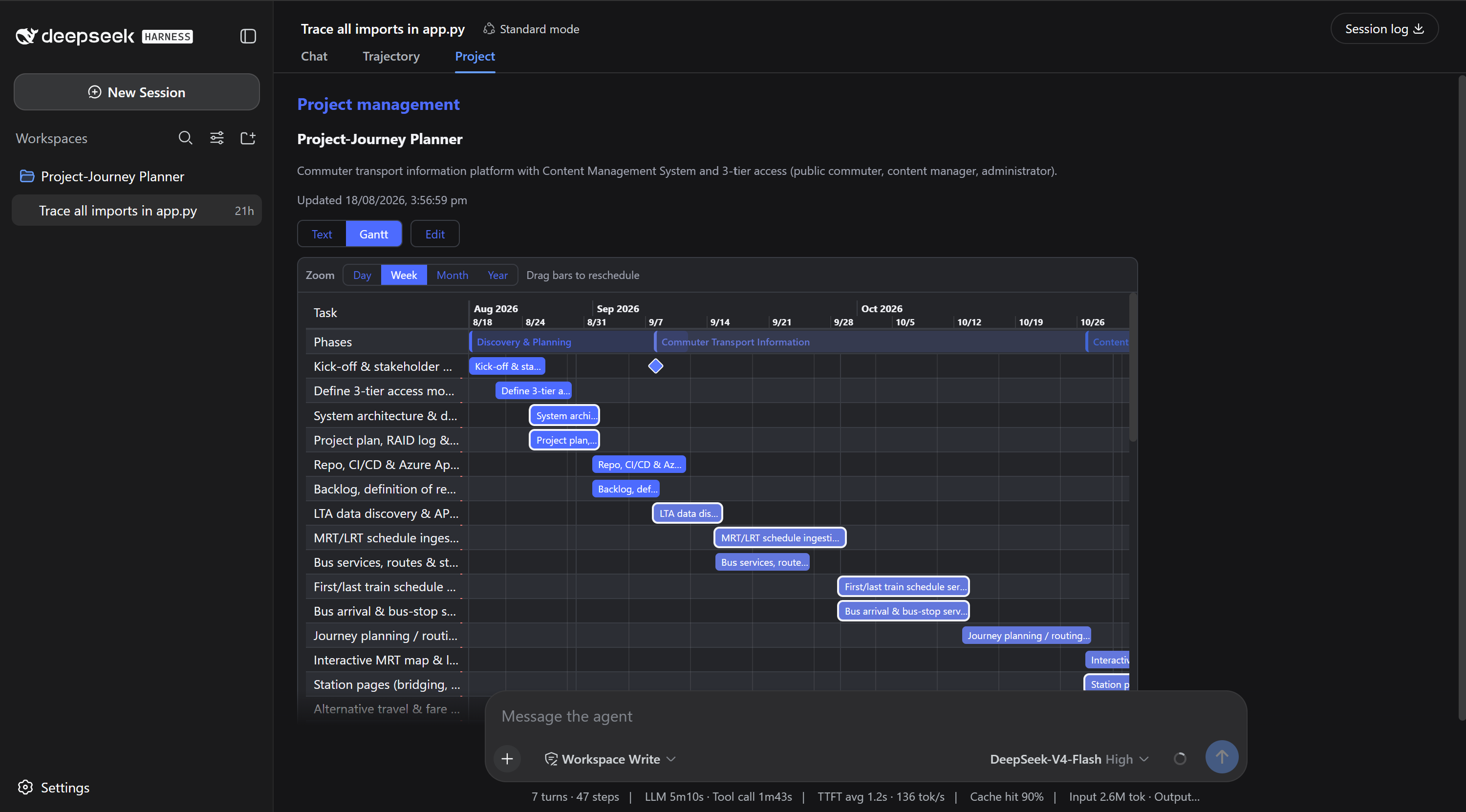
The plugin's core strength lies in its intelligent scheduling engine. It not only breaks down tasks but also handles complex dependencies, workday calculations, and national public holidays, ensuring the generated schedule is both realistic and professional. Once created, you can easily export a Gantt chart in Word or Excel format to share progress with your team or archive your plan.
Additionally, it features excellent context awareness. Project data is automatically persisted, meaning your project planning won't be lost even if you close the browser or interrupt a session. This is highly useful for users who need to continue work on different stages. Whether you are an agile development team, a project manager, or an individual needing to quickly organize thoughts, this plugin provides strong support, making project management efficient and intuitive.
Screenshots
Use Cases
- Quickly plan a mobile app development timeline
- Set milestones and budgets for large events
- Save and resume project plans across different sessions
Best For
- Agile development teams needing quick planning
- Project managers seeking professional visualization tools
- Users wanting to efficiently organize personal project ideas
Related Plugins

A method pack that makes AI coding agents plan against your real baseline, prove completion with fresh evidence, and reduce reworks and unsafe changes.

Turns the DeepSeek Harness session into a captain that builds a durable sub-agent team, splits goals into dependency-aware tasks, and coordinates work via direct messages and a live Web UI.
Gives coding agents design judgment, letting Claude Code, Cursor, and 70+ agents generate and iterate high-quality UI, presentations, and graphics right from the terminal.
Run the Pi ecosystem's plugins on DeepSeek Harness, unmodified, via a compatibility layer that implements Pi's public extension ABI on DSH's native services.