dsh-plugin-quota-monitor
Run the following command in DeepSeek Harness:
dsh plugin install DoggyHU/dsh-plugin-quota-monitor
Paste the following prompt into your AI chat to install this plugin:
To install this plugin in DeepSeek Harness, use the install command or specify the source code URL https://github.com/DoggyHU/dsh-plugin-quota-monitor in the settings.
About this plugin
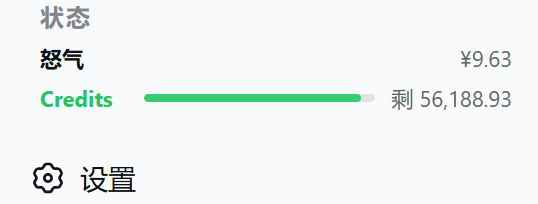
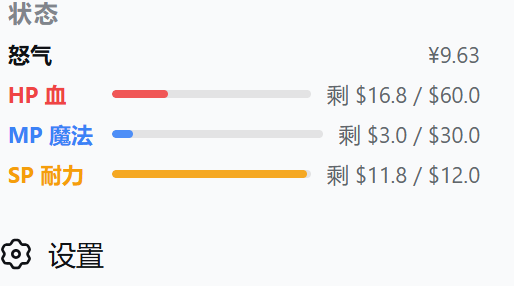
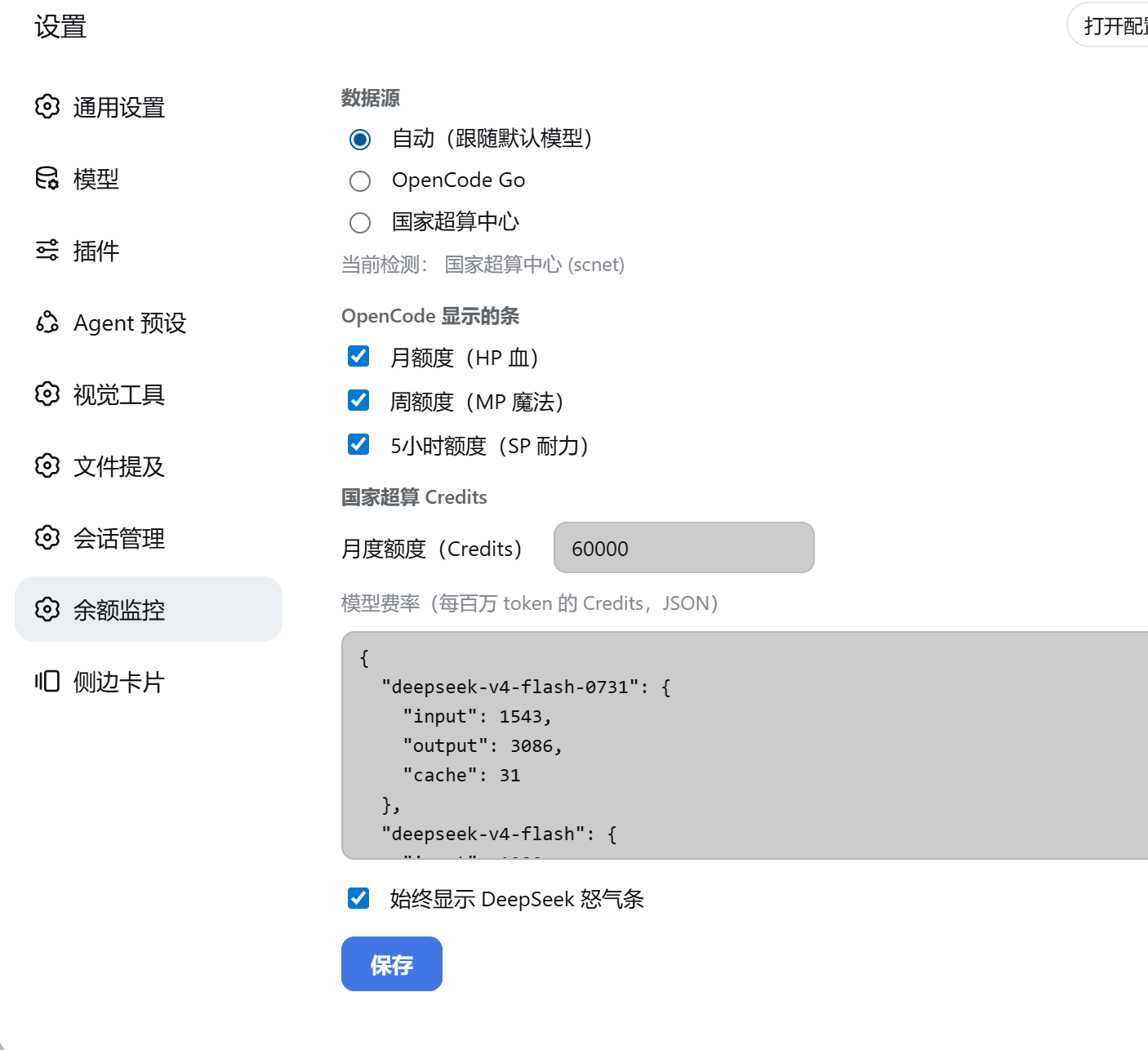
Managing usage quotas across different AI providers like DeepSeek, OpenCode Go, and the National Supercomputing Center (scnet) can be fragmented and tedious. This plugin solves that by consolidating all your balance monitoring needs into a single, intuitive dashboard within the DSH sidebar. It transforms the sidebar into an RPG-style health bar interface: Red HP represents monthly quotas, Blue MP represents weekly quotas, Yellow SP represents 5-hour quotas, and Gold Rage displays your real-time DeepSeek balance. For providers like scnet that lack public APIs, the plugin performs local estimation by parsing your session logs, accurately reflecting your actual token consumption. Whether you are a heavy user of OpenCode Go or rely on scnet resources, this tool offers unified cost management. With flexible configuration options for rate tables and polling settings, it adapts to your workflow, ensuring you never miss critical spending information.
Screenshots
Use Cases
- Need real-time check of DeepSeek balance and usage
- Monitor OpenCode Go and SCNet quotas in one place
- Estimate SCNet Credits consumption without official API
Best For
- DeepSeek paying users
- Developers frequently using OpenCode Go
- Researchers relying on National Supercomputing Center resources
Related Plugins

Adds an Auto approval mode on the official workspace-write sandbox, classifying semantic risks, asking when ambiguous, and denying destructive operations.

Undo/rollback system for DSH: config & plugin snapshots, one-click undo/redo/restore, message-level revert, secret masking, safe mode, and offline WebUI/GUI/CLI rescue tools for when DSH won't start.
Packages all 87 SKILL.md files from upstream reverse-skill as a DeepSeek Harness plugin that auto-registers them for authorized reverse engineering, penetration testing, and security research.
Dockyard DSH is a native DeepSeek Harness plugin that unifies official OAuth/client sessions for Codex, Antigravity, Grok, Claude, and Cursor, providing account pool, model catalog, and quota status.