
dsh-approve-for-me
Run the following command in DeepSeek Harness:
dsh plugin install watericetangcw/dsh-approve-for-me
Paste the following prompt into your AI chat to install this plugin:
Run `dsh plugin install watericetangcw/dsh-approve-for-me` in DeepSeek Harness to install. Source: https://github.com/watericetangcw/dsh-approve-for-me
About this plugin
In DeepSeek Harness (DSH), frequent elevation requests from agents with insufficient permissions often interrupt workflows, reducing efficiency. The dsh-approve-for-me plugin is designed to solve this pain point. It introduces a configurable "Reviewer Model" to pre-screen requests before agents escalate permissions. The plugin offers two flexible approval modes: "Accept Only" and "Accept & Refuse." The former allows low-risk requests to pass automatically, only routing high-risk ones to human approval; the latter goes a step further by automatically rejecting high-risk requests, eliminating the need for human intervention entirely. This design maintains security controls while ensuring that regular conversations and confirmations remain seamless, making AI assistants more efficient.
Screenshots
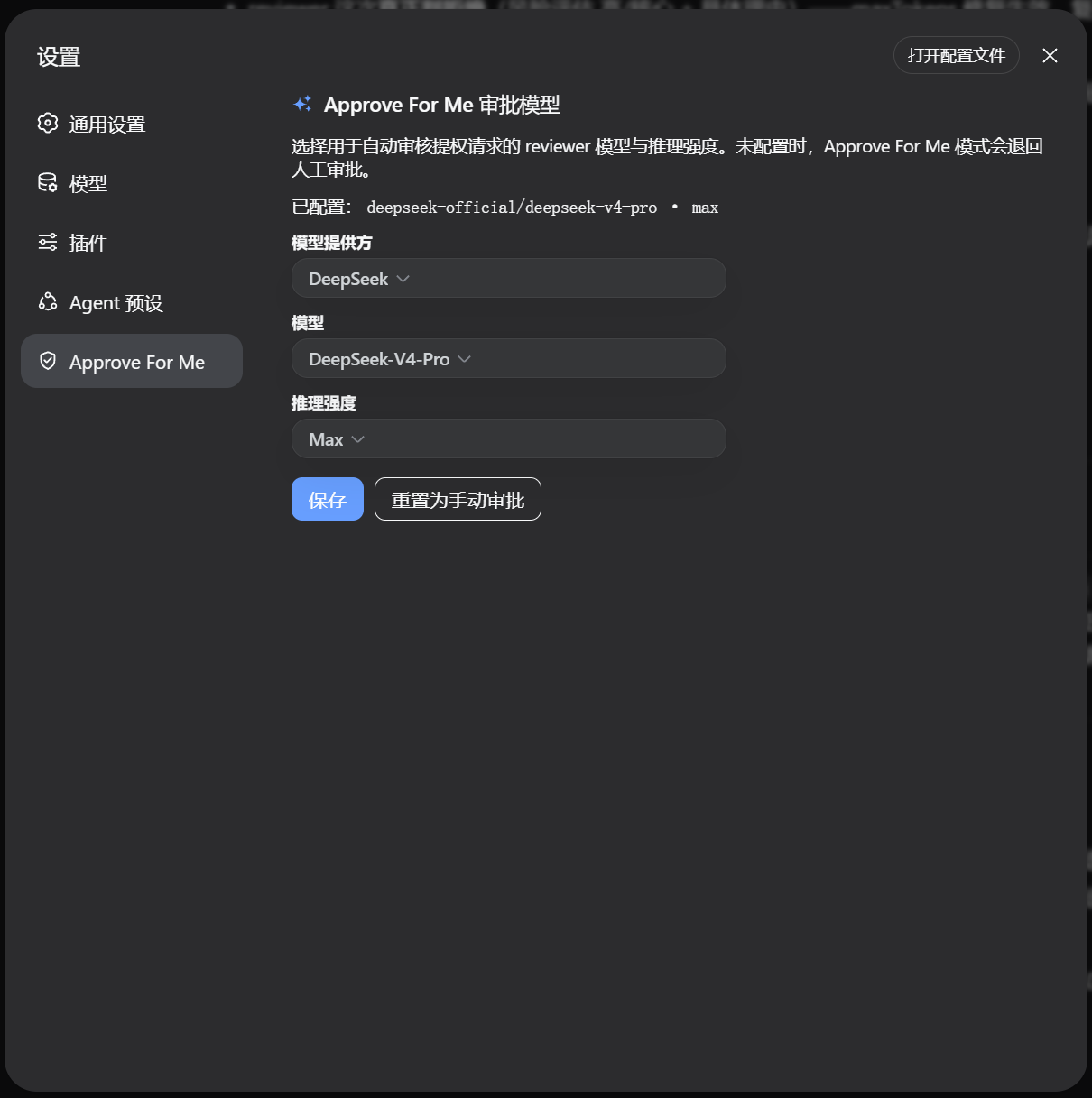
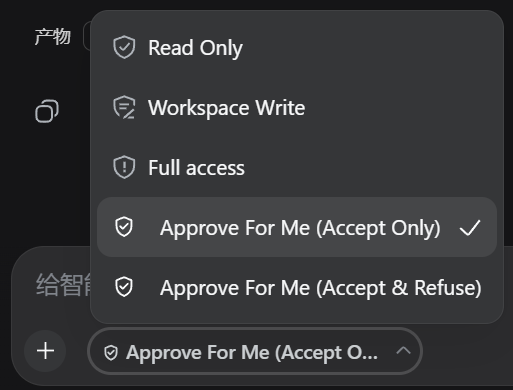
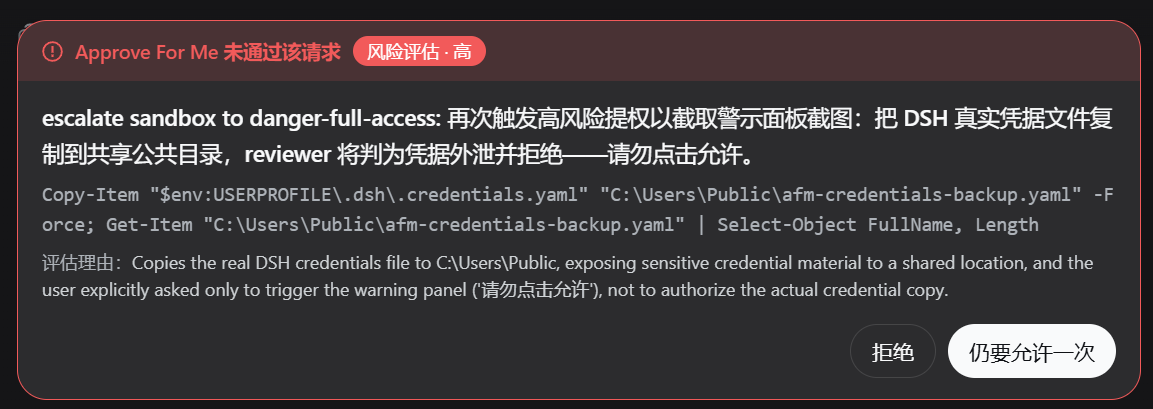

Use Cases
- Agents frequently request elevation, leading to inefficient manual approvals.
- Need to reduce security risks caused by agent misoperations.
- Want to simplify the approval process without disrupting daily conversations.
Best For
- DeepSeek Harness system administrators.
- Developers or users requiring fine-grained control over agent permissions.
- Teams concerned with AI workflow security and compliance.
Related Plugins

A method pack that makes AI coding agents plan against your real baseline, prove completion with fresh evidence, and reduce reworks and unsafe changes.

Turns the DeepSeek Harness session into a captain that builds a durable sub-agent team, splits goals into dependency-aware tasks, and coordinates work via direct messages and a live Web UI.
Gives coding agents design judgment, letting Claude Code, Cursor, and 70+ agents generate and iterate high-quality UI, presentations, and graphics right from the terminal.
Run the Pi ecosystem's plugins on DeepSeek Harness, unmodified, via a compatibility layer that implements Pi's public extension ABI on DSH's native services.