codex2dsh
Run the following command in DeepSeek Harness:
dsh plugin install BigBlueBaby/codex2dsh
Paste the following prompt into your AI chat to install this plugin:
Install the plugin in DeepSeek Harness by running the command `dsh plugin install BigBlueBaby/codex2dsh`, or visit https://github.com/BigBlueBaby/codex2dsh for detailed instructions.
About this plugin
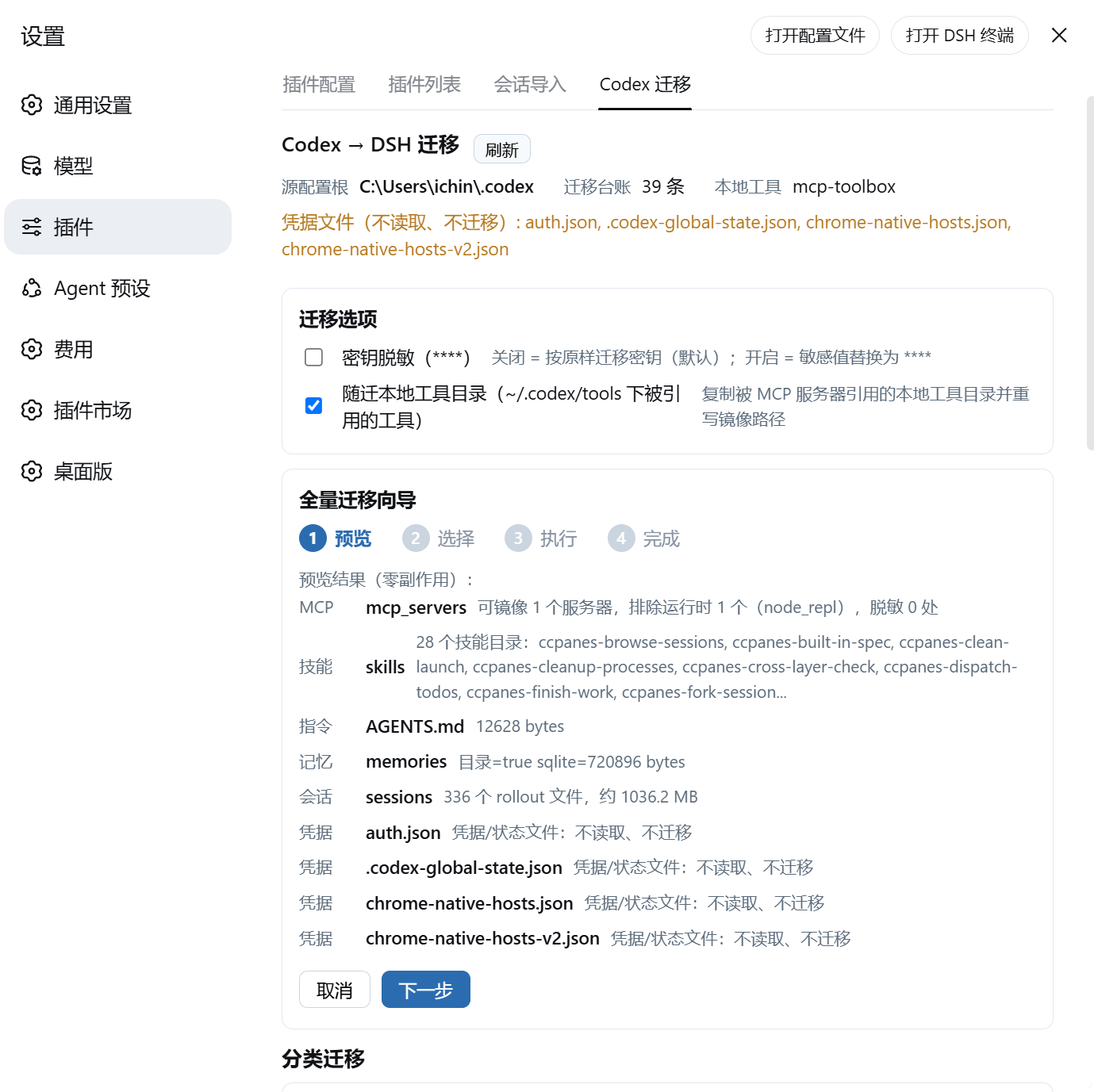
For developers who have long used OpenAI Codex (CLI or Desktop), the accumulated MCP server configurations, custom skills, global instructions, memory banks, and even session histories represent valuable personal assets. However, when they wish to migrate to DeepSeek Harness (DSH), a new platform, they often face the hassles of command-line operations, incompatible configuration formats, risks of key exposure, and uncontrollable migration outcomes. The codex2dsh plugin is designed to solve this pain point. It provides a fully visual migration panel that, through a step-by-step wizard, "translates" Codex's configuration assets into DSH's native format. The entire process is source-code read-only, keys are migrated as-is by default (with optional desensitization), and supports dry-run previews and manual confirmation, making the migration safe, transparent, and effortless.
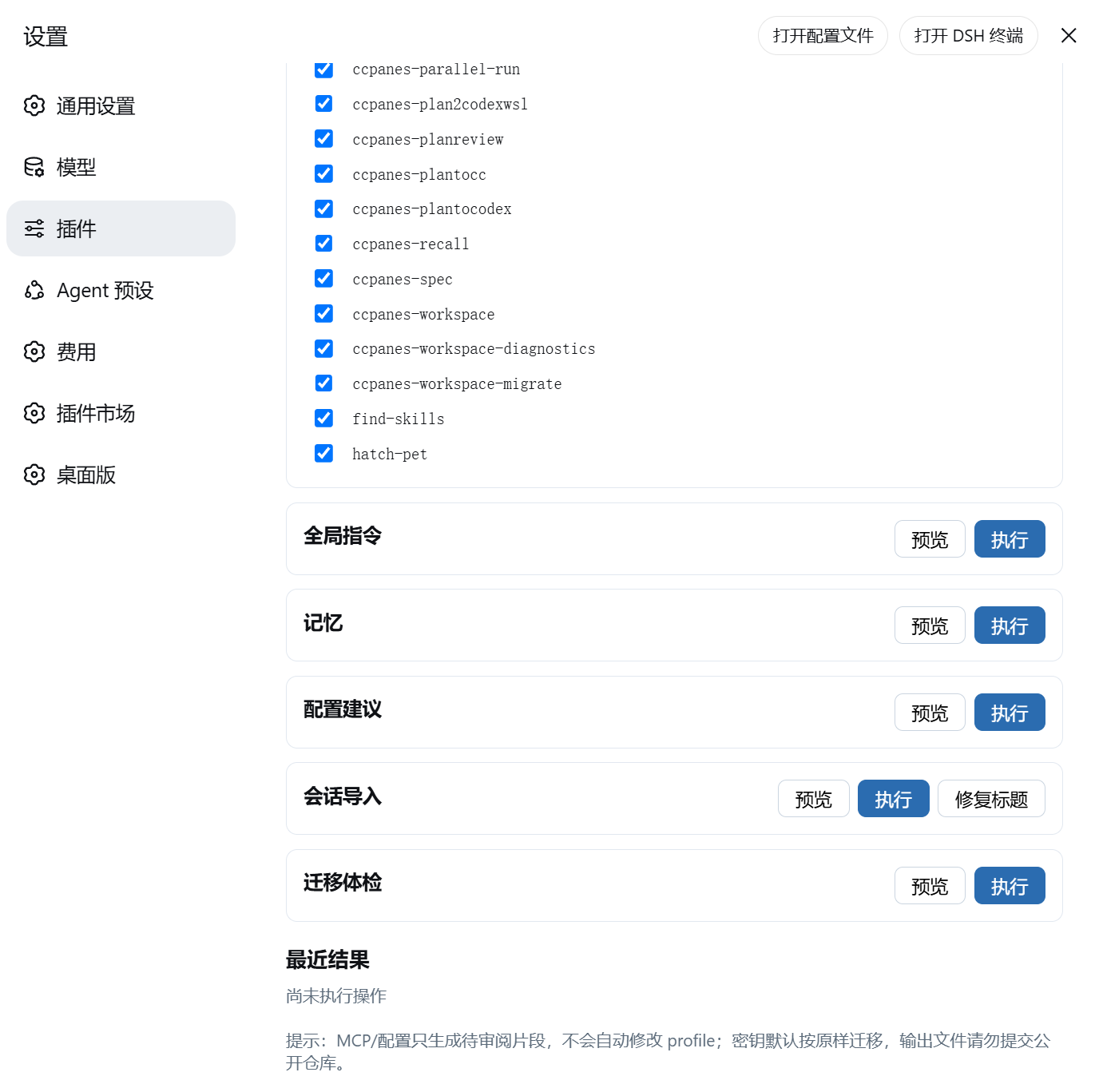
The plugin's core capabilities go far beyond simple file copying. It intelligently parses Codex's configuration structure, mirrors MCP servers into DSH client configurations (including automatic rewriting of local tool directories), converts skill files to DSH-compatible formats, adapts global instructions to DSH's standard locations, and even imports memory banks and session histories into DSH's memory engine and chat systems. All operations are presented through a clear UI panel, featuring status overviews, migration options, wizard workflows, and result badges, allowing even users without technical backgrounds to operate easily. For those seeking efficiency, it also offers a command-line interface as an alternative.
codex2dsh is particularly suitable for Codex power users, independent developers, or technical teams looking to smoothly transition to the DeepSeek Harness ecosystem. If you have already built efficient workflows and personalized configurations in Codex and wish to seamlessly extend these assets on the new platform without starting from scratch or risking complex scripts, then this plugin is tailor-made for you. It lets you focus on creation and development rather than being bogged down by migration chores, truly embodying the migration philosophy that "configurations are assets, not cages."
Screenshots
Use Cases
- When migrating from Codex to DeepSeek Harness
- When needing to securely migrate MCP servers and skill configurations
- When preferring visual operations to avoid command-line complexity
Best For
- Developers who have long used OpenAI Codex
- Users who want to preserve existing configuration assets
- Team members needing smooth platform transitions
Related Plugins

A method pack that makes AI coding agents plan against your real baseline, prove completion with fresh evidence, and reduce reworks and unsafe changes.

Turns the DeepSeek Harness session into a captain that builds a durable sub-agent team, splits goals into dependency-aware tasks, and coordinates work via direct messages and a live Web UI.
Gives coding agents design judgment, letting Claude Code, Cursor, and 70+ agents generate and iterate high-quality UI, presentations, and graphics right from the terminal.
Run the Pi ecosystem's plugins on DeepSeek Harness, unmodified, via a compatibility layer that implements Pi's public extension ABI on DSH's native services.