dsh-codex-sync
Run the following command in DeepSeek Harness:
dsh plugin install Walvez/dsh-codex-sync
Paste the following prompt into your AI chat to install this plugin:
In DeepSeek Harness, install the dsh-codex-sync plugin from https://github.com/Walvez/dsh-codex-sync via the plugin market.
About this plugin
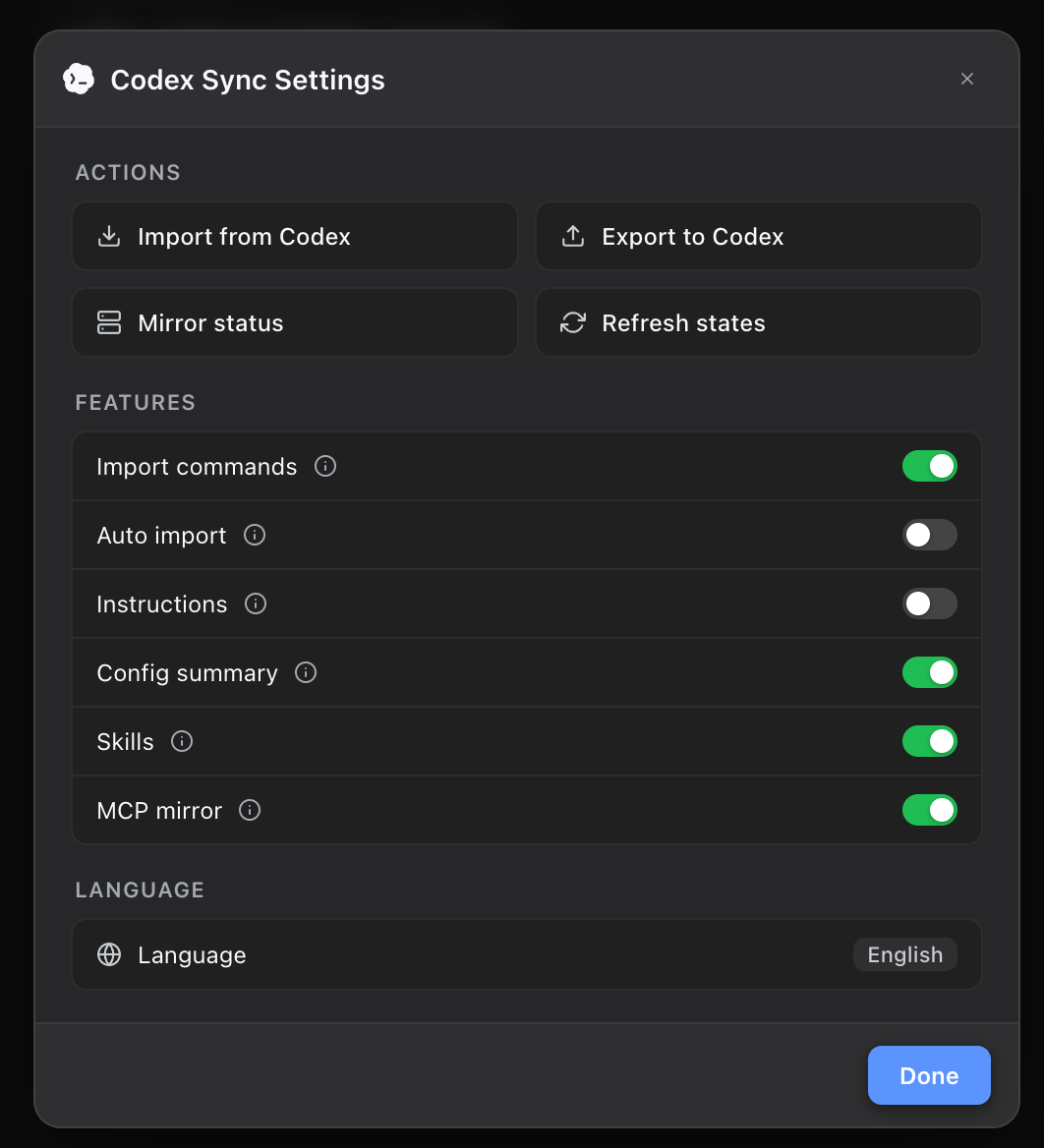
dsh-codex-sync is built for developers who work across OpenAI Codex and DeepSeek Harness and want to keep their project history, skills, and toolchains connected. Instead of forcing a one-time migration, it acts as a continuous two-way bridge that preserves conversation context and reduces duplicated configuration.
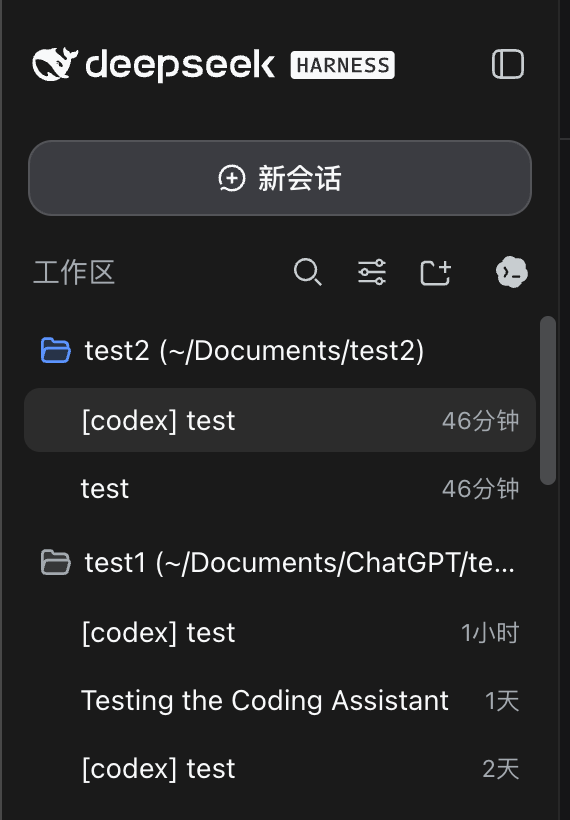
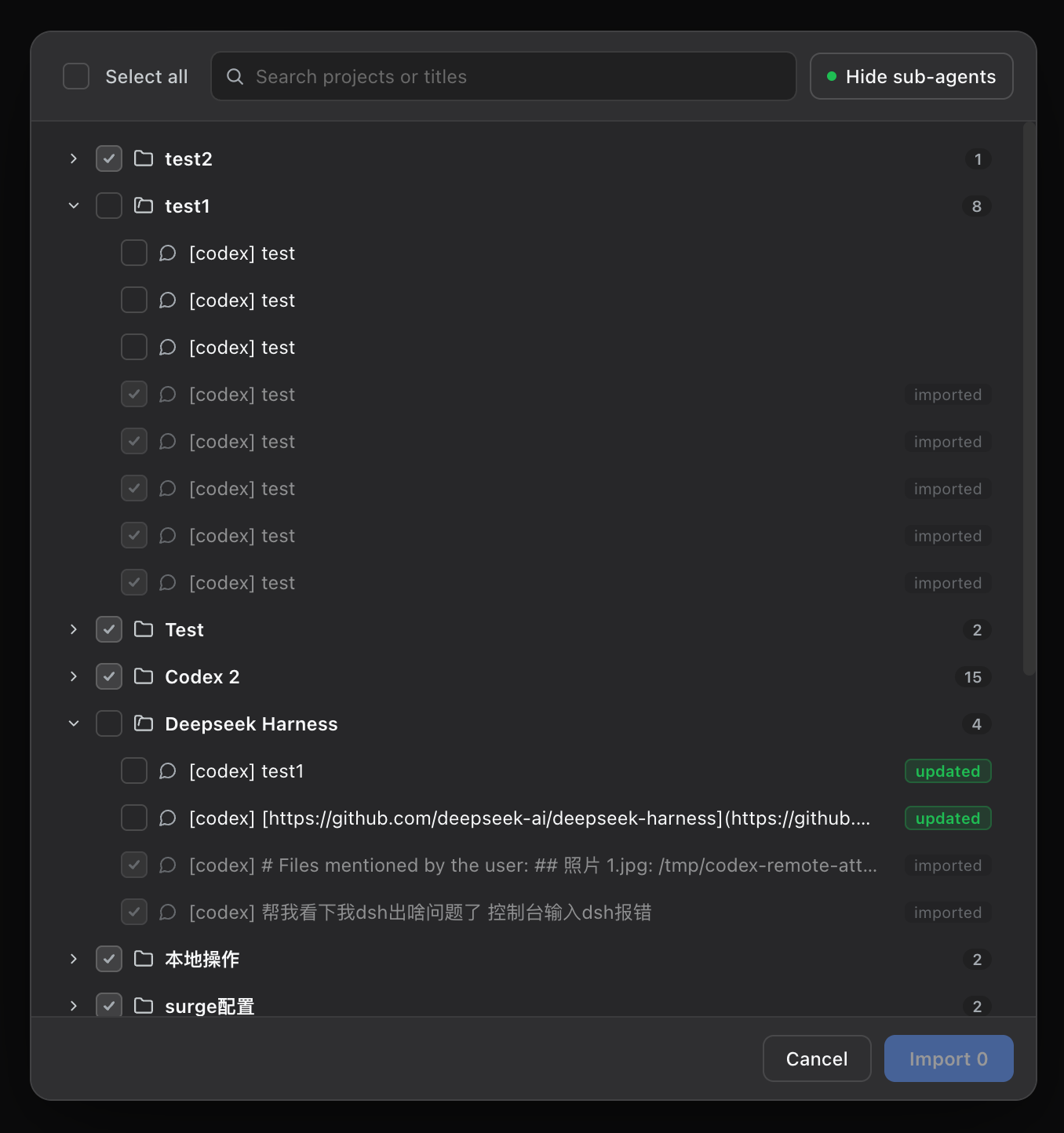
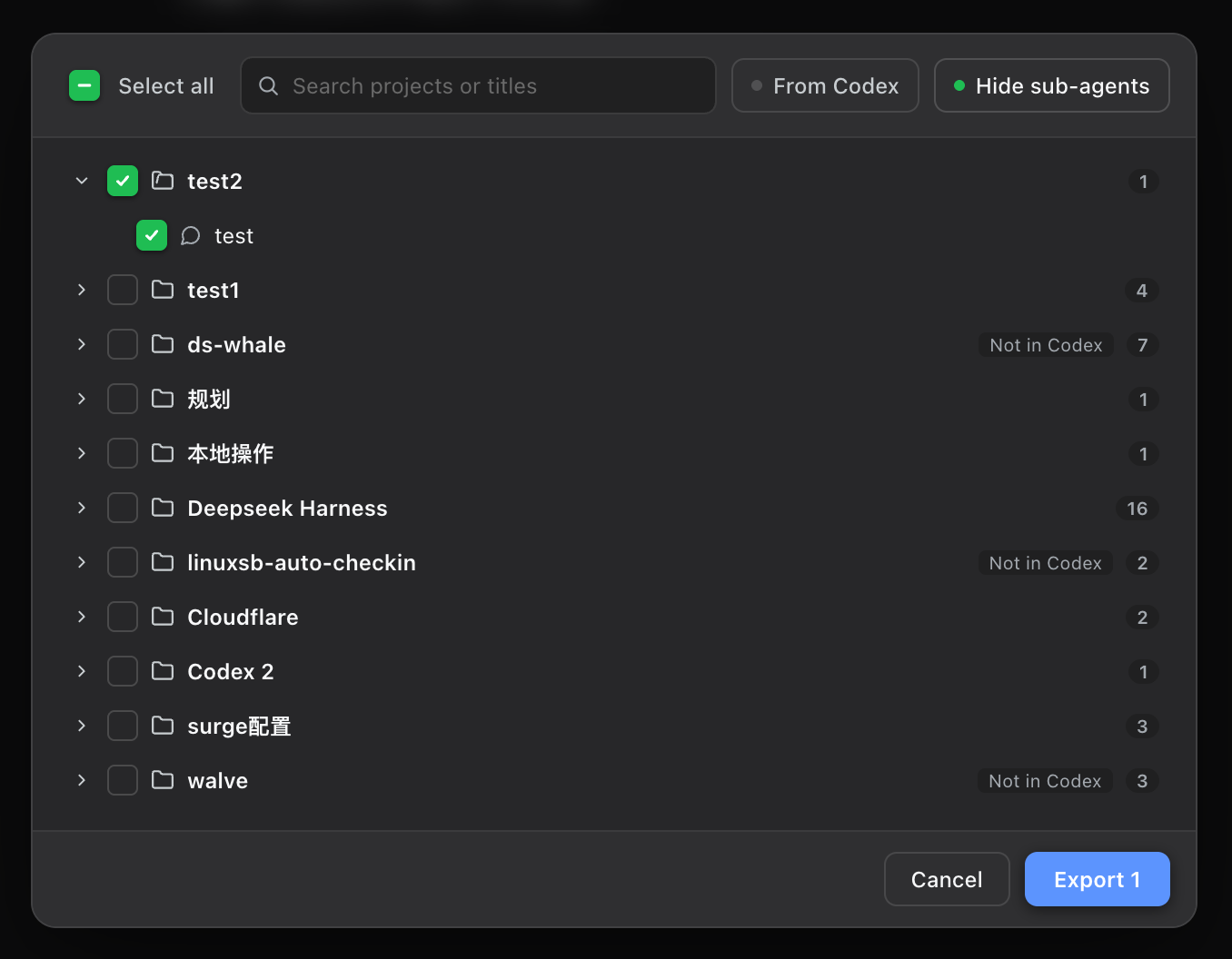
With the plugin, you can import Codex conversations into DSH by project, continue them inside the matching workspace, and export DSH conversations back to Codex without overwriting existing histories. It also mounts Codex skills live into DSH, mirrors MCP server settings automatically, and provides a reverse bridge for Codex to discover and install DSH plugins. It is best suited to teams and individual developers who regularly move between Codex and DSH and want a smoother, safer cross-agent workflow.
Screenshots
Use Cases
- Continue Codex project chats in DSH
- Keep Codex skills and MCP settings in sync
- Export DSH conversations back to Codex
Best For
- Developers using both Codex and DSH
- Teams preserving project conversation history
- Users reducing duplicate skill and MCP setup
Related Plugins

A method pack that makes AI coding agents plan against your real baseline, prove completion with fresh evidence, and reduce reworks and unsafe changes.

Turns the DeepSeek Harness session into a captain that builds a durable sub-agent team, splits goals into dependency-aware tasks, and coordinates work via direct messages and a live Web UI.
Gives coding agents design judgment, letting Claude Code, Cursor, and 70+ agents generate and iterate high-quality UI, presentations, and graphics right from the terminal.
Run the Pi ecosystem's plugins on DeepSeek Harness, unmodified, via a compatibility layer that implements Pi's public extension ABI on DSH's native services.