dsh-watch
Run the following command in DeepSeek Harness:
dsh plugin install dshworks/dsh-watch
Paste the following prompt into your AI chat to install this plugin:
In DeepSeek Harness, you can install this plugin with the command: dsh plugin install dshworks/dsh-watch, and the source code is at https://github.com/dshworks/dsh-watch.
About this plugin
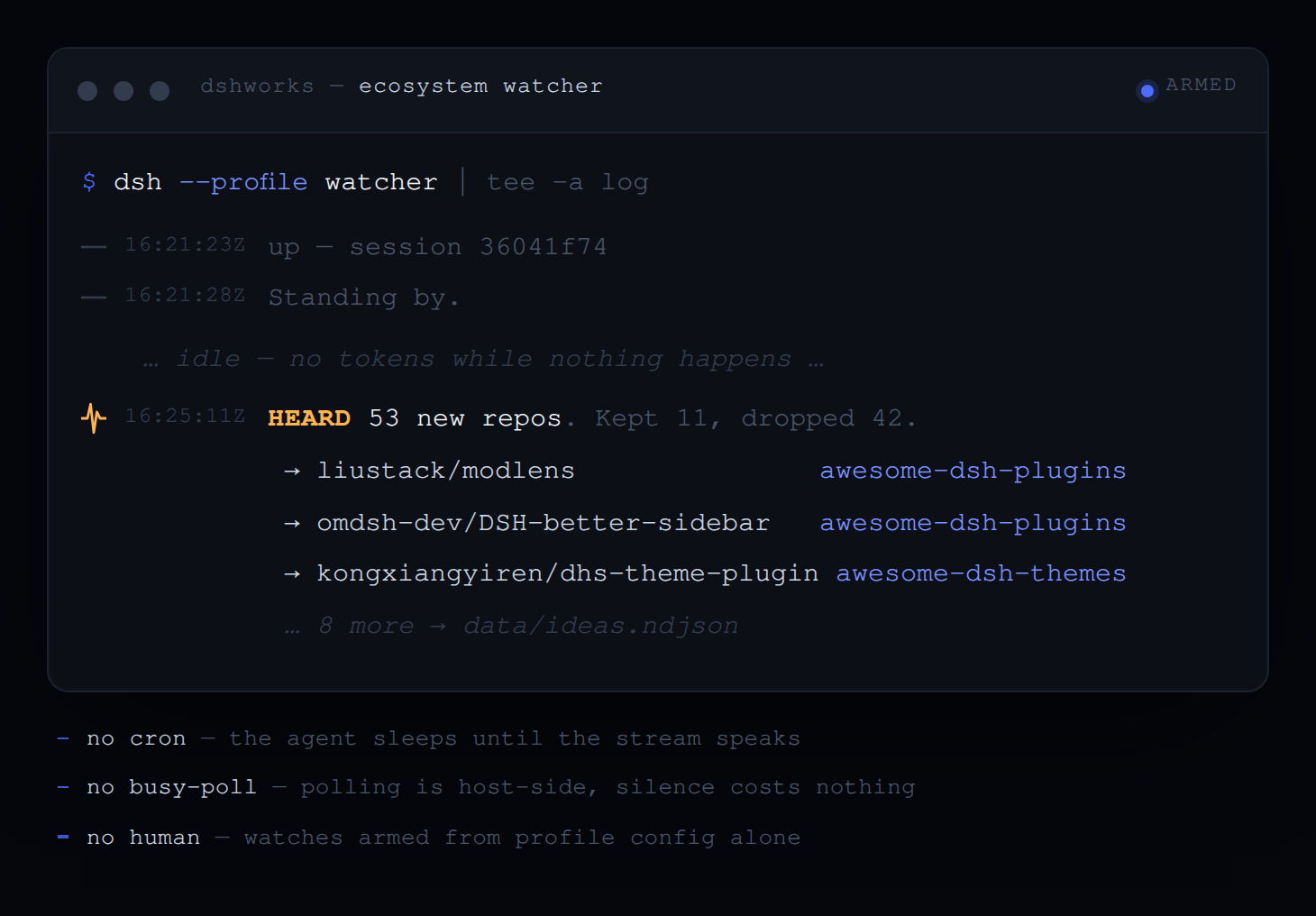
dsh-watch addresses the challenge of having an agent respond to external stream changes while unattended. Unlike traditional workflow systems that notify only on task completion, dsh-watch enables real-time monitoring of command or file outputs, waking the agent on matching lines even when idle. This allows you to set up a long-running agent to listen to logs, data streams, or system events without human intervention. Key capabilities include smart batching to minimize wake frequency, configurable filtering, and budgeting mechanisms to prevent runaway sources from exhausting resources. It is ideal for developers needing automated ecosystem monitoring, real-time data processing, or daemon tasks—such as tracking GitHub repository updates, log files, or network service outputs. By combining a background daemon with configurable settings, dsh-watch lets agents run continuously for weeks at low cost, only acting when relevant events occur.
Screenshots
Use Cases
- Monitor system logs and automatically respond to errors
- Track GitHub repository updates in real-time
- Process data streams continuously while unattended
Best For
- Developers needing automated monitoring
- Operations staff managing long-running services
- Data engineers processing streaming data
Related Plugins

A method pack that makes AI coding agents plan against your real baseline, prove completion with fresh evidence, and reduce reworks and unsafe changes.

Turns the DeepSeek Harness session into a captain that builds a durable sub-agent team, splits goals into dependency-aware tasks, and coordinates work via direct messages and a live Web UI.
Gives coding agents design judgment, letting Claude Code, Cursor, and 70+ agents generate and iterate high-quality UI, presentations, and graphics right from the terminal.
Run the Pi ecosystem's plugins on DeepSeek Harness, unmodified, via a compatibility layer that implements Pi's public extension ABI on DSH's native services.