dsh-cron
Run the following command in DeepSeek Harness:
dsh plugin install omdsh-dev/dsh-cron
Paste the following prompt into your AI chat to install this plugin:
Install the dsh-cron plugin from the GitHub repository at https://github.com/omdsh-dev/dsh-cron using the command dsh plugin install omdsh-dev/dsh-cron.
About this plugin
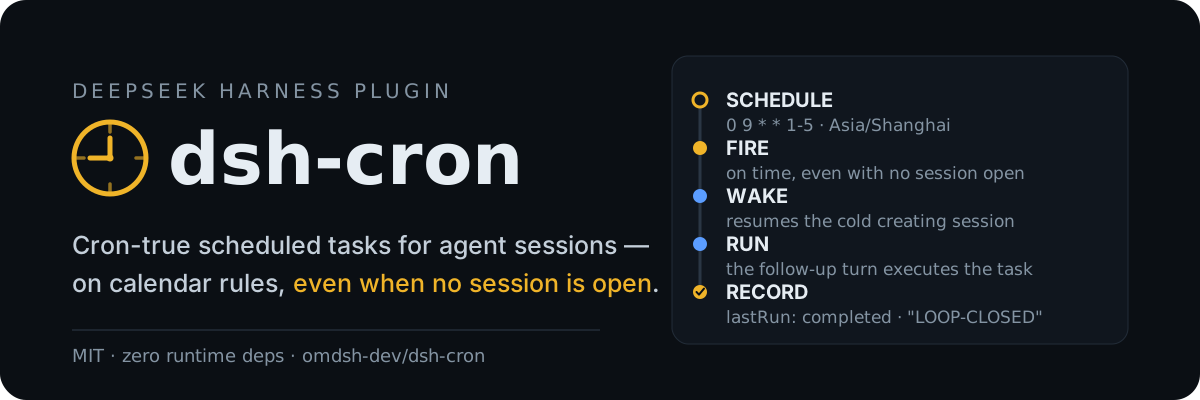
In DeepSeek Harness, the built-in scheduling is limited to session-local reminders, making it unsuitable for persistent, cross-session jobs that need to survive restarts or closed sessions. dsh-cron addresses this by introducing a cron-based scheduling system with five-field rules and IANA time zones, storing durable jobs in the Harness home to ensure they persist across sessions and restarts.
At its core, dsh-cron offers flexible cron expression scheduling, cold-session wake capabilities to resume and execute tasks even when no session is live, and smart delivery logic that routes jobs to active sessions or queues them for later. It also registers model tools and a web management interface, allowing both users and agents to create, monitor, and adjust scheduled tasks effortlessly.
This plugin is ideal for developers, operations teams, and power users of DeepSeek Harness who need automated workflows. Whether you're setting up periodic data backups, triggering monitoring alerts, or orchestrating multi-agent automation, dsh-cron provides reliable, cross-session scheduling to make timed tasks simple and robust.
Screenshots
Use Cases
- Periodically back up databases and generate reports
- Automatically trigger monitoring alerts after session closure
- Run automated test suites on a schedule
Best For
- Developers needing scheduled tasks
- Operations staff managing server maintenance
- Data engineers building automated workflows
Related Plugins

A method pack that makes AI coding agents plan against your real baseline, prove completion with fresh evidence, and reduce reworks and unsafe changes.

Turns the DeepSeek Harness session into a captain that builds a durable sub-agent team, splits goals into dependency-aware tasks, and coordinates work via direct messages and a live Web UI.
Gives coding agents design judgment, letting Claude Code, Cursor, and 70+ agents generate and iterate high-quality UI, presentations, and graphics right from the terminal.
Run the Pi ecosystem's plugins on DeepSeek Harness, unmodified, via a compatibility layer that implements Pi's public extension ABI on DSH's native services.