dsh-subagent-profile
Run the following command in DeepSeek Harness:
dsh plugin install muzyLink/dsh-subagent-profile
Paste the following prompt into your AI chat to install this plugin:
To install this plugin in DeepSeek Harness, visit the source repository at https://github.com/muzyLink/dsh-subagent-profile and run the command `dsh plugin install muzyLink/dsh-subagent-profile`.
About this plugin
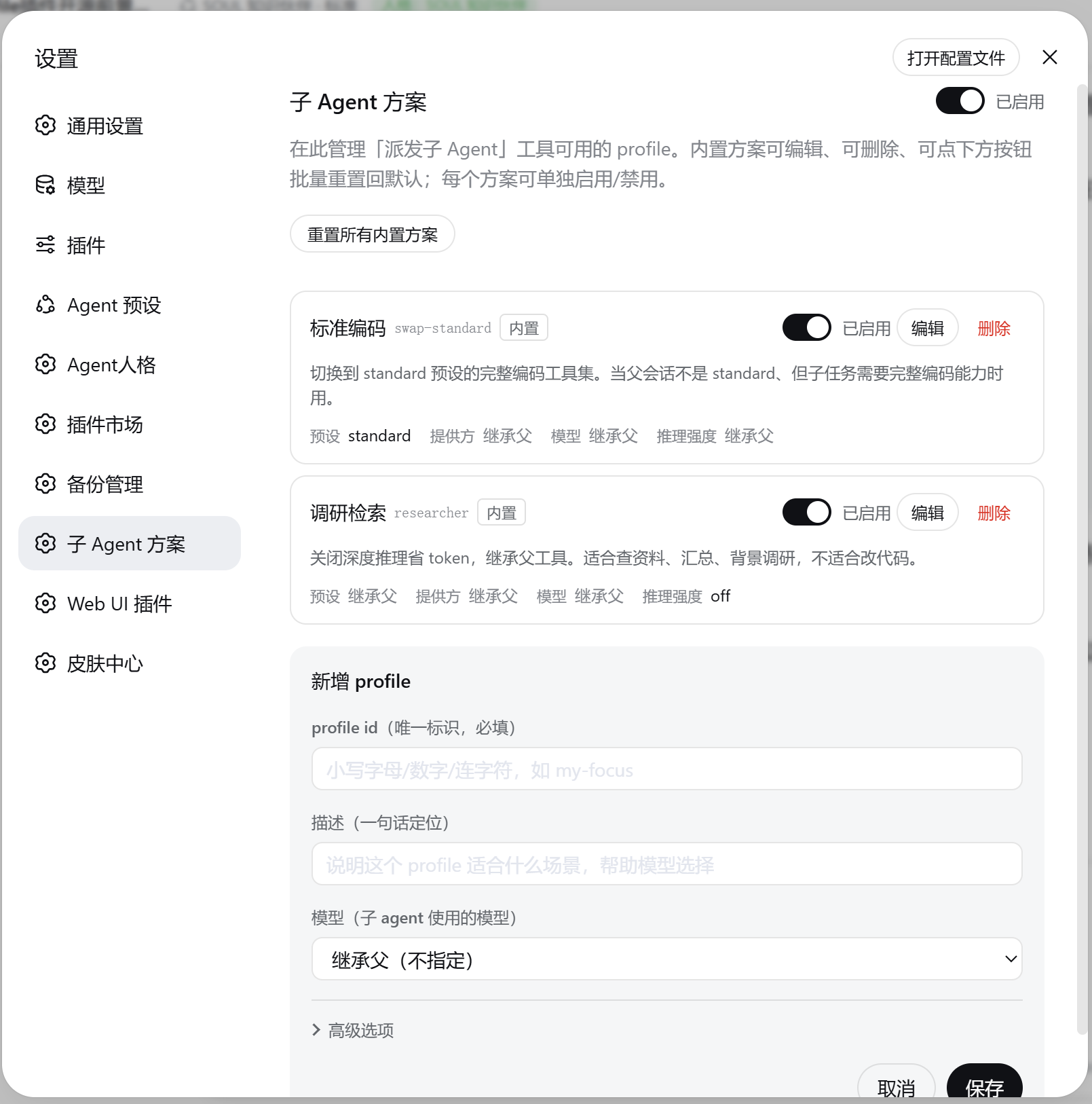
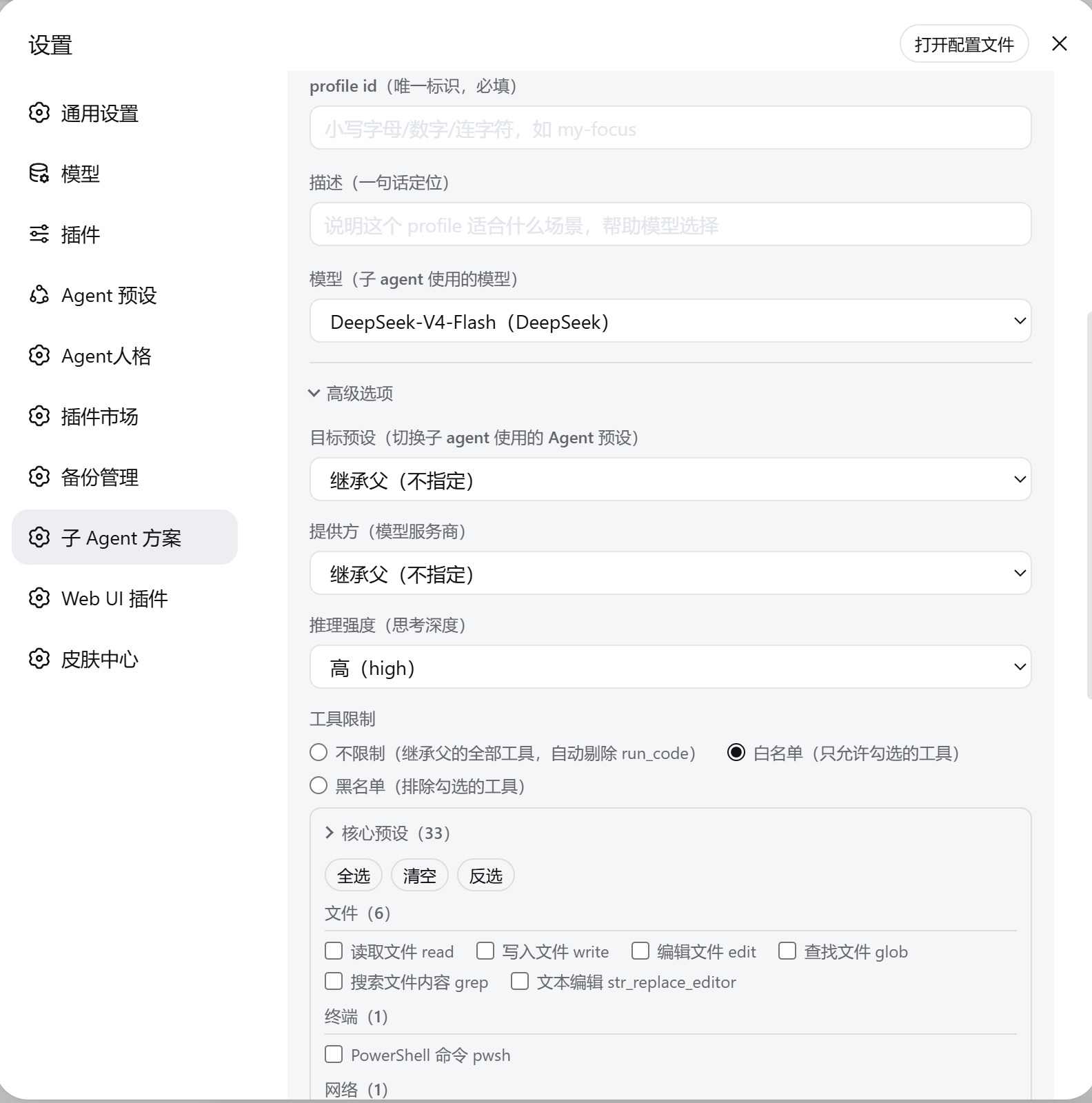
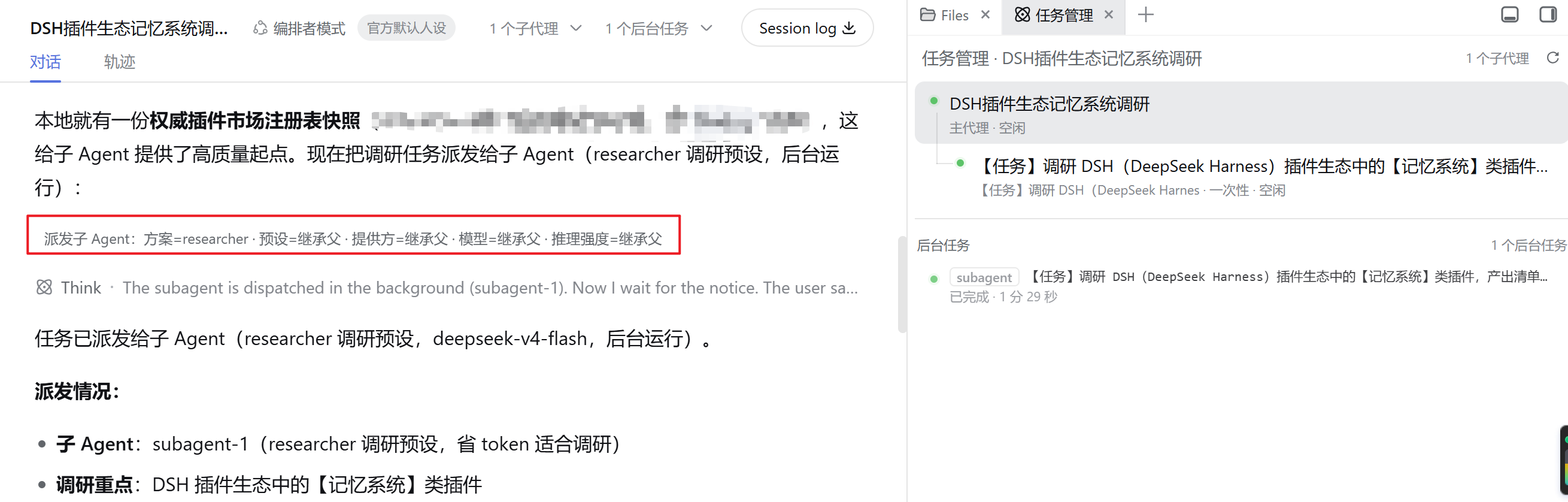
In DeepSeek Harness, the built-in subagent tool treats every subtask with the same configuration, essentially using one brain for all tasks regardless of their specific demands. This one-size-fits-all approach can lead to inefficiency, such as overusing resources for simple tasks or underpowering complex ones. dsh-subagent-profile solves this by enabling per-subtask control over agent configurations. With this plugin, you can create and select named profiles that bundle preset, model, reasoning effort, tool scope, and other settings. Through a simple dispatch command, you can assign a lightweight 'researcher' profile for quick information gathering or a 'swap-standard' profile for full coding capabilities, ensuring the right agent for the right task. The plugin also enforces safety by limiting tool access—child agents only inherit a subset of parental tools—and capping costs on model usage, reasoning effort, tokens, and recursion depth. It offers full observability, reporting effective profiles and tagging logs for easy tracking. This plugin is ideal for DeepSeek Harness users who need fine-grained control over subagent behavior. Whether you're a developer optimizing coding tasks, a researcher handling diverse queries, or a team managing complex workflows, dsh-subagent-profile allows you to match agents to tasks intelligently, balancing performance and cost. Its reusable profiles and automatic orchestrator preset simplify setup and enhance efficiency in multi-agent collaborations.
Screenshots
Use Cases
- Assign a lightweight agent for research tasks and a standard toolkit for coding tasks.
- Quickly switch between different agent setups using named profiles to boost workflow efficiency.
- Control subagent permissions and costs in multi-agent collaborations to ensure safe execution.
Best For
- DeepSeek Harness users who need to customize agent configurations for different subtasks.
- Developers or researchers looking to optimize agent performance and costs.
- Teams managing complex workflows and seeking smarter task dispatching.
Related Plugins

A method pack that makes AI coding agents plan against your real baseline, prove completion with fresh evidence, and reduce reworks and unsafe changes.

Turns the DeepSeek Harness session into a captain that builds a durable sub-agent team, splits goals into dependency-aware tasks, and coordinates work via direct messages and a live Web UI.
Gives coding agents design judgment, letting Claude Code, Cursor, and 70+ agents generate and iterate high-quality UI, presentations, and graphics right from the terminal.
Run the Pi ecosystem's plugins on DeepSeek Harness, unmodified, via a compatibility layer that implements Pi's public extension ABI on DSH's native services.