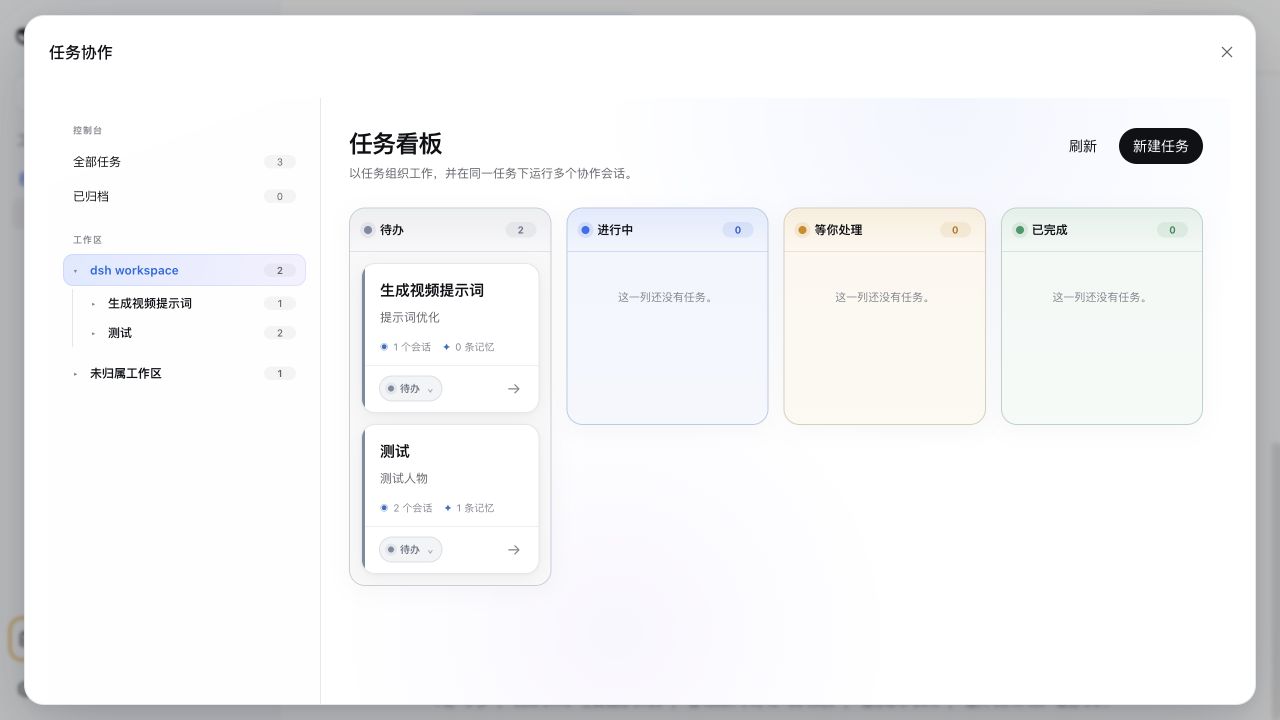
dsh-task-notice-board
Run the following command in DeepSeek Harness:
dsh plugin install SLin-code/dsh-task-notice-board
Paste the following prompt into your AI chat to install this plugin:
In DeepSeek Harness, install the plugin using the command 'dsh plugin install SLin-code/dsh-task-notice-board' or from the GitHub repository at https://github.com/SLin-code/dsh-task-notice-board.
About this plugin
In DeepSeek Harness workflows, collaboration across tasks and sessions often becomes fragmented, leading to lost context and inefficient management. The DSH Task Notice Board plugin addresses this by providing a unified control center to orchestrate Workspace, Task, and Session collaboration, treating Tasks as long-lived boundaries while ensuring assigned Sessions receive bounded snapshots of objectives and updates. Its core capabilities include a full-screen control center with expandable navigation, four-lane Task and Session Boards, focused Task long-term memory composition (like progress summaries and key decisions), and robust archiving and deletion features. This plugin is ideal for developers, teams, or individuals using DeepSeek Harness for complex workflow management, offering a clear and efficient interface to enhance task tracking and context sharing.
Screenshots
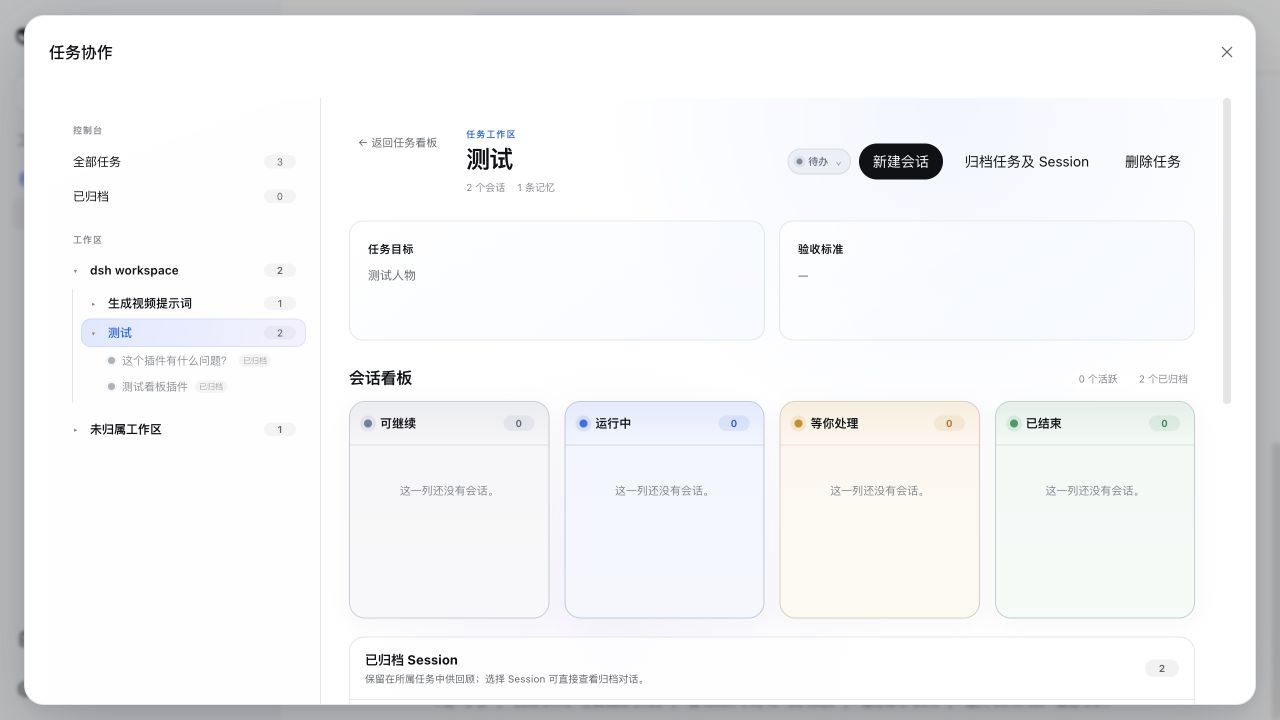
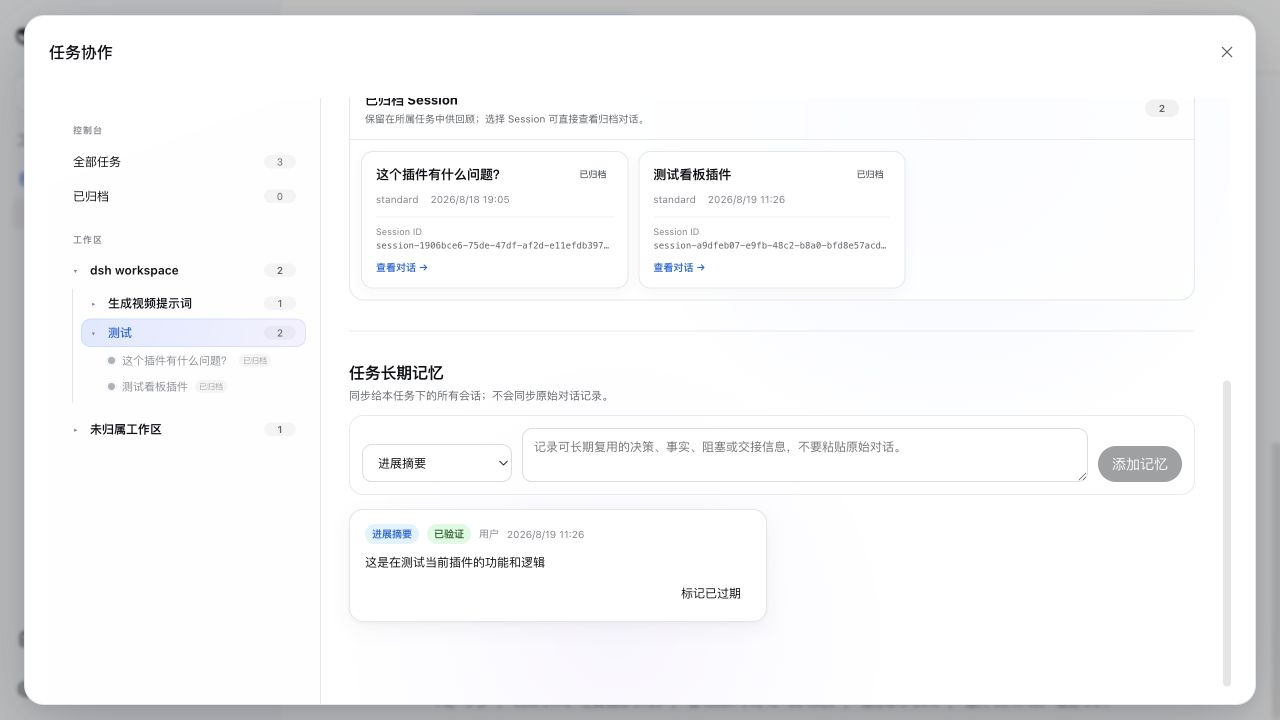
Use Cases
- Manage assignment and status tracking for multiple tasks.
- Share context and long-term memory across sessions.
- Archive completed tasks to optimize workspace organization.
Best For
- Workflow developers using DeepSeek Harness.
- Teams needing to collaborate on tasks and sessions.
- Individual users who value efficiency and workflow continuity.
Related Plugins

A method pack that makes AI coding agents plan against your real baseline, prove completion with fresh evidence, and reduce reworks and unsafe changes.

Turns the DeepSeek Harness session into a captain that builds a durable sub-agent team, splits goals into dependency-aware tasks, and coordinates work via direct messages and a live Web UI.
Gives coding agents design judgment, letting Claude Code, Cursor, and 70+ agents generate and iterate high-quality UI, presentations, and graphics right from the terminal.
Run the Pi ecosystem's plugins on DeepSeek Harness, unmodified, via a compatibility layer that implements Pi's public extension ABI on DSH's native services.