SpecsRelay-DSH
Run the following command in DeepSeek Harness:
dsh plugin install TinyPanda168/SpecsRelay-DSH
Paste the following prompt into your AI chat to install this plugin:
You can install the SpecsRelay-DSH plugin by running the command 'dsh plugin install TinyPanda168/SpecsRelay-DSH' from the GitHub repository https://github.com/TinyPanda168/SpecsRelay-DSH.
About this plugin
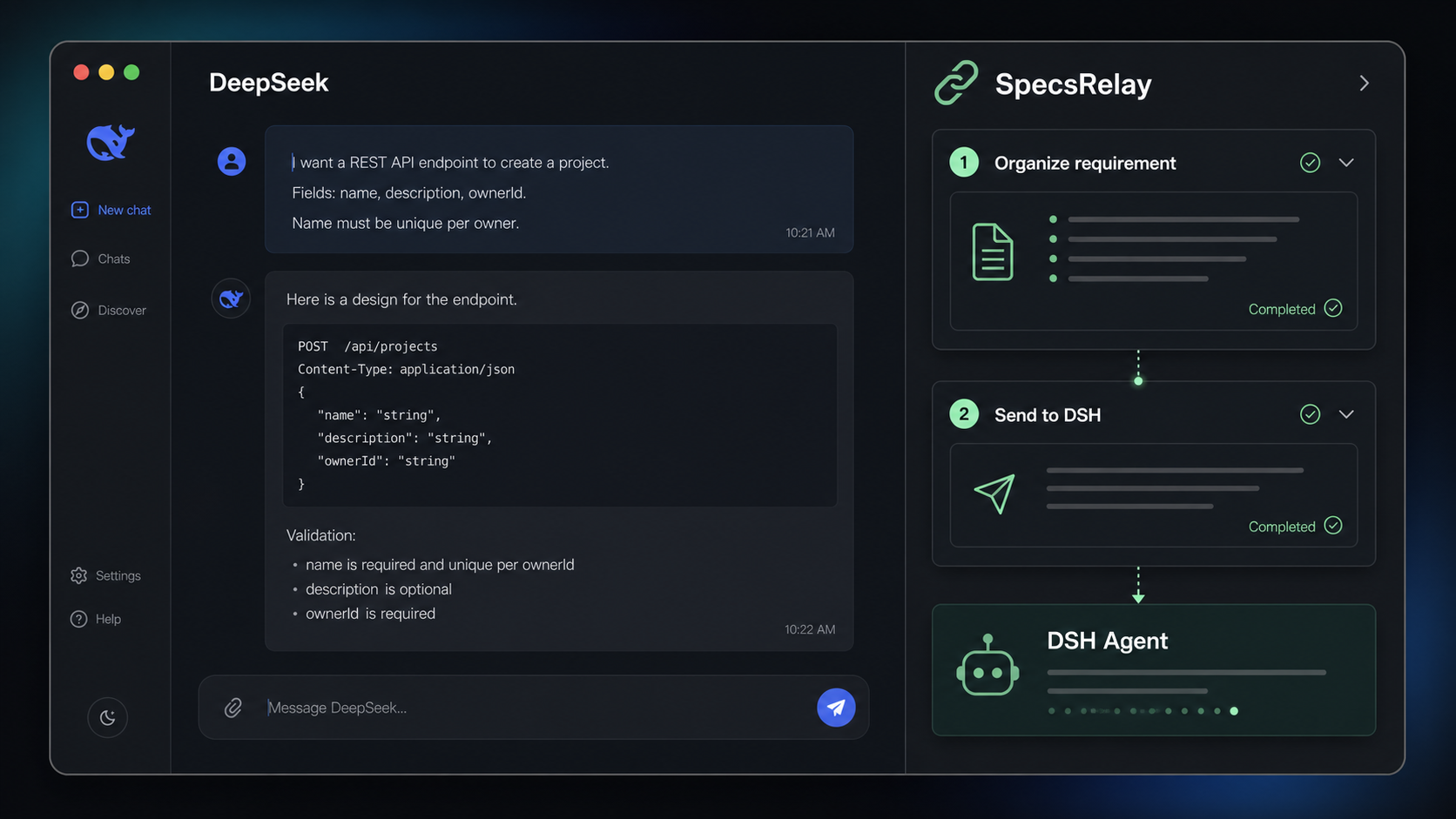
In modern digital workflows, DeepSeek's web interface excels at brainstorming and discussing ideas, while DSH projects are designed for local execution and development. However, transitioning from a vibrant conversation to a clear development requirement often involves manual copying, reorganization, and confirmation—a tedious and error-prone process. SpecsRelay-DSH is built to bridge this handoff gap. This plugin seamlessly integrates with DSH desktop clients, enabling users to open the real DeepSeek webpage within their familiar environment. With a single click on 'Organize Current Conversation,' it automatically captures the full multi-turn context, leveraging DSH's pre-configured models and built-in skills to distill discussions into structured, actionable requirements. It only prompts for clarification when ambiguous points could impact the product outcome, ensuring completeness and precision. Once organized, users simply select a target DSH project and send the requirement with one click to initiate the Agent. SpecsRelay doesn't alter the original workflows of DeepSeek or DSH but acts as an efficient requirement relay layer. It's ideal for teams or individuals who frequently use DSH desktop clients for product ideation and development, helping them save time, reduce errors, and swiftly turn ideas into reality.
Screenshots

Use Cases
- After in-depth product discussions in DeepSeek, organize them into actionable requirements with one click.
- Hand off product ideas or technical discussions directly to DSH projects to kickstart development.
- Automate the conversion from conversations to requirement documents, boosting team collaboration efficiency.
Best For
- Programmers using DSH desktop clients for local development.
- Project managers or product managers needing to quickly convert discussions into tasks.
- Teams relying on DeepSeek for idea conception and seeking efficient handoff solutions.
Related Plugins

A method pack that makes AI coding agents plan against your real baseline, prove completion with fresh evidence, and reduce reworks and unsafe changes.

Turns the DeepSeek Harness session into a captain that builds a durable sub-agent team, splits goals into dependency-aware tasks, and coordinates work via direct messages and a live Web UI.
Gives coding agents design judgment, letting Claude Code, Cursor, and 70+ agents generate and iterate high-quality UI, presentations, and graphics right from the terminal.
Run the Pi ecosystem's plugins on DeepSeek Harness, unmodified, via a compatibility layer that implements Pi's public extension ABI on DSH's native services.