agent-useful-skills
Run the following command in DeepSeek Harness:
dsh plugin install Azzygoatcoder/agent-useful-skills
Paste the following prompt into your AI chat to install this plugin:
In DeepSeek Harness, install the plugin with the command `dsh plugin install Azzygoatcoder/agent-useful-skills`, and the source code is available at https://github.com/Azzygoatcoder/agent-useful-skills.
About this plugin
In research and engineering, we often find ourselves bogged down by repetitive tasks—reading papers, drawing figures, writing documents, and conducting security audits. These tasks are not only time-consuming but also prone to errors that can compromise the quality of our work. The agent-useful-skills plugin addresses these pain points by modularizing such tasks into reusable skills and scripts, turning AI into a reliable assistant that streamlines your workflow.
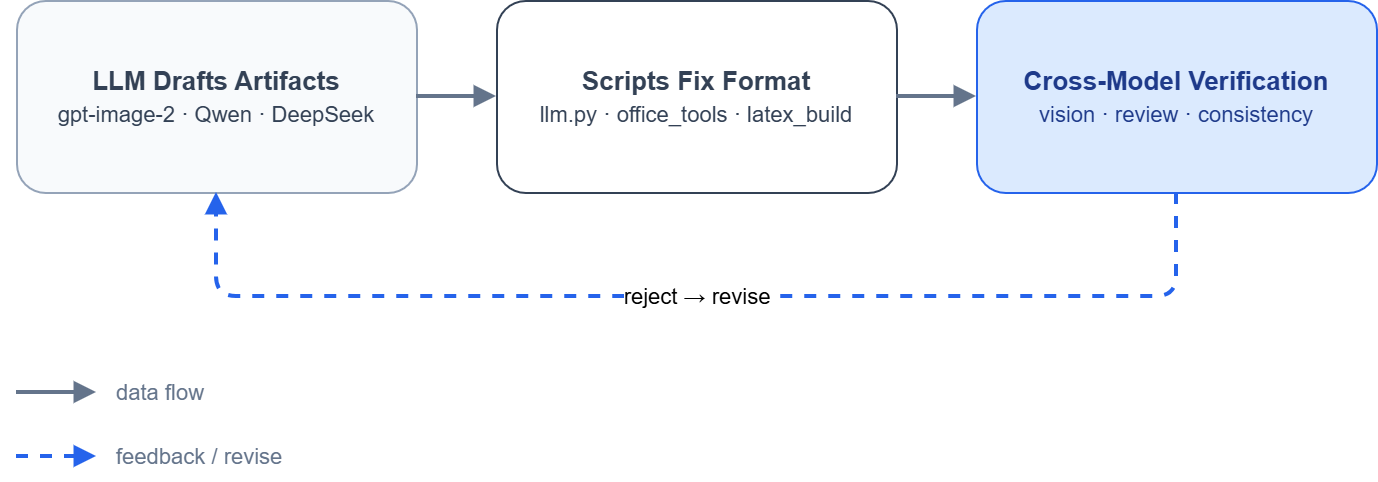
At the heart of this plugin is its modular design, offering a suite of skills from paper reading and figure drawing to document writing and security auditing. Each skill comes with built-in validation loops, such as cross-model checks, to ensure the quality and consistency of AI-generated content. The design prioritizes practicality, avoiding tool bloat by favoring environment variable configuration for flexibility and security. Whether you're creating conceptual diagrams, data visualizations, or technical architectures, the plugin intelligently routes tasks based on context and verifies outputs, so you don't have to trust any single generation blindly.
Who is this for? If you're a researcher, engineer, student, or anyone who regularly deals with academic papers, professional graphics, reports, or code security audits, this plugin can significantly boost your productivity. It's especially suited for users of AI tools like Claude Code or DeepSeek Harness who want to automate and optimize their workflows further. By delegating repetitive tasks to skills and scripts, you can focus more on innovation and critical thinking.
Screenshots
Use Cases
- Automate paper reading and knowledge organization
- Intelligent figure drawing with cross-model verification
- One-click document writing and format conversion
- In-depth code security auditing and report generation
Best For
- Researchers and academic students
- Software engineers and developers
- Power users of AI tools
Related Plugins

A method pack that makes AI coding agents plan against your real baseline, prove completion with fresh evidence, and reduce reworks and unsafe changes.

Turns the DeepSeek Harness session into a captain that builds a durable sub-agent team, splits goals into dependency-aware tasks, and coordinates work via direct messages and a live Web UI.
Gives coding agents design judgment, letting Claude Code, Cursor, and 70+ agents generate and iterate high-quality UI, presentations, and graphics right from the terminal.
Run the Pi ecosystem's plugins on DeepSeek Harness, unmodified, via a compatibility layer that implements Pi's public extension ABI on DSH's native services.