dsh-watcher
Run the following command in DeepSeek Harness:
dsh plugin install aa2246740/dsh-watcher
Paste the following prompt into your AI chat to install this plugin:
In DeepSeek Harness, you can install the plugin by running the command "dsh plugin install aa2246740/dsh-watcher", or locally clone it from https://github.com/aa2246740/dsh-watcher.
About this plugin
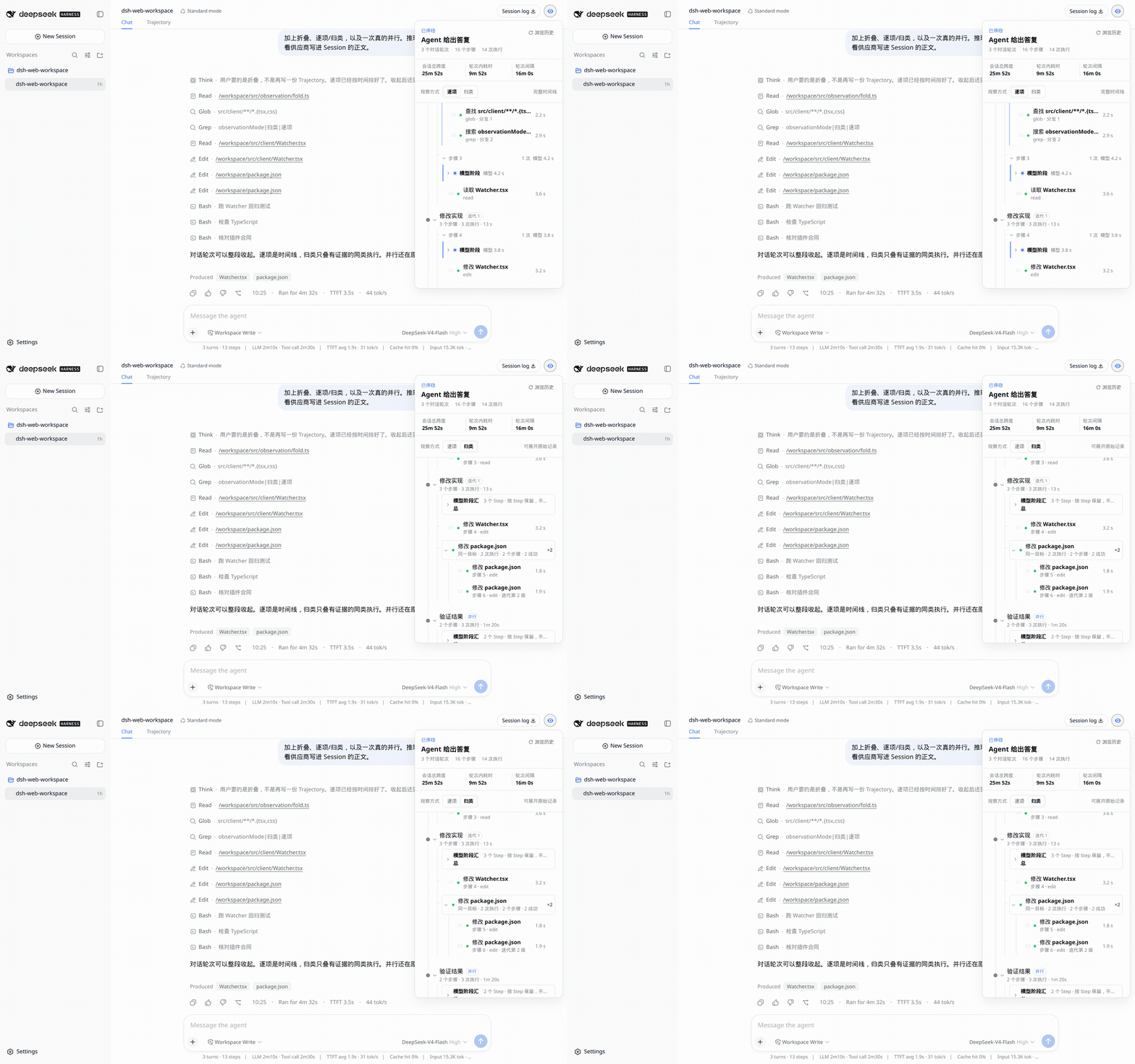
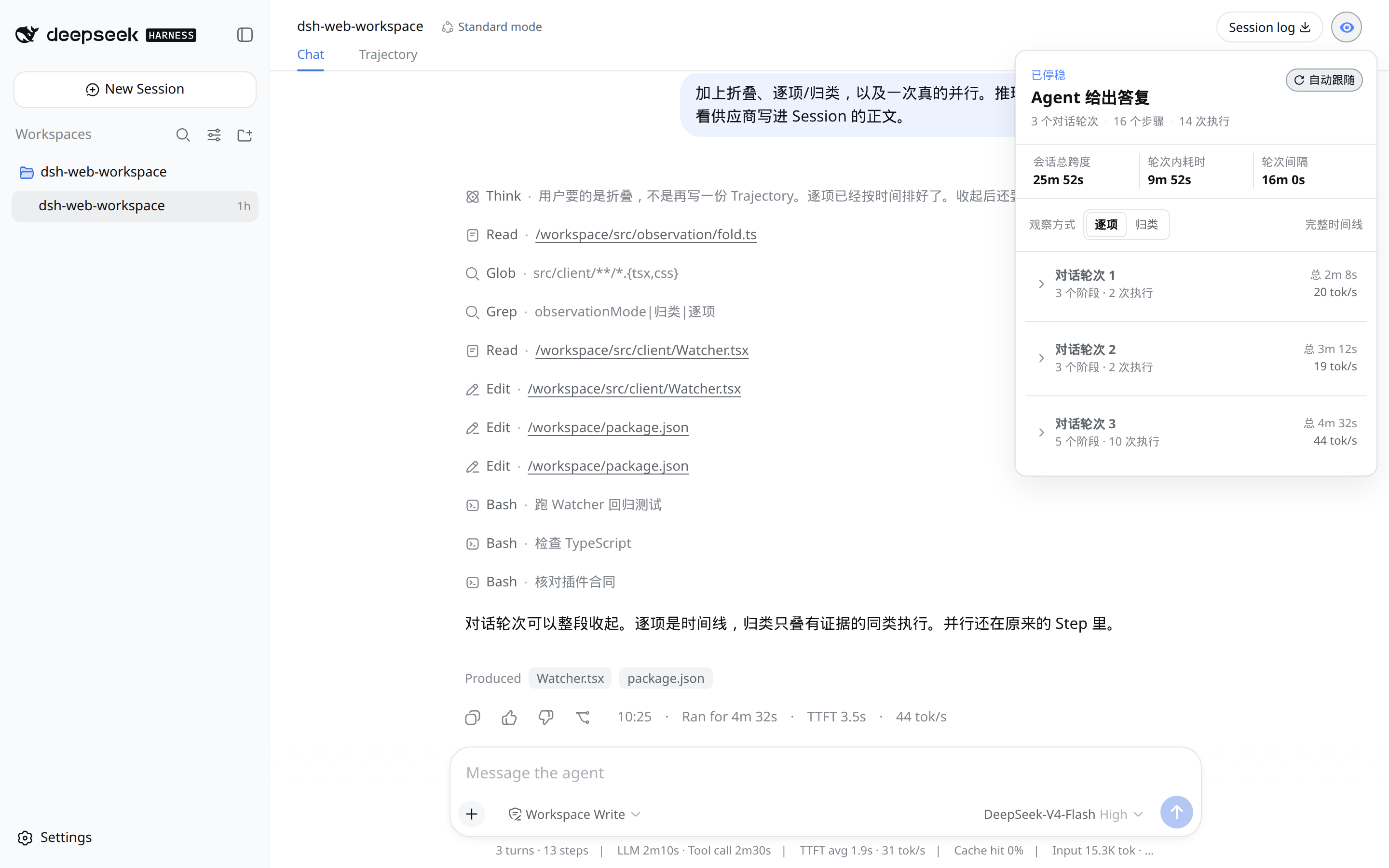
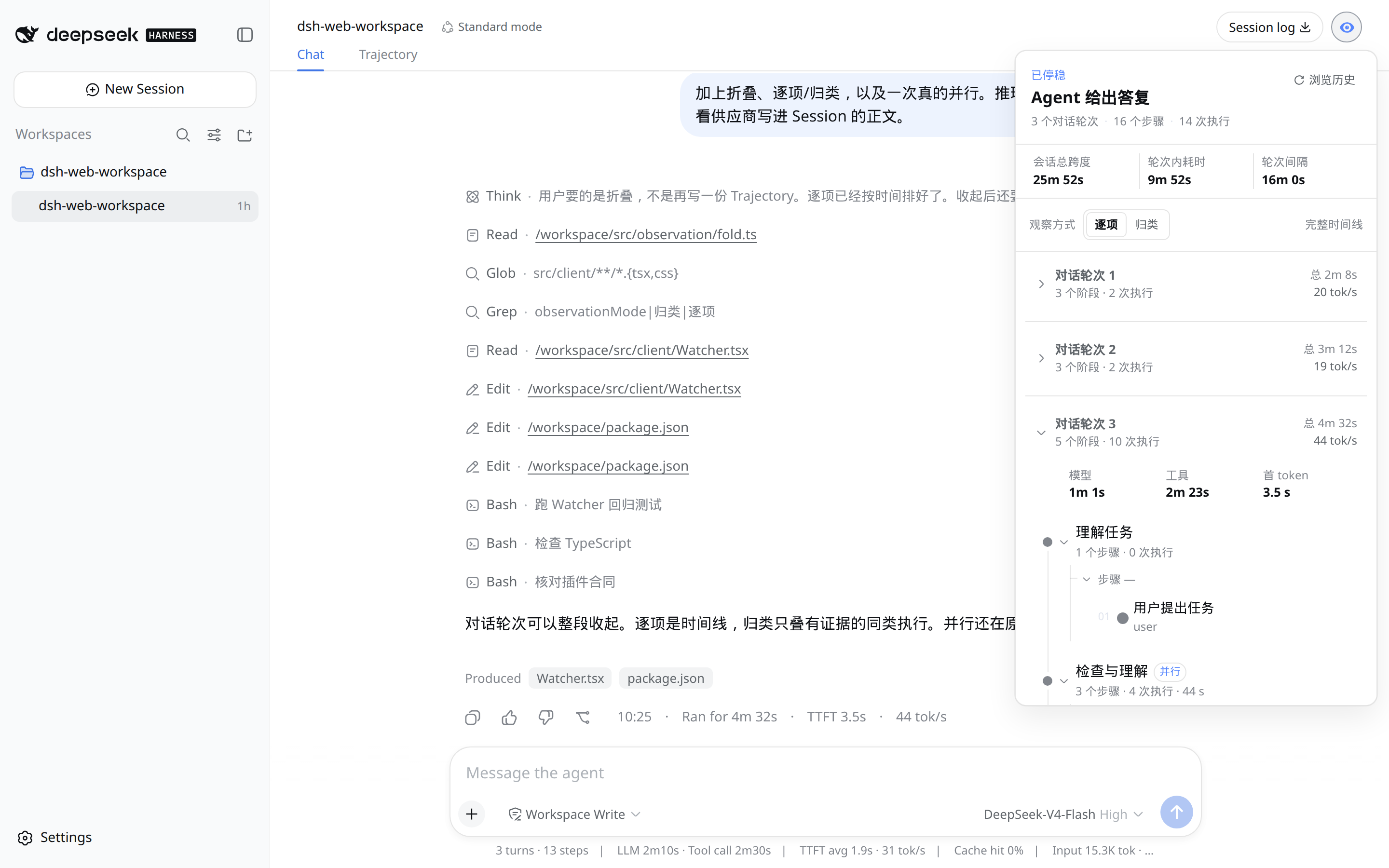
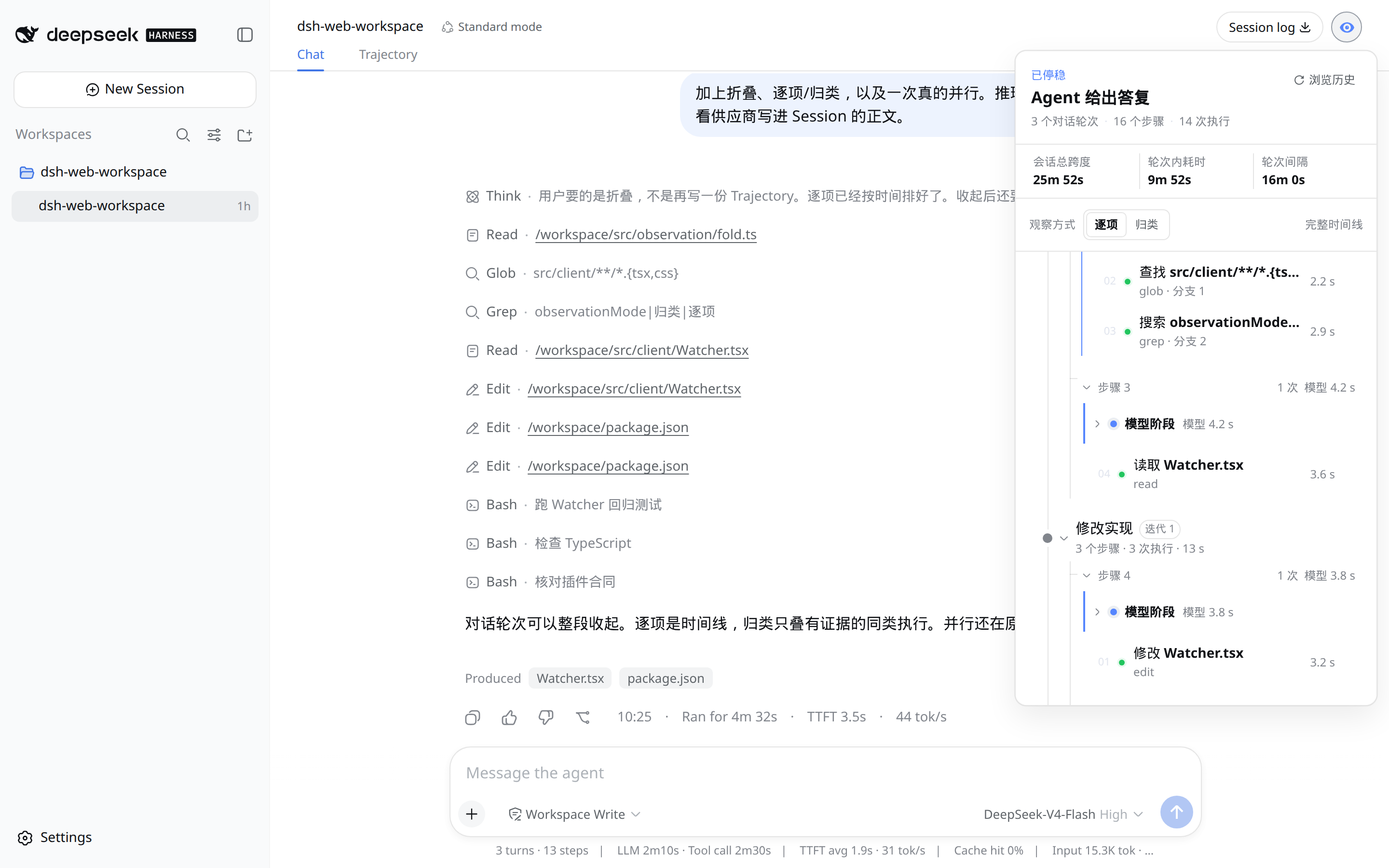
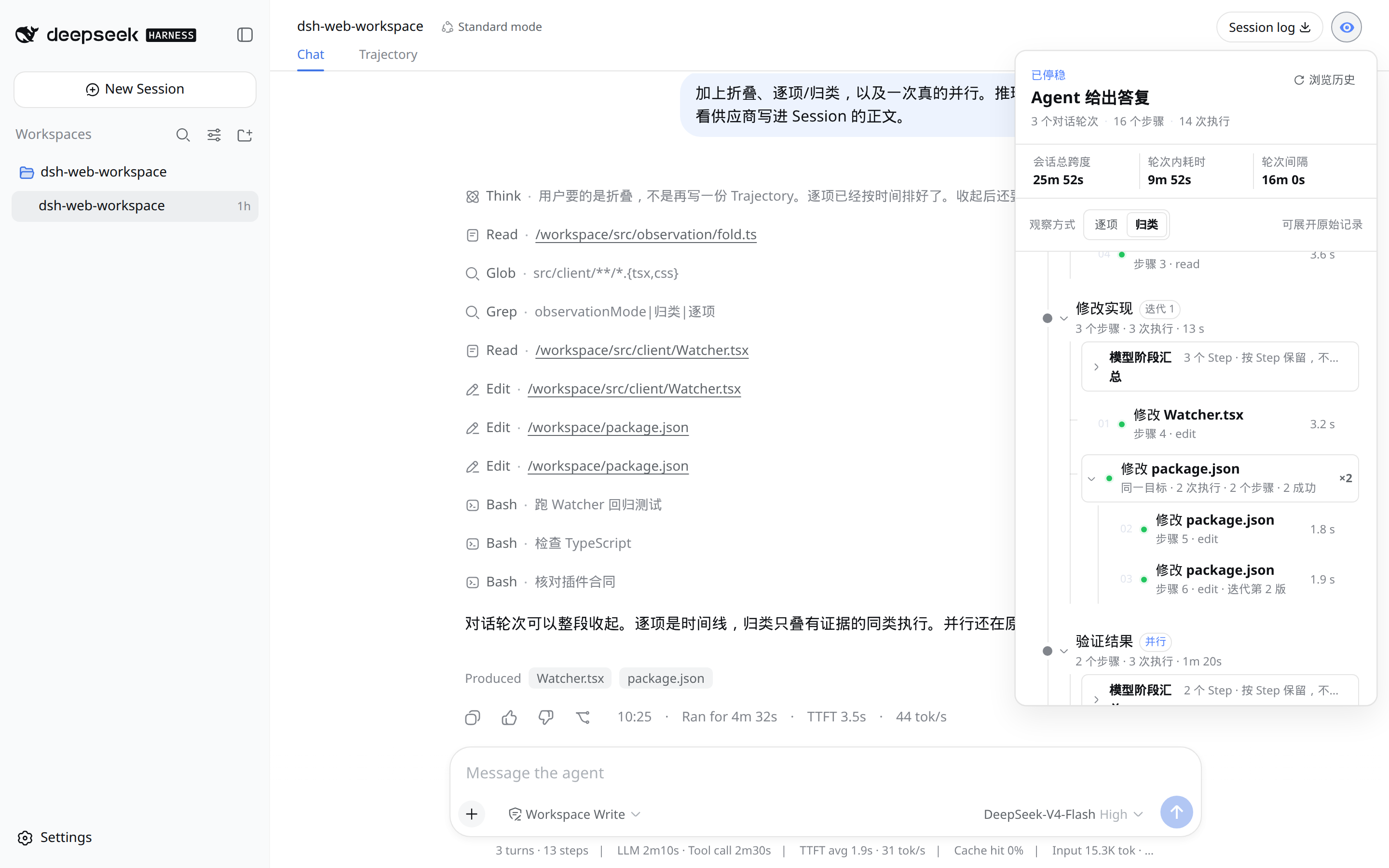
When working with complex agent workflows in DeepSeek Harness, the raw session logs can be lengthy and challenging to parse for key steps and performance metrics. As a read-only WebUI plugin, dsh-watcher addresses this by condensing the session path into a collapsible visualization accessible via an eye icon on the session title bar, enhancing analysis efficiency. It automatically computes and displays metrics like step counts, execution numbers, total duration, and tok/s per round, giving users a quick overview of the entire process.
The plugin's core strength lies in its smart folding and expanding of details: users can drill into parallel branches and tool results, while reasoning records default to a folded state to avoid information overload. It intelligently groups collapsible steps (e.g., identical package.json entries) but keeps distinct commands separate, ensuring the visualization accurately reflects execution logic. All data is sourced from official Session snapshots, with no added messages or hidden reasoning chains, preserving authenticity.
dsh-watcher is ideal for developers, data scientists, and researchers—particularly those debugging agent behavior, optimizing workflows, or monitoring performance. If you frequently handle multi-step, parallel sessions, this plugin streamlines diagnosis without manual log tracing, accelerating iteration and development cycles.
Screenshots
Use Cases
- Quickly inspect execution paths and durations when debugging complex agent workflows.
- Analyze parallel branches and tool call results in sessions to optimize processes.
- Monitor total duration and token usage efficiency across multi-step tasks.
Best For
- Developers: for debugging and optimizing agent behavior.
- Data Scientists: to analyze workflow performance and improve data processing pipelines.
- Researchers: to review experimental agent sessions and ensure logical correctness.
Related Plugins

A method pack that makes AI coding agents plan against your real baseline, prove completion with fresh evidence, and reduce reworks and unsafe changes.

Turns the DeepSeek Harness session into a captain that builds a durable sub-agent team, splits goals into dependency-aware tasks, and coordinates work via direct messages and a live Web UI.
Gives coding agents design judgment, letting Claude Code, Cursor, and 70+ agents generate and iterate high-quality UI, presentations, and graphics right from the terminal.
Run the Pi ecosystem's plugins on DeepSeek Harness, unmodified, via a compatibility layer that implements Pi's public extension ABI on DSH's native services.