Origin is currently released in early beta. You can create repos, push and pull with git, mirror from GitHub, browse and search code, open and merge pull requests, and share with your Cursor team.
Please submit any and all feedback to hi@cursor.com to help us make the product better.
Open a repository at cursor.com/codebase and select the Settings tab. These settings apply to one repository. For team-wide Origin settings, see Codebase settings.
Settings includes General, Permissions, Rules and Protections, and Apps. The Permissions and Rules and Protections UIs are being redesigned; labels and layout may change during early beta.
General
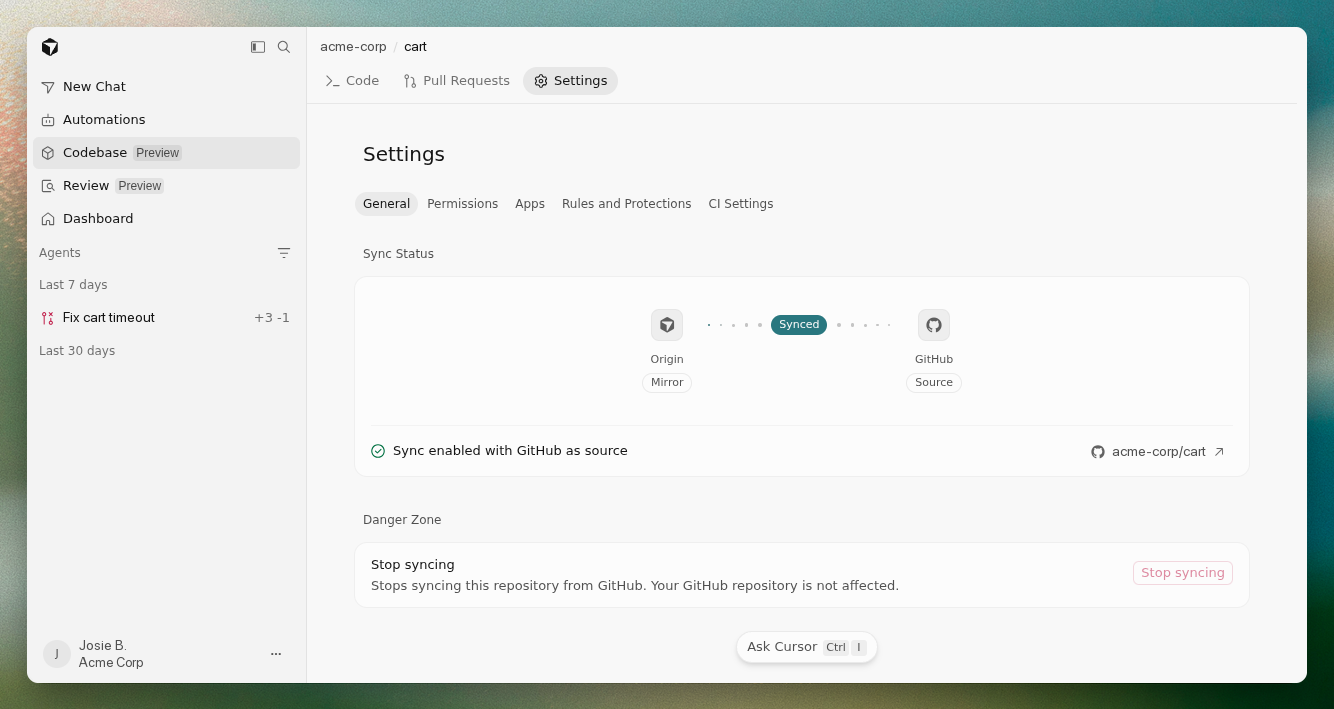
Sync status
For a repository mirrored from GitHub, Sync Status shows Origin as the mirror and GitHub as the source, with a link to the source repo. Repositories created on Origin do not show sync status.
Detach from GitHub
Under Danger Zone, Detach from GitHub stops syncing with GitHub and makes the Origin copy a standalone Origin-hosted repository: Origin becomes the source of truth, and pushes to the Origin remote no longer flow to GitHub. Your GitHub repository is not affected.
Permissions
Use Permissions to review who can access this repository.
Visibility is chosen when you create the repository. An Internal repo is visible to anyone on your Cursor team with access to the codebase. A Private repo is visible only to members granted access directly or through codebase permissions; when a repo is switched to Private, the person making the change automatically keeps admin access.
Team-wide Origin access (who can enable Origin, create repositories, or disable the feature) is managed in Codebase settings.
Rules and Protections
Rules and Protections is where you configure branch rules and merge protections for the repository. Available controls may expand during early beta.
Apps
Use Apps to connect third-party tools to this repository.
In early beta you can connect:
- Vercel — link your Vercel account; pushes can trigger deploys and pull requests can get preview environments
- Depot — run CI on Origin-hosted repositories
- Buildkite — run CI on Origin-hosted repositories
The repository Apps tab shows apps installed for this repository. To install or manage apps, select Manage Apps, which opens the codebase-level Apps settings.
Depot and Buildkite work on Origin-hosted repositories only, not on repos mirrored from GitHub. Mirrored repos keep CI on GitHub.
For internal Origin API apps, see Codebase settings → Apps.